25
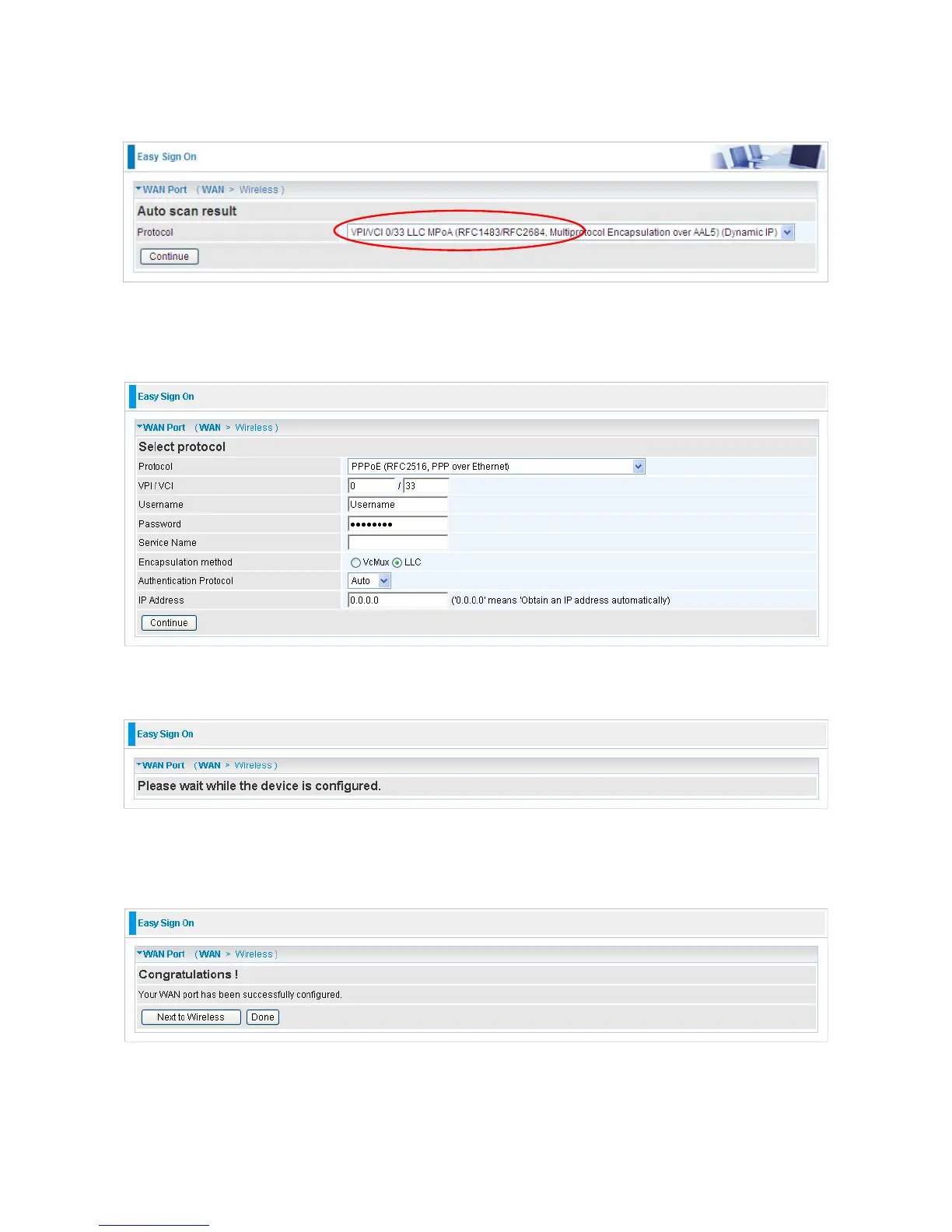
3. Show Auto scan result - Protocol information.
4. Please enter “Username” and “Password” as supplied by your ISP (Internet Service
Provider) and click continue.
5. Wait for the device to be configured.
6. You’ve have completed the WAN port setup and now click “Next to Wireless” to proceed
to the wireless configuration. (Only available for 7300N)
7. Please configure the Wireless LAN setting and click Continue.













 To Next Page