AB 01 01/2009 page 18/26
6.2 Alarm at the Alarm Box AB 01
In case of an alarm, the Alarm Box AB 01 responds (on condition that it has been activated and correctly
connected),
• The red alarm pilot lamp (3) on the front of the Alarm Box is lit indicating the alarm state
• Simultaneously the Alarm Box buzzer sounds which can be muted with the switch (2)
The alarm buzzer of the Alarm Box AB 01 can be activated or muted by switch (2) (0 =
off).
• After the delay time set in the Watch Tool, the alarm output of the Alarm Box AB 01 (chap. 2.2)
transmits the alarm message to the telephone dialling device TWG 01 from BINDER or to another
alarm facility of the customer.
If a BINDER telephone dialing device TWG 01 is connected and has been configured accordingly,
notification by the TWG01 occurs.
7. Manual alarm reset
The alarm reset can must be manually carried out in the Watch Tool.
The alarm can be reset on condition that the alarm cause is no more persistent.
Note for users who have connected the telephone dialing device TWG 01 from BINDER:
The end of the alarm state at the APT-COM™ 3 software does not influence telephone
dialing unit TWG 01. The alarm has to be reset additionally to APT-COM™ 3 there by hand
by pressing the reset key
.
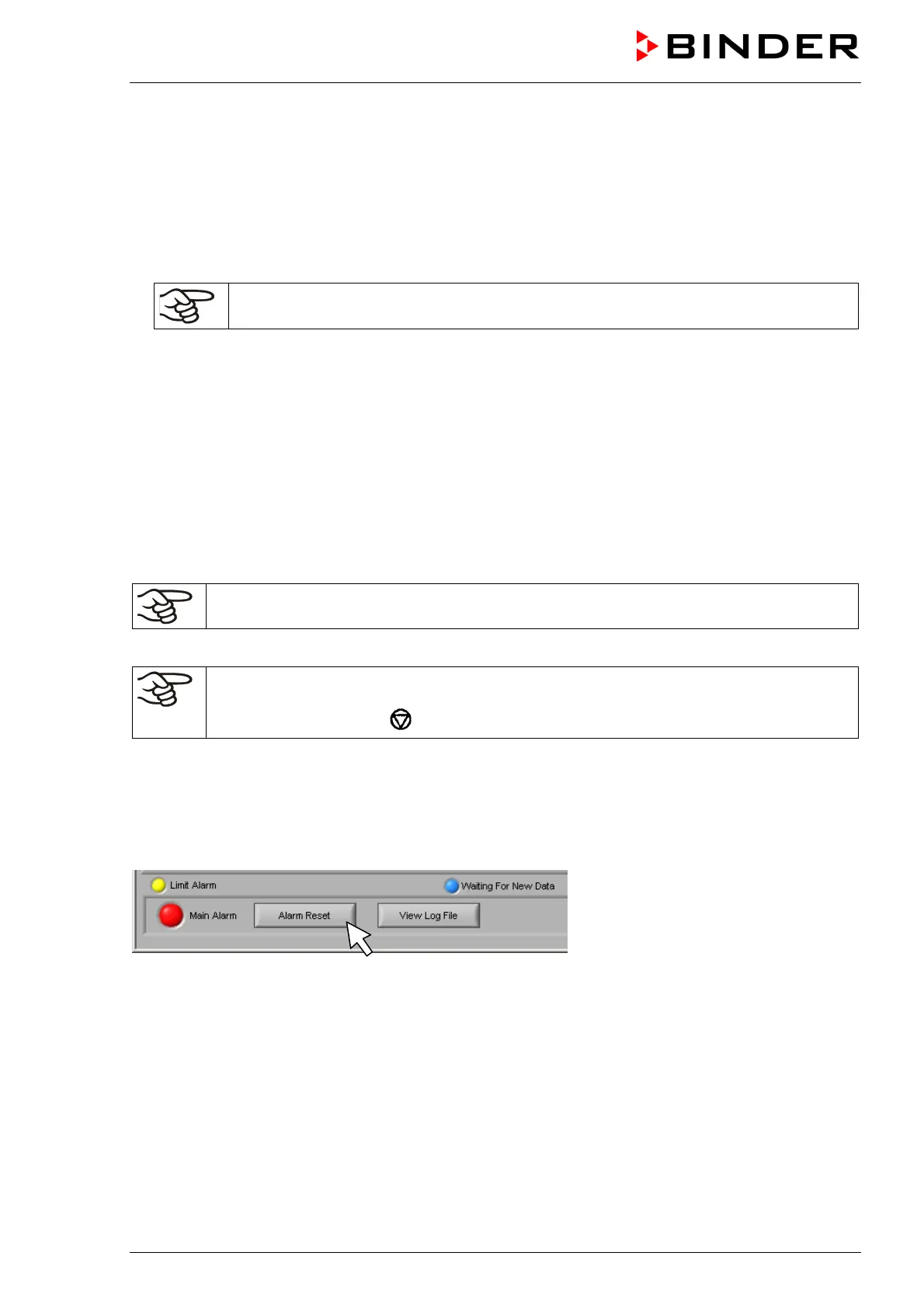
7.1 Alarm reset in the Watch Tool
To reset the alarm indications press button “Alarm reset“ twice:
The first pressing resets the cause indication signs “COM failures“ or “Limit alarm“. The second pressing
resets the red collective alarm sign.
A condition for alarm reset is that the alarm cause is no more persistent. Otherwise the alarm state is
conserved.



 To Next Page