AB 01 01/2009 page 15/26
Configuration of the measurement of the Alarm Box in APT-COM™ 3
Configure and start a corresponding measurement (e.g. “AB01Measurement”) in APT-COM™ 3
Activating the Alarm Box in the Watch Tool
When the connection between the Watch Tool and APT-COM™ 3 has been established and both
programs have been called up (see APT-COM™ 3 operating manual), the Alarm Box AB 01 can be
activated in the Watch Tool configuration menu “Options”.
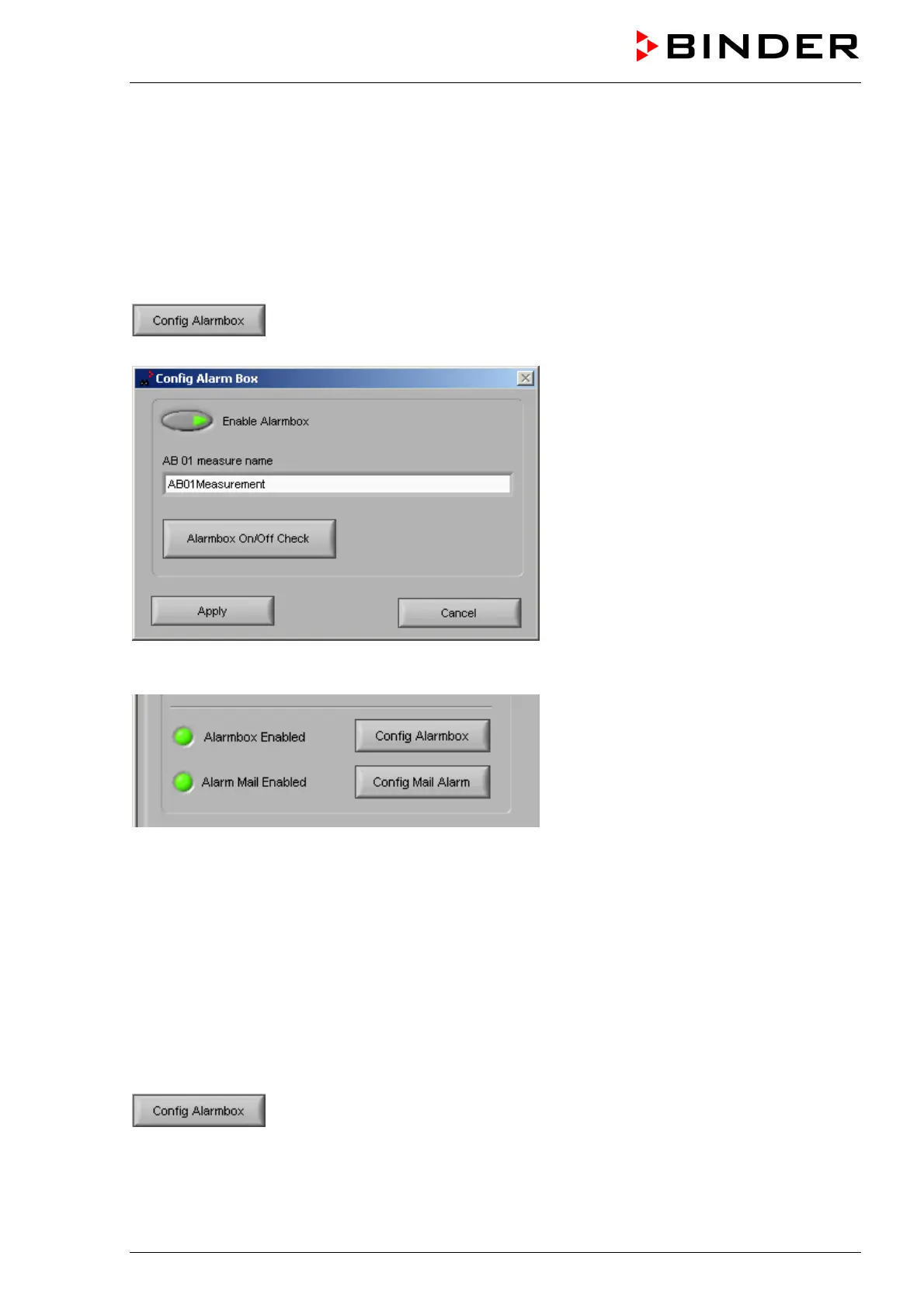
Hit button “Config Alarmbox”. The window “Config Alarm Box” appears. The
functions in this submenu serve to enable and test the BINDER Alarm Box AB.
Under “AB 01 measure name” the name of the measurement that has been created for the Alarm Box is
displayed.
5.2.3 Connection of the Alarm Box AB 01 when operating APT-COM™ 3 and the Watch
Tool on different computers
Connecting the Alarm Box to the monitoring computer
The Alarm Box AB 01 is connected to the monitoring computer on which the monitoring software Watch
Tool is running. The Alarm Box can be placed in a distance of up to 50 m from the monitoring computer.
Activation and connection of the Alarm Box in the Watch Tool
If the connection between the Watch Tool and APT-COM™ 3 has been established and both programs
have been called up (see APT-COM™ 3 operating manual), the Alarm Box AB 01 can be activated and
managed in the Watch Tool configuration menu “Options”.
Hit button “Config Alarmbox”. The window “Config Alarm Box” appears. The
functions in this submenu serve to enable and test the BINDER Alarm Box AB.



 To Next Page