EasyManua.ls Logo

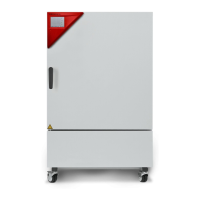
Binder FED 115 - User Manual

Default Icon
117 pages
Print Icon
To Next Page IconTo Next Page
Loading...
Issue 02/2022 Art. No. 7001-0292
Operating Manual
BD (E3.1)
|
Incubators
Avantgarde.Line with natural convection
BF (E3.1)
|
Incubators
Avantgarde.Line with forced convection
ED (E3.1)
|
Drying and heating ovens
Avantgarde.Line with natural convection
FD (E3.1)
|
Drying and heating ovens
Avantgarde.Line with forced convection
FED (E3.1)
|
Drying and heating ovens
Avantgarde.Line with forced convection
and enhanced timer functions
with microprocessor temperature controller
Model Model version Art. No. Model Model version Art. No.
BD 56
BD056-230V 9010/ 9110-0323
ED 260
ED260-230V 9010/ 9110-0339
BD056UL-120V 9010/ 9110-0324 ED260UL-240V 9010/ 9110-0340
BD 115
BD115-230V 9010/ 9110-0325 ED 720 ED720-400V 9010/ 9110-0341
BD115UL-120V 9010/ 9110-0326
FD 56
FD056-230V 9010/ 9110-0303
BD 260
BD260-230V 9010/ 9110-0329 FD056UL-120V 9010/ 9110-0304
BD260UL-120V 9010/ 9110-0330
FD 115
FD115-230V 9010/ 9110-0305
BD 720
BD720-230V 9010/ 9110-0331 FD115UL-120V 9010/ 9110-0306
BD720UL-240V 9010/ 9110-0332
FD 260
FD260-230V 9010/ 9110-0309
BF 56
BF056-230V 9010/ 9110-0313 FD260UL-240V 9010/ 9110-0310
BF056UL-120V 9010/ 9110-0314 FD 720 FD720-400V 9010/ 9110-0311
BF 115
BF115-230V 9010/ 9110-0315
FED 56
FED056-230V 9010/ 9110-0295
BF115UL-120V 9010/ 9110-0316 FED056UL-120V 9010/ 9110-0296
BF 260
BF260-230V 9010/ 9110-0319
FED 115
FED115-230V 9010/ 9110-0293
BF260UL-120V 9010/ 9110-0320 FED115UL-120V 9010/ 9110-0294
BF 720
BF720-230V 9010/ 9110-0321
FED 260
FED260-230V 9010/ 9110-0299
BF720UL-240V 9010/ 9110-0322 FED260UL-240V 9010/ 9110-0300
ED 56
ED056-230V 9010/ 9110-0333
FED 720
FED720-400V 9010/ 9110-0301
ED056UL-120V 9010/ 9110-0334 FED720UL-208V 9010/ 9110-0302
ED 115
ED115-230V 9010/ 9110-0335
ED115UL-120V 9010/ 9110-0336
BINDER GmbH
Address: Post office box 102, 78502 Tuttlingen, Germany Phone: +49 7462 2005 0
Fax: +49 7462 2005 100 Internet: http://www.binder-world.com
E-mail: info@binder-world.com Service Hotline: +49 7462 2005 555
Service Fax: +49 7462 2005 93 555 Service E-Mail: customerservice@binder-world.com
Service Hotline USA: +1 866 885 9794 or +1 631 224 4340 x3
Service Hotline Asia Pacific: +852 390 705 04 or +852 390 705 03
Service Hotline Russia and CIS: +7 495 988 15 16

Table of Contents

Other manuals for Binder FED 115

Questions and Answers

  • L
    Lisa RobinsonAug 30, 2025
    What to do if my Binder FED 115 Laboratory Equipment chamber doesn’t heat up and there is no heating icon in the display, but controller display is working?
    • T
      Thomas BlakeAug 31, 2025
      The timer may have run off. Try re-programming the timer or turn it off.
  • R
    ricemelissaAug 29, 2025
    What to do if my ED, FD, FED Binder FED 115 Laboratory Equipment chamber has no function and shows alarm message “!TLim”?
    • K
      Katherine GardnerAug 29, 2025
      This alarm indicates that safety device class 2 has turned off the chamber. Allow the chamber to cool down. Check the settings of the temperature set-point and the safety device class 2, and select a suitable limit value if needed.
  • L
    Lisa DelgadoAug 28, 2025
    What to do if my Binder FED 115 Laboratory Equipment chamber has no function?
    • C
      Caroline RiddleAug 28, 2025
      First, check the connection to the power supply. If the overtemperature protective device class 1 has turned off the chamber, disconnect the chamber from the power supply for at least 10 seconds and let it cool down. If the device responds again, further assistance is needed.
  • S
    Steven BrownAug 27, 2025
    What to do if my ED, FD, or FED Binder FED 115 chamber has no function and shows the alarm message “!TLim”?
    • E
      Eric SteeleAug 27, 2025
      The safety device class 2 has likely turned off the chamber. Allow the chamber to cool down. Check the temperature set-point and the settings of the safety device class 2. If appropriate, select a suitable limit value. If the issue persists, further assistance is needed.
  • C
    Christina WallsAug 27, 2025
    Why is my Binder Laboratory Equipment chamber heating permanently and not holding the set-point?
    • M
      Michaela HernandezAug 27, 2025
      The controller may not be adjusted, so calibrate and adjust it. If the issue persists, the controller might be defective and further assistance is needed.
  • S
    Stephanie JohnsonAug 26, 2025
    What to do if Binder FED 115 chamber doesn’t heat up but the controller display is working?
    • M
      Mrs. Monica HarrisAug 26, 2025
      The timer might have run off. Try re-programming the timer or turning it off.
  • T
    Thomas RojasAug 25, 2025
    Why is the set-point temperature not reached in my Binder Laboratory Equipment after the specified time?
    • L
      Linda PriceAug 25, 2025
      Several factors could be the reason. Make sure the chamber door is completely closed and that the door gasket isn't defective (replace if needed). The controller may also need calibration and adjustment. Finally, verify the power supply for the correct voltage.

Summary

Safety

Personnel Qualification

Defines requirements for qualified personnel to install, test, and operate the chamber safely.

General Safety Instructions

Covers general safety rules for installation, operation, and environmental conditions.

Intended Use

Specifies the approved applications and limitations of the chamber.

Foreseeable Misuse

Lists common incorrect uses of the chamber and their associated risks.

Residual Risks

Identifies unavoidable risks that may occur even during correct operation.

Chamber Description

Triangular Instrument Panel

Describes the control panel with display, buttons, and interfaces.

Delivery, Transportation, Storage, and Installation

Unpacking and Checking Delivery

Instructions for unpacking, inspecting for completeness, and reporting damage.

Safe Lifting and Transportation

Guidelines and precautions for safely moving and transporting the chamber.

Installation Location and Ambient Conditions

Requirements for the installation site, including ventilation and environmental factors.

Installation

Electrical Connection

Detailed guide for connecting the chamber to the electrical power supply.

Controller Overview and General Settings

Set-Point Entry for Temperature and Fan Speed

How to input desired temperature and fan speed set-points.

Overtemperature Protection

Overtemperature Protective Device (Class 1)

Explains the function of the primary overtemperature safety device and cut-off values.

Safety Controller

Details the function of secondary safety controllers (temperature limiter/protection).

Setting Safety Controller Set-Point

Procedure for setting the limit temperature for the safety controller.

Alarm Message and Handling

Describes alarm indicators and the steps to reset alarms.

Timer Functions

Timer Function Delayed Off

Details on setting the timer for automatic shut-off and fan operation.

Temperature Dependent Delayed Off Timer

How to set a timer that starts only after a specific temperature is reached.

Timer Function Delayed On

Procedure for setting a timer to delay the start of heating.

Ramp Function

Setting and Displaying Ramp Function

Step-by-step guide to setting the ramp gradient and target set-point.

Displaying Effective Ramp Set-Point

How to view the current ramp set-point and change the target value.

Data Recording via USB Interface

Starting Data Recording

Procedure for connecting a USB stick and initiating data logging.

Terminating Data Recording

Steps to stop the data recording process via the USB menu.

Cleaning and Decontamination

Cleaning Procedures

Instructions for routine cleaning of chamber surfaces and components.

Decontamination and Chemical Disinfection

Methods for proper decontamination and disinfection of the chamber.

Maintenance, Service, Troubleshooting, and Repair

Maintenance Intervals and Service

Specifies the recommended schedule for regular maintenance work.

Simple Troubleshooting

Provides basic steps for identifying and resolving common chamber faults.

Technical Description

Binder FED 115 Specifications

General IconGeneral
Temperature Range5 °C above ambient temperature to 300 °C
Temperature Accuracy± 0.3 °C
Interior Volume115 l
Interior Dimensions (W x H x D)500 x 500 x 460 mm
Number of shelves (standard/max.)2 / 5
Rated Voltage230 V
Power Supply230 V, 50/60 Hz
Power Consumption2400 W
TypeForced convection drying oven
Exterior Dimensions (W x H x D)710 x 820 x 680 mm

Related product manuals