Redline Operating Manual RE / RF / RI 12/2010 page 26/46
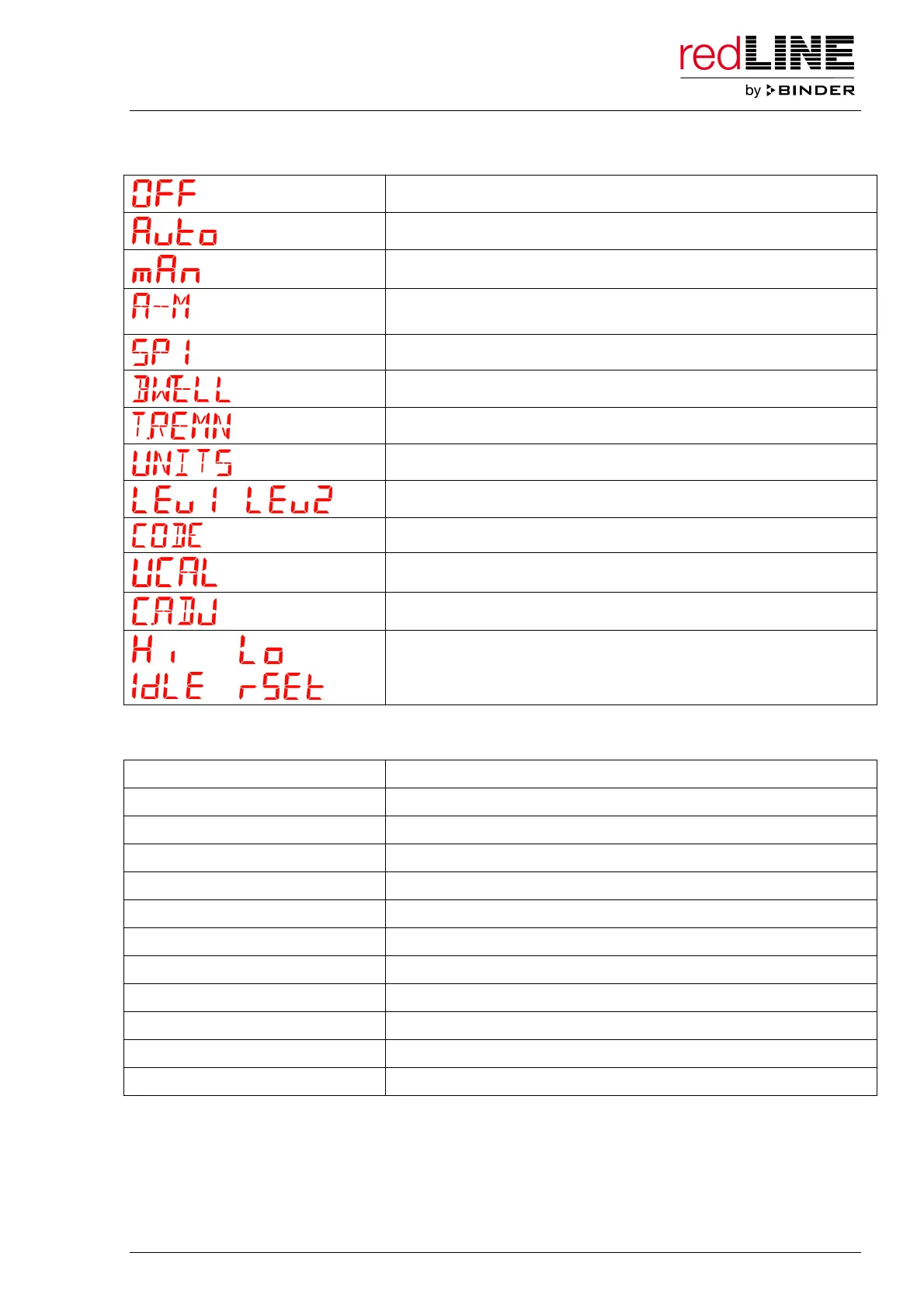
Text indications
Operating mode “Standby”
Operating mode “Automatic Mode”
Operating mode “Manual Mode”
Selection of operating mode (Standby / Automatic Mode / Manual
Mode)
Setting menu for the temperature set-point
Setting menu for the timer duration
Remaining timer run time
Setting menu for the temperature unit (°C / °F)
Levels to access the temperature adjustment menu
Password request
Adjustment menu: selecting the adjustment point
Adjustment menu: entering the reference value
Displays in the adjustment menu
Scrolling messages
e.g. REDLINE RE 53 Chamber type
SETPOINT 1 Setting menu for the temperature set-point
SET TIME DURATION Setting menu for the timer duration
TIMER RUNNING Timer operation – Timer running
TIMER HOLD Timer operation – Timer interrupted
TIME REMAINING Display of the remaining timer run time
TIMER END Timer expired, operating mode Standby
DISPLAY UNITS Setting menu for the temperature unit
SELECT ACCESS LEVEL Access menus for temperature adjustment
PASSCCODE Password request
USER CALIBRATION Adjustment menu: selecting the adjustment point
CALIBRATION ADJUST Adjustment menu: entering the reference value



 To Next Page