Redline Operating Manual RE / RF / RI 12/2010 page 30/46
6.3 Operating mode Manual Mode
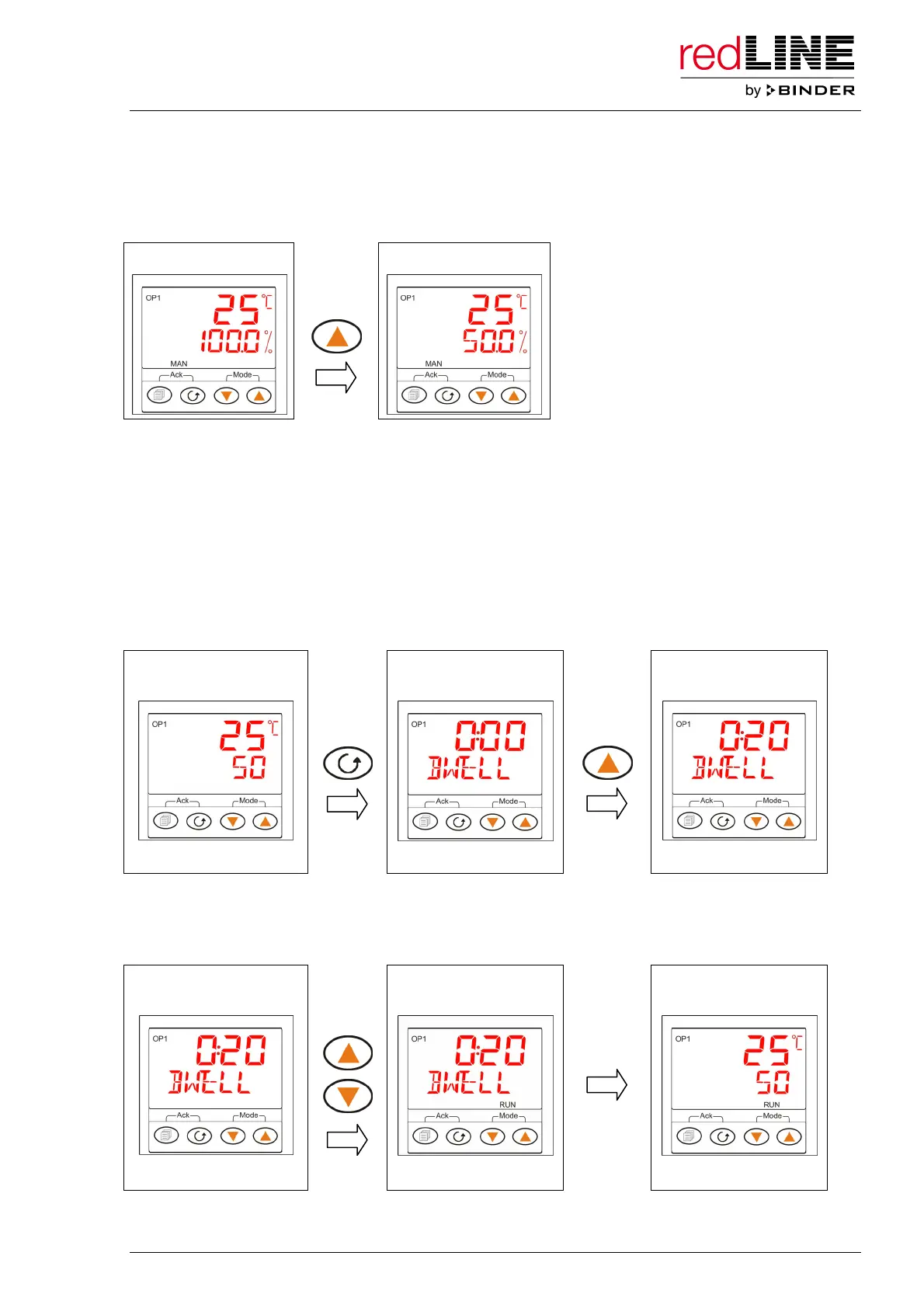
In the operating mode “Manual Mode” adjust the heating power directly in the main menu using the arrow
keys.
Main menu (Manual) Main menu (Manual)
several
times
6.4 Timer operation
You can use the timer function to operate the unit’s heating for a defined time and turn it off when this
time has expired. You can set the timer from 0 up to 9999 minutes.
You can start the timer from any controller level. The controller always adjusts to the set-point, which has
been entered in the operating mode “Automatic Mode”, i.e. the timer always runs in Automatic Mode.
Setting the timer: In the main menu (Standby or Automatic Mode or Manual Mode), press the functional
button 2 times until the setting menu of the timer duration “DWELL” appears. Enter the timer duration in
the format hh:mm using the arrow keys.
Main menu
(e.g. Automatic)
Setting menu for timer
duration
Setting menu for timer
duration
2 x
several
times
SET TIME DURATION SET TIME DURATION
Now you can toggle back to the main menu display (press the functional button 3 times or wait for 1
minute) or start the timer.
Starting the timer: Press both arrow keys simultaneously shortly. The indication “RUN” lights up.
e.g. setting menu for
timer duration
Setting menu for timer
duration
Main menu
(timer operation)
2 sec.
SET TIME DURATION TIMER RUNNING TIMER RUNNING



 To Next Page