Redline Operating Manual RE / RF / RI 12/2010 page 31/46
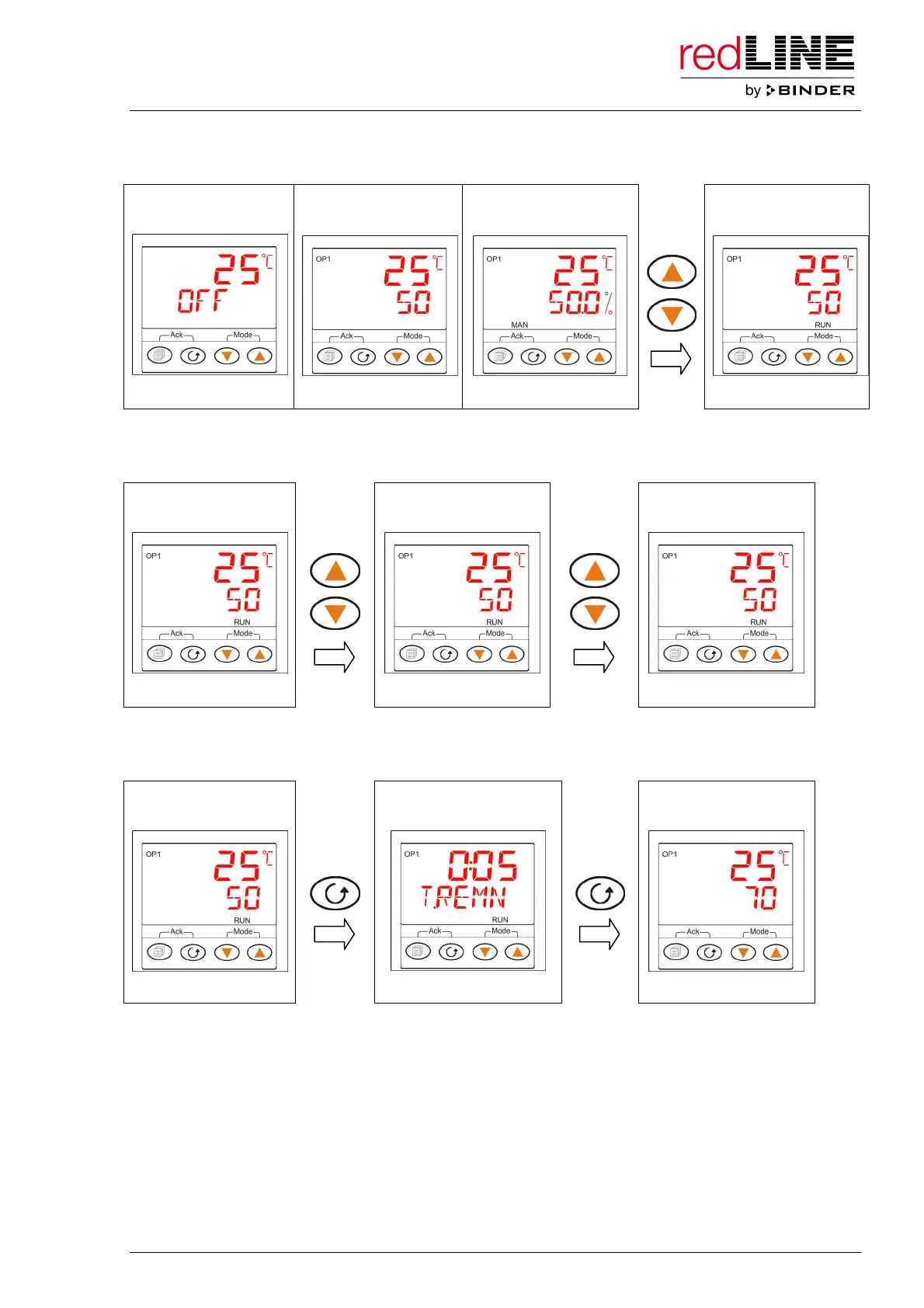
The timer can be started from any level:
Main menu
(Standby)
Main menu
(Automatic)
Main menu
(Manual)
Main menu
(Timer operation)
TIMER RUNNING
Interrupting timer operation: Press both arrow keys simultaneously shortly. The indication “RUN”
flashes. If you press again both arrow keys simultaneously shortly, timer operation continues.
Main menu
(Timer operation)
Main menu
(Timer interrupted)
Main menu
(Timer operation)
TIMER RUNNING TIMER HOLD TIMER RUNNING
Checking the remaining timer run time: press the functional button 3 times, until the display of the
remaining timer run time “T.REMN” appears.
Main menu
(Timer operation)
Display of remaining
time
Main menu
(Timer operation)
3 x
2 x
TIMER RUNNING TIME REMAINING TIMER RUNNING
Back to the main menu display: press the functional button 2 times or wait for 1 minute.
The timer counts down towards zero.
During timer operation you can increase or decrease the timer duration “DWELL” in the setting menu for
the timer duration according to the demands of the process. And you can change to the actual value
display and modify the set-point value without interrupting timer operation.
If you to set the timer duration “DWELL” in the setting menu for the timer duration to zero during timer
operation, this will terminate timer operation.



 To Next Page