Redline Operating Manual RE / RF / RI 12/2010 page 28/46
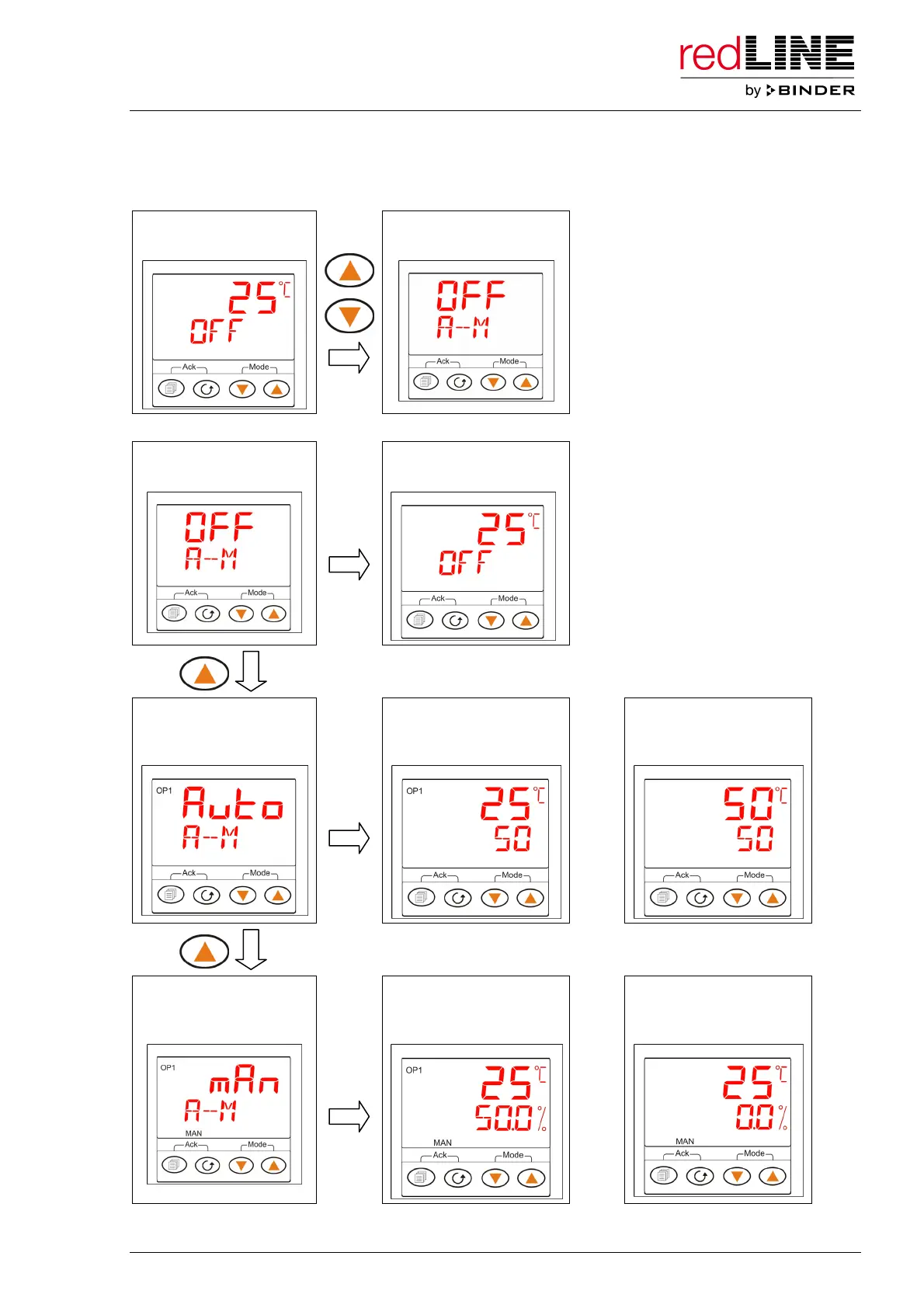
To select the operating mode, press simultaneously both arrow keys for at least 1 second and select then
the desired operating mode with one of the arrow keys. After 2 seconds, the main menu is displayed in
the selected operating mode (figures show sample values).
Main menu Selection of operating
mode
1 sec.
Selection of operating
mode: Standby
Main menu (Standby)
2 sec.
Selection of operating
mode: Automatic Mode
Main menu (Automatic):
heating on, adjusting to
the set-point
Main menu (Automatic):
heating off, equilibrated
state
2 sec.
or
Selection of operating
mode: Manual Mode
Main menu (Manual):
heating on, selected
heating power
Main menu (Manual)
heating off, no heating
power
2 sec.
or



 To Next Page