CFX96 and CFX384 Systems Manual
125
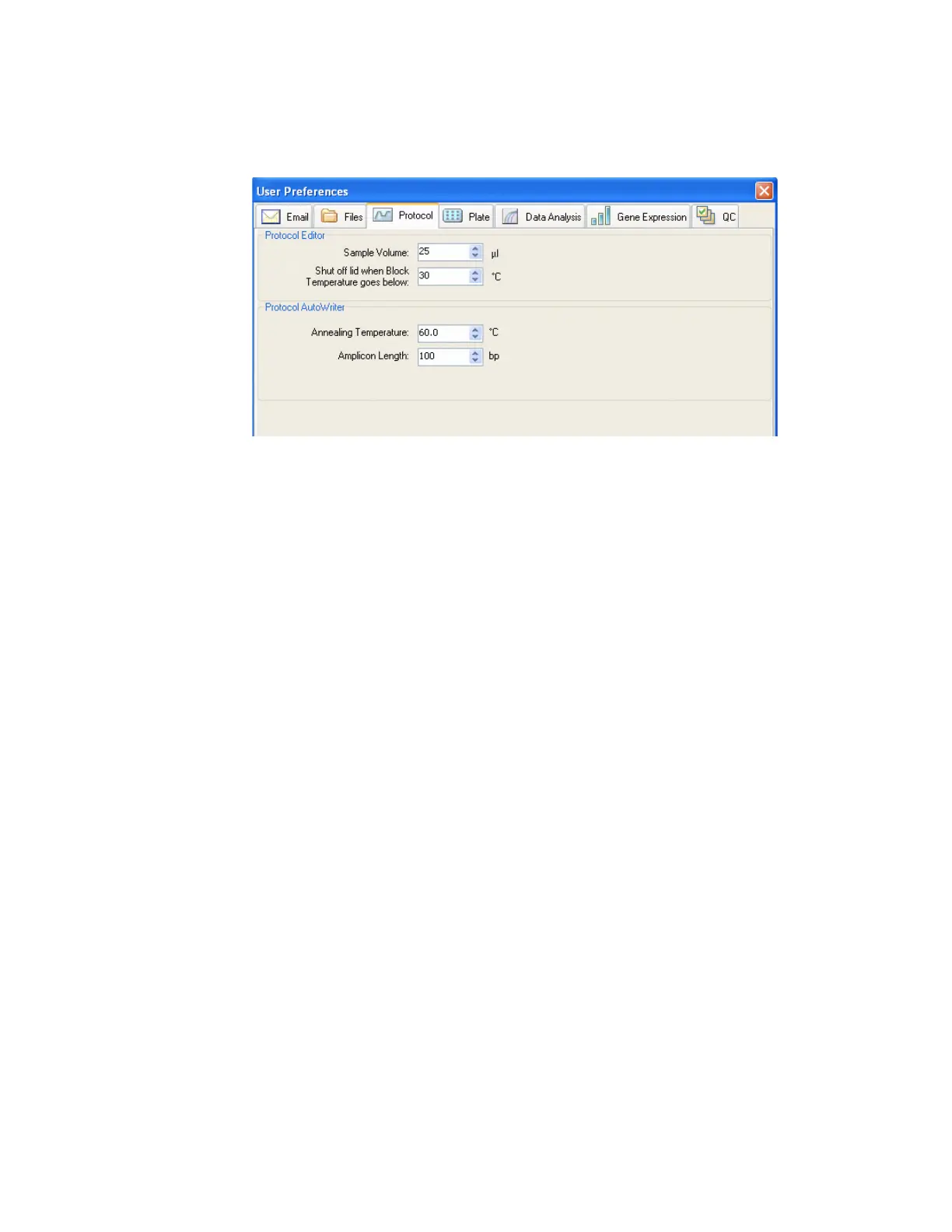
• AutoWriter. Selects default settings that appear in the Protocol AutoWriter, including
default Annealing Temperature for experiments that use iProof, iTaq, or Other
polymerases and the default amplicon length
Figure 114. Protocol Preferences tab in the User Preferences window.
Plate Tab
Select the Plate tab in the User Preferences window (Figure 115) to specify the following
default settings for a new Plate file in the Plate Editor window:
•Plate Type. Select the default plate well type from the list
• Plate Size. Select the default plate size from the list
• Units. Select the units used to describe the concentration of the starting template for
wells that contain standards. The software uses these units to create a standard curve in
the Data Analysis Quantitation tab
• Scientific Notation. Select scientific notation to view concentration units in that notation
• Scan Mode. Select a default scan mode to set the number of channels to scan during a
run
• Fluorophores. Click check boxes to select the default fluorophores that appear in the
Plate Editor well loading controls
•Libraries. Enter the target and sample names that you typically use in your experiments.
Enter target names to list genes and sequences, and enter sample names to list
conditions for experiment samples. These names appear in the lists of in the Targets tab
and Samples tab in the Experiment Settings window



 To Next Page