Introduction to CFX Manager Software
12
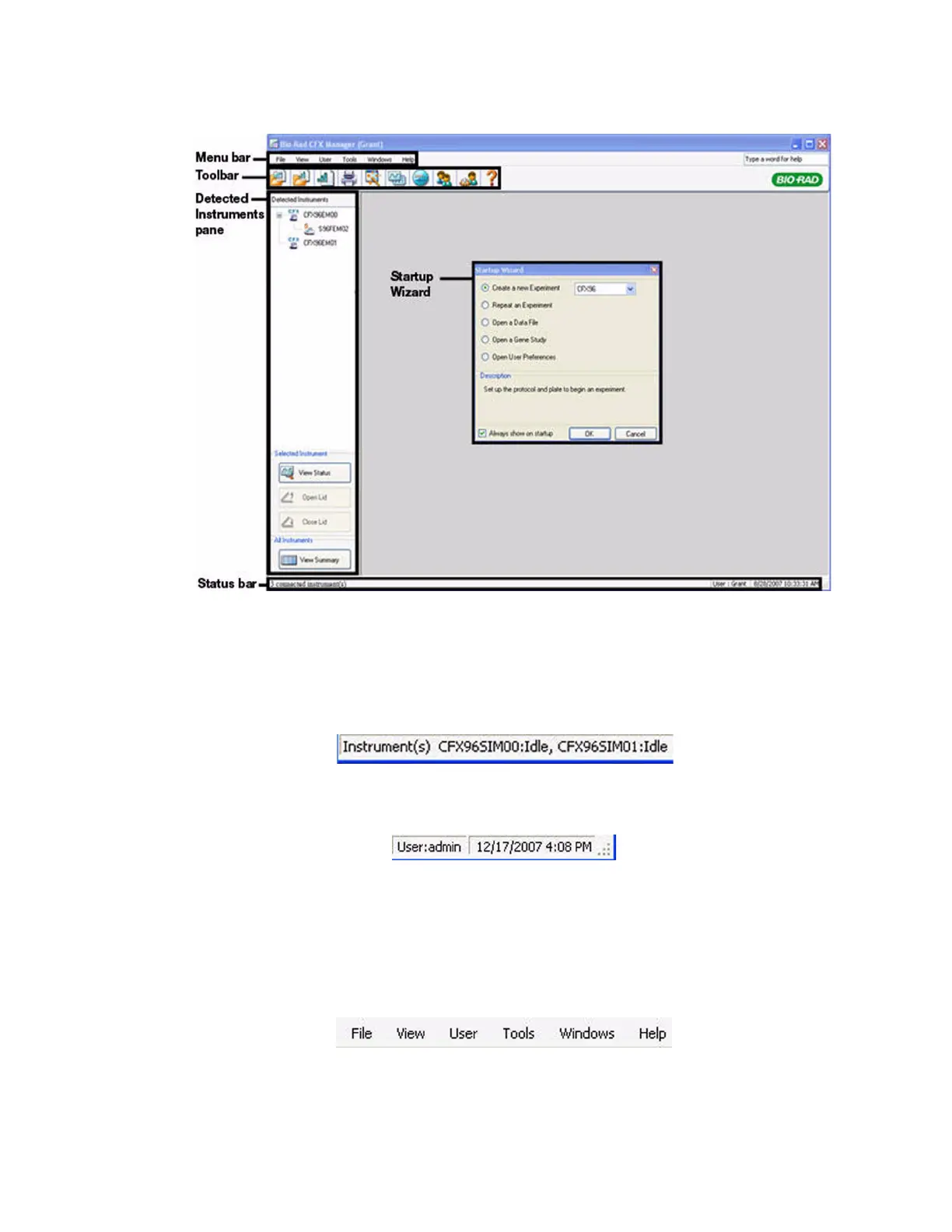
• Startup Wizard window. Access common software commands (page 16)
Figure 13. The main software window.
Status Bar
The status bar at the bottom of the main software window shows the status of the software.
View the left side of the status bar (Figure 14) to see the current status of instruments.
Figure 14. Left side of status bar in main software window.
View the right side of the status bar (Figure 15) to see the current user name, date, and time.
Figure 15. Right side of status bar in the main software window.
Click and drag the right corner of the status bar to resize the main window.
Menu Bar
The menu bar of the main software window provides the items listed in Figure 16:
Figure 16. Menu bar in the main software window.



 To Next Page