Page 32 / 41 IFU_MAL_EN_V6
9.2 TROUBLESHOOTING MALLYA WITH THE APPLICATION
This section describes the troubleshooting procedures you can perform if there is a problem
with your Mallya.
Find the problem you are experiencing among those listed in the following list and apply the
appropriate solution.
If the recommended solutions do not eliminate the problem or if you encounter an unlisted
problem, please contact a BIOCORP PRODUCTION authorized dealer.
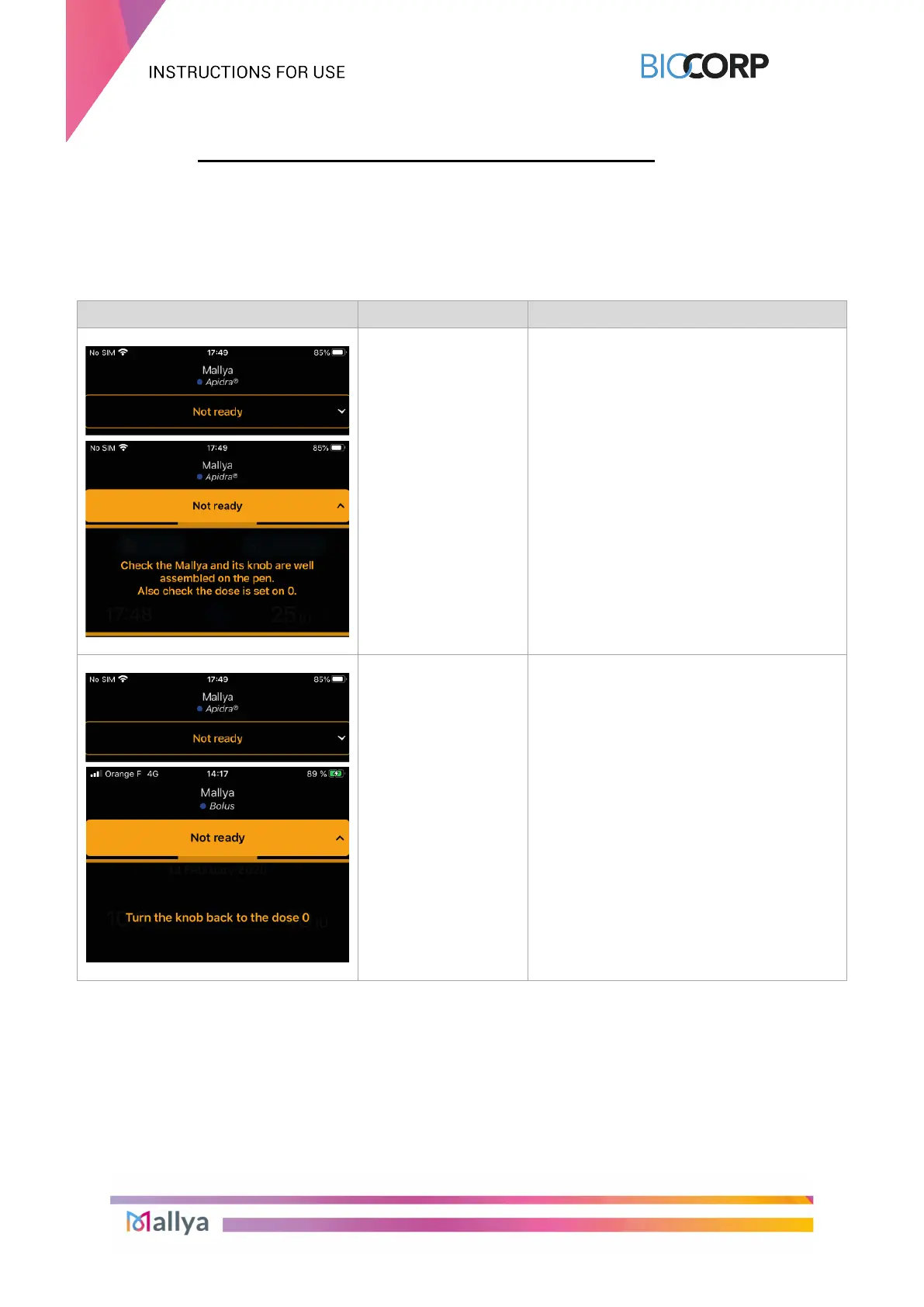
INDICATION CAUSE TROUBLESHOOTING STEPS
Mallya’s base not
detected
Select: “Not Ready”
Check that the Mallya device is correctly
assembled on the pen (see section 5.3.)
Button of the pen not
at ZERO
Select: “Not Ready”
Turn the button of the pen back to the
ZERO position.
Table 15 - Troubleshooting with app.



 To Next Page