Page 33 / 41 IFU_MAL_EN_V6
INDICATION CAUSE TROUBLESHOOTING STEPS
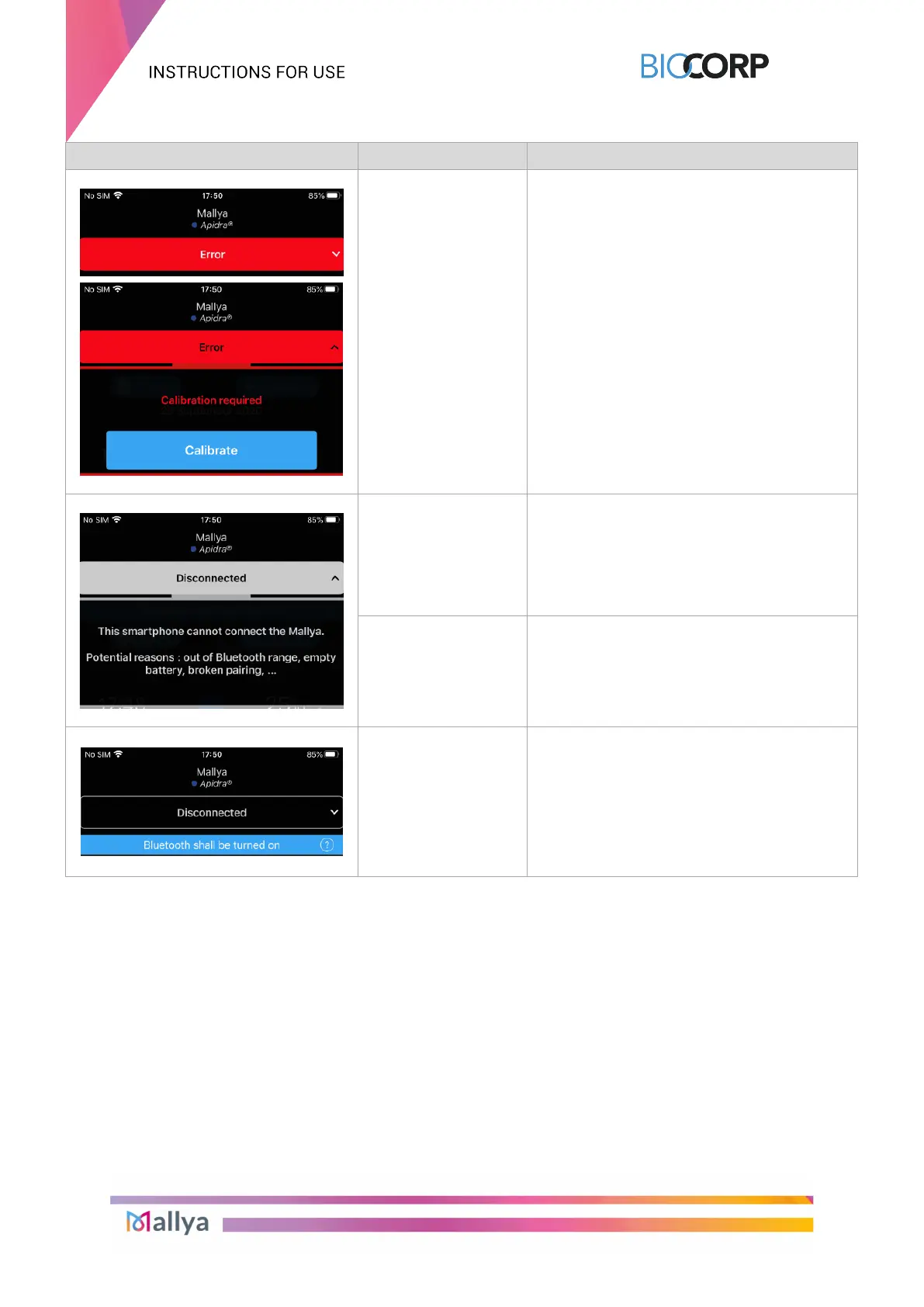
Calibration error
Select “Error”
Perform the calibration as indicated in the
Mallya
device instructions for use (see
section 5.2.2.)
Mallya is maybe too
far away from your
smartphone and
therefore
disconnected
Or
Move your Mallya device and your
smartphone closer to one another.
A communication
error occurred
Select “Disconnected”
Reset Mallya as explained in the Mallya
device instructions for use (see section 9.3.)
Bluetooth issue or
signal lost
① Check that the Mallya device is powered
ON.
Check that the Mallya device is connected
to the App.
Check the Bluetooth connection status on
your mobile phone.
If the problem is not solved, please contact a
BIOCORP PRODUCTION authorized dealer.
Table 16 - Troubleshooting with app. (next)



 To Next Page