Page 34 / 41 IFU_MAL_EN_V6
9.3 RESET INSTRUCTIONS
The reset procedure of Mallya may be necessary:
If Mallya is not working properly (no response, etc…),
If you need to pair Mallya with another mobile phone (smartphone),
If you want to delete your personal health data from the device.
PROCEDURE:
9.3.1 Disassemble Mallya as indicated section 8.1.
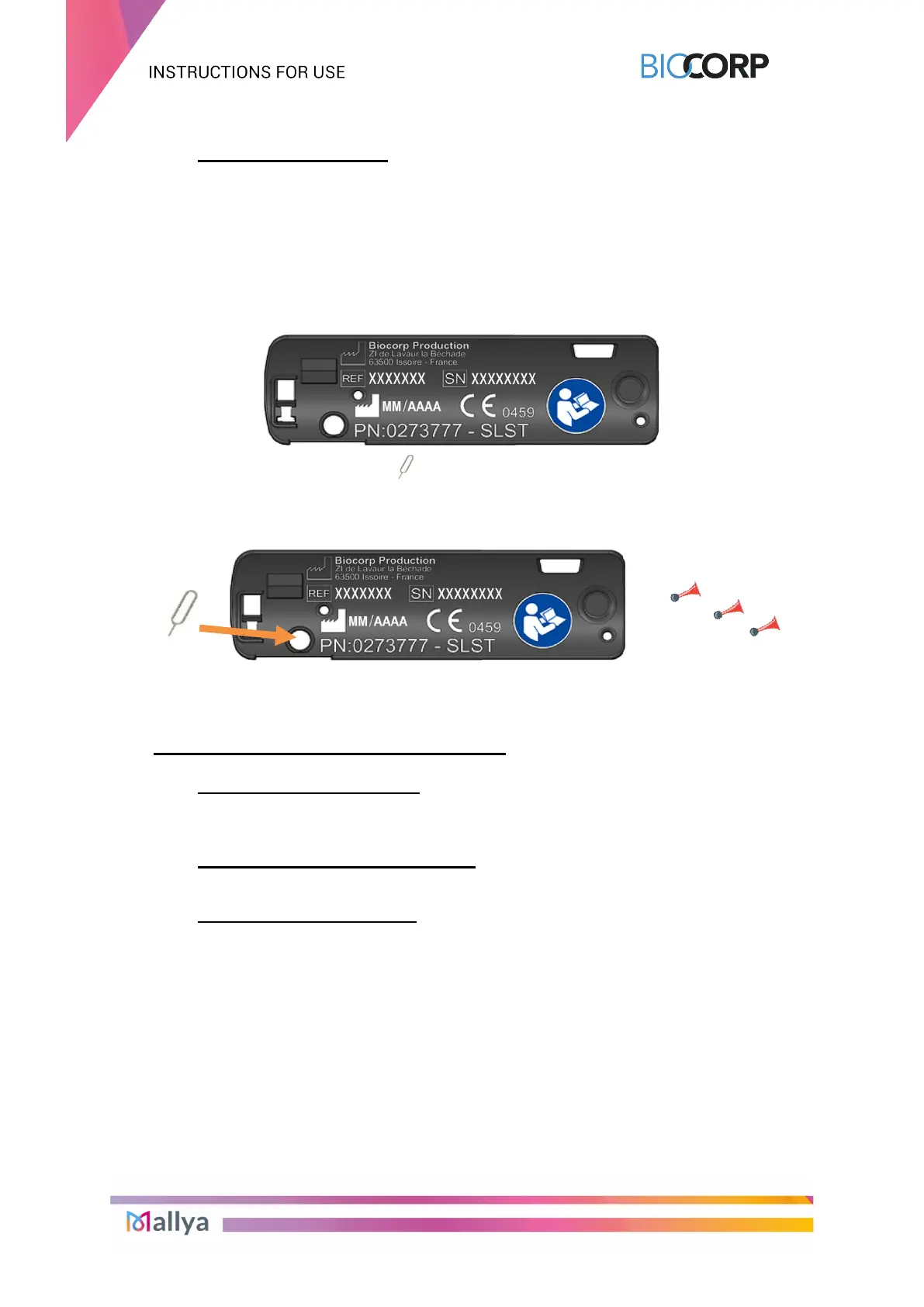
9.3.2 Flip Mallya over so that you can see the following indications:
9.3.3 Take the Reset Key:
9.3.4 Insert the Reset Key into the hole shown below and WAIT until 3 beeps are emitted
before removing the key.
9.3.5 Then follow section 5. to prepare your device for a new operation.
10. MAINTENANCE AND INSPECTION
10.1 MALLYA DEVICE LIFETIME
Mallya and accessories’ expected lifetime is 2 YEARS.
You are not required to perform a periodic maintenance of the device.
10.2 MALLYA APPLICATION UPDATES
Check each week on your smartphone that there is no Mallya application update available.
10.3 CLEANING YOUR MALLYA
When the surface of Mallya is dirty, follow the steps indicated below to clean it:
Disconnect the USB cable from Mallya.
Wipe the surface of the device with a slightly damp lint-free cloth.
You can wipe off persistent dirt with a soft lint-free cloth slightly moistened: with water
containing a small amount of neutral cleaning agent, or with ethanol 95%.
Dry with a soft, lint-free cloth.
Avoid moisture from reaching the micro-USB opening.



 To Next Page