Handheld Pulse Oximeter
21
Environment Setting of Equipment Environment Setting of Equipment
22
PalmCare plus
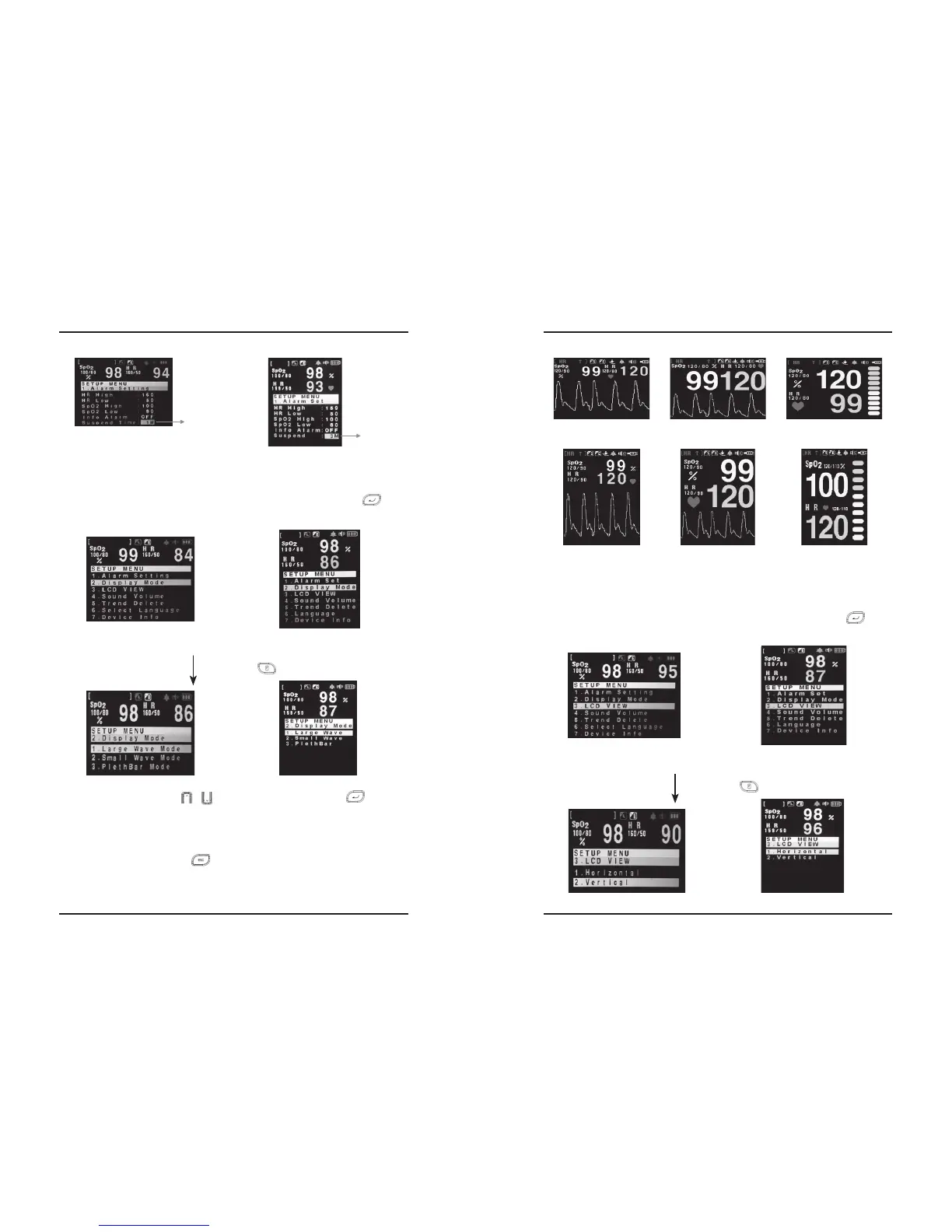
Step2) You can use UP/DOWN ( / ) for the item moving, and ENTER ( ) button for
your choice.
Step3) You can return automatically to the SETUP screen if you choose the mode by ENTER button.
And if you want to cancel the selection and return to the SETUP screen, you can go back to
the SETUP screen with ESC ( ) button.
※The initial display mode of PalmCare plus is Vertical Large Wave.
Alarm Suspend
Time Setting
Alarm Suspend
Time Setting
5.3 Initial Display Setting Mode (Display Mode)
Step1) You can enter to the initial display setting mode if you press ENTER button ( ), after
making a reverse the item “2. DISPLAY MODE” on the environment setting (SETUP) screen.
Press MENU ( ) Button.
Making a reverse the item “2.Display Mode” by UP/DOWN button.
①HorizontalLargeWave
③HorizontalPlethBar
⑤VerticalSmallWave
②HorizontalSmallWave
④VerticalLargeWave ⑥VerticalPlethBar
5.4 Screen Setting (Vertical/Horizontal)
Step1) You can enter to the initial display setting mode if you press ENTER button ( ), after
making a reverse the item “3. LCD VIEW” on the environment setting (SETUP) screen.
Press MENU ( ) Button.
Making a reverse the item “3.LCD VIEW” by ENTER button.


 To Next Page