Chapter 3: UEFI BIOS & Soware | 23
B360M D2V
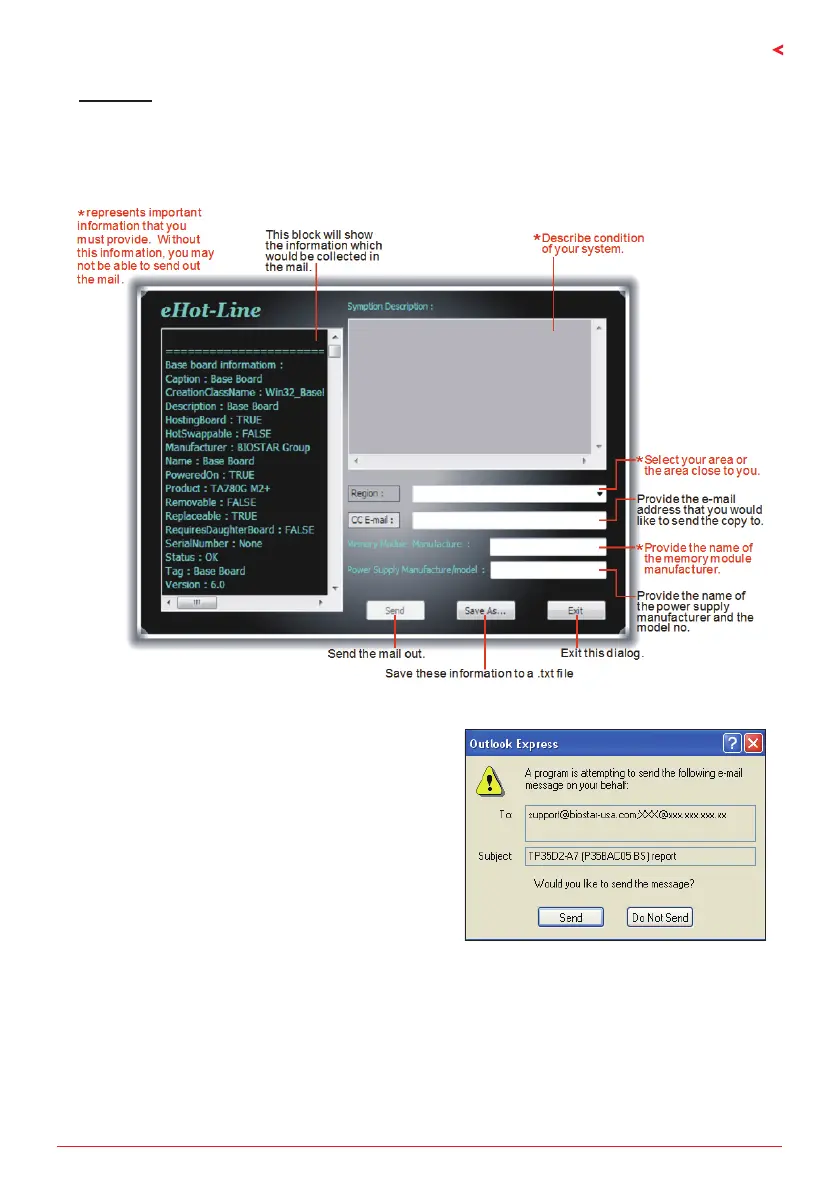
eHot-Line
eHot-Line is a convenient ulity that helps you to contact with our Tech-Support system. This
ulity will collect the system informaon which is useful for analyzing the problem you may
have encountered, and then send these informaon to our tech-support department to help
you x the problem.
Aer lling up this informaon, click “Send” to send
the mail out. A warning dialog would appear asking
for your conrmaon; click “Send” to conrm or “Do
Not Send” to cancel.
If you want to save this informaon to a .txt le,
click “Save As…” and then you will see a saving
dialog appears asking you to enter le name.


 To Next Page