26 | Chapter 2: Hardware installaon
2.8 LEDs
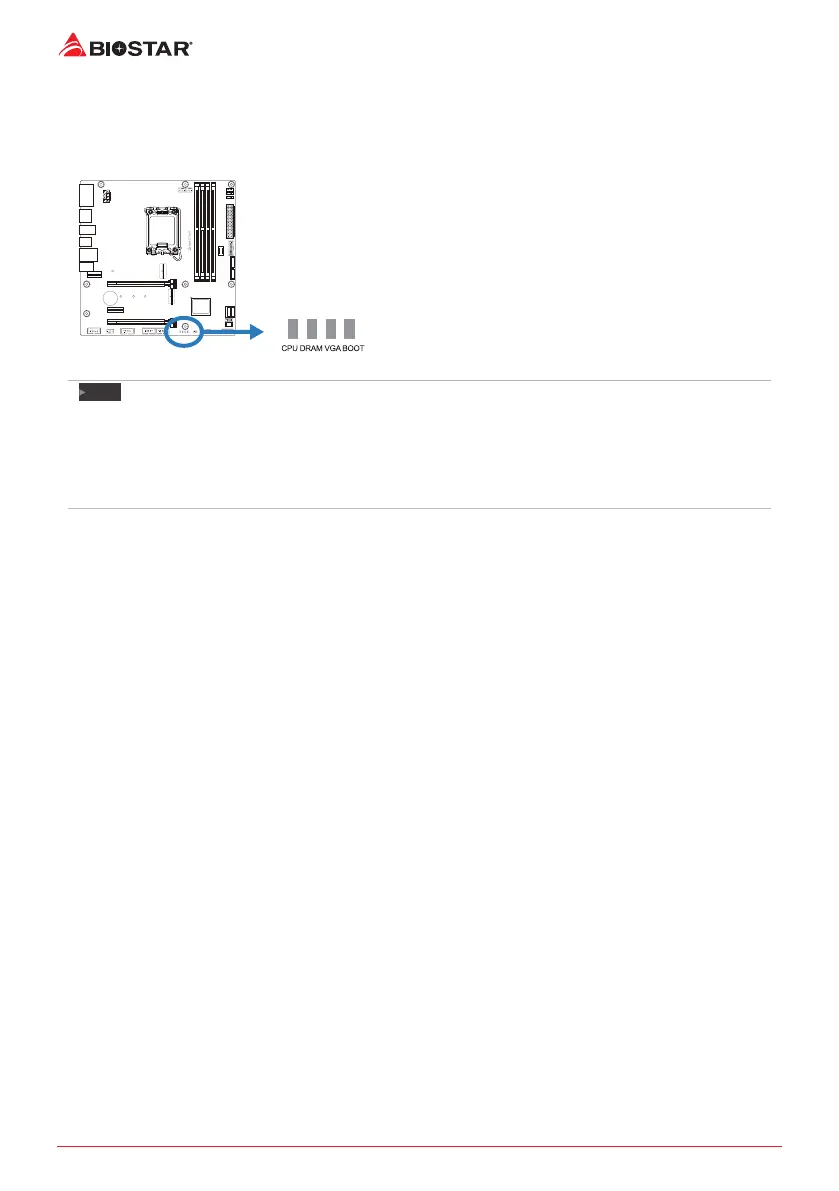
Debug LED: Debug LED Indicators
This LEDs indicate the status of the motherboard.
CPU - indicates CPU is not detected or fail.
DRAM - indicates DRAM is not detected or fail.
VGA - indicates GPU is not detected or fail.
BOOT - indicates boong device is not detected
or fail.
Note
»
»
Aer starng the computer, the LED indicators will light up in the following order:
CPU → DRAM → VGA → BOOT
»
»
When the computer is ready, the LED indicator will show where the error occurred and will stay on
unl the problem is solved.
»
»
Aer the computer is started, the Debug LED will not light up if there is no abnormality detected.







 To Next Page