NM70I-847/NM70I-807/NM70I-1007U/NM70I-1037U UEFI BIOS Manual
16
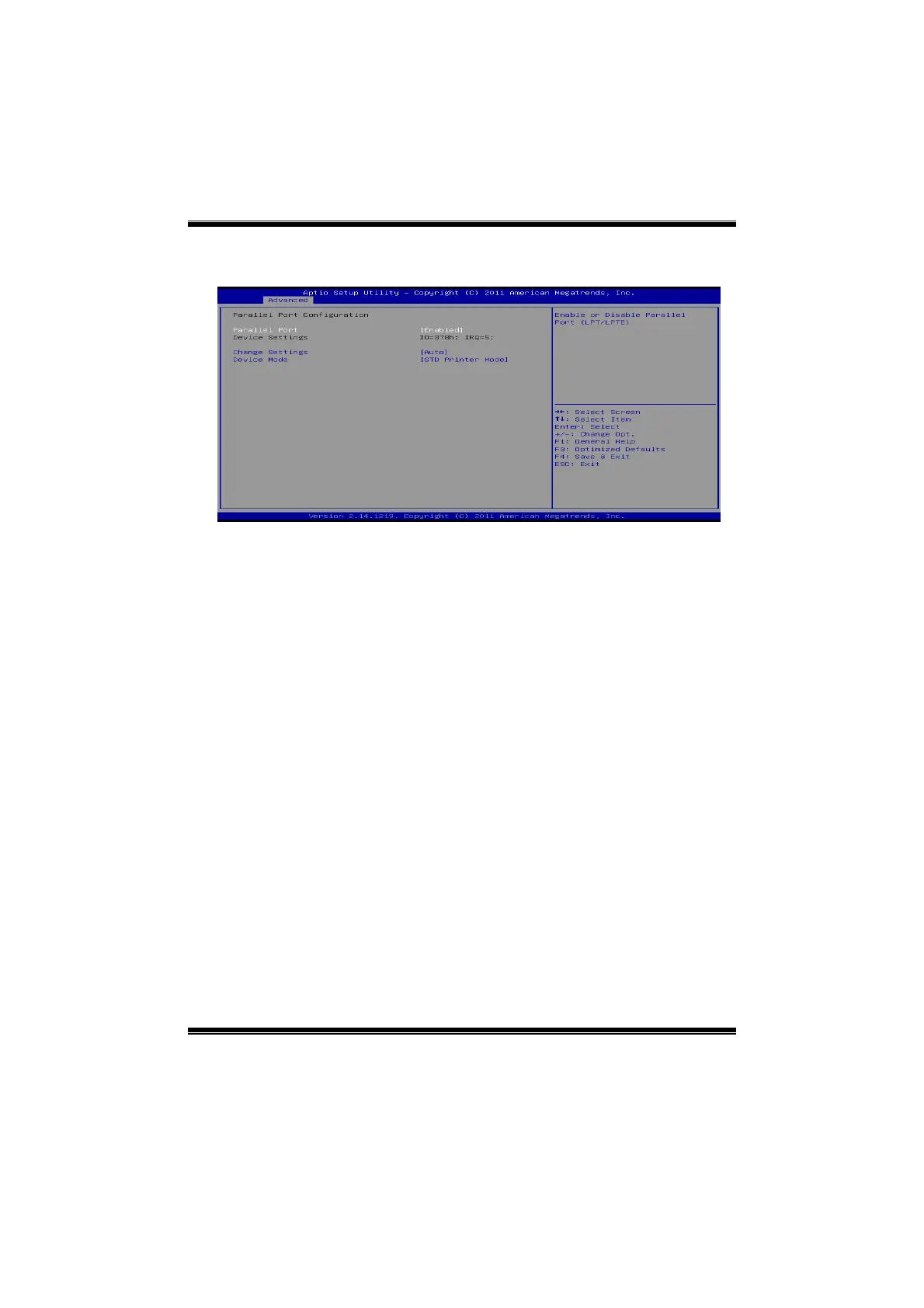
Parallel Port Configuration
Parallel Port
This item enables or disables Parallel Port (LPT/LPTE).
Options: Enabled (Default) / Disabled
Change Settings
This item allows you to select an optimal setting for Super IO device.
Options: Auto (Default) / IO=378h; IRQ=5 / IO=378h; IRQ=5, 6, 7, 9, 10, 11,
12 / IO=278h; IRQ=5, 6, 7, 9, 10, 11, 12 / IO=3BCh; IRQ=5, 6, 7, 9,
10, 11, 12
Device Mode
This item allows you to determine how the parallel port should function.
Options: STD Printer Mode (Default) / SPP Mode / EPP-1.9 and SPP Mode
/ EPP-1.7 and SPP Mode







 To Next Page