NM70I-847/NM70I-807/NM70I-1007U/NM70I-1037U UEFI BIOS Manual
34
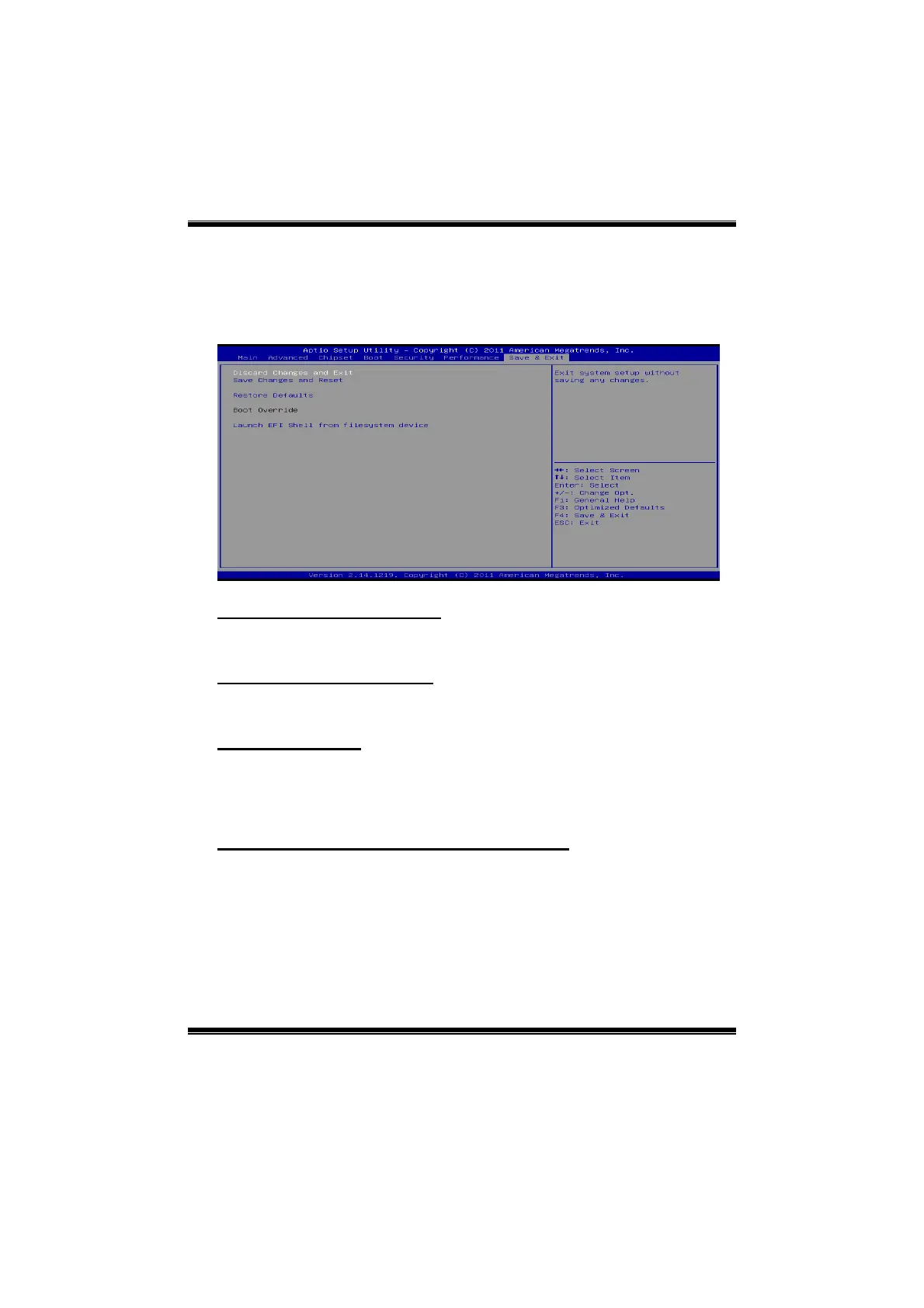
7 Exit Menu
This menu allows you to load the optimal default settings, and save or
discard the changes to the BIOS items.
Discard Changes and Exit
Abandon all changes made during the current session and exit setup.
Save Changes and Reset
Reset the system after saving the changes.
Restore Defaults
This selection allows you to reload the BIOS when problem occurs during
system booting sequence. These configurations are factory settings
optimized for this system.
Launch EFI Shell from file system device
Attempts to launch EFI Shell application (Shellx64.efi) form one of the
available file system devices.







 To Previous Page