NM70I-847/NM70I-807/NM70I-1007U/NM70I-1037U UEFI BIOS Manual
29
6 Performance Menu
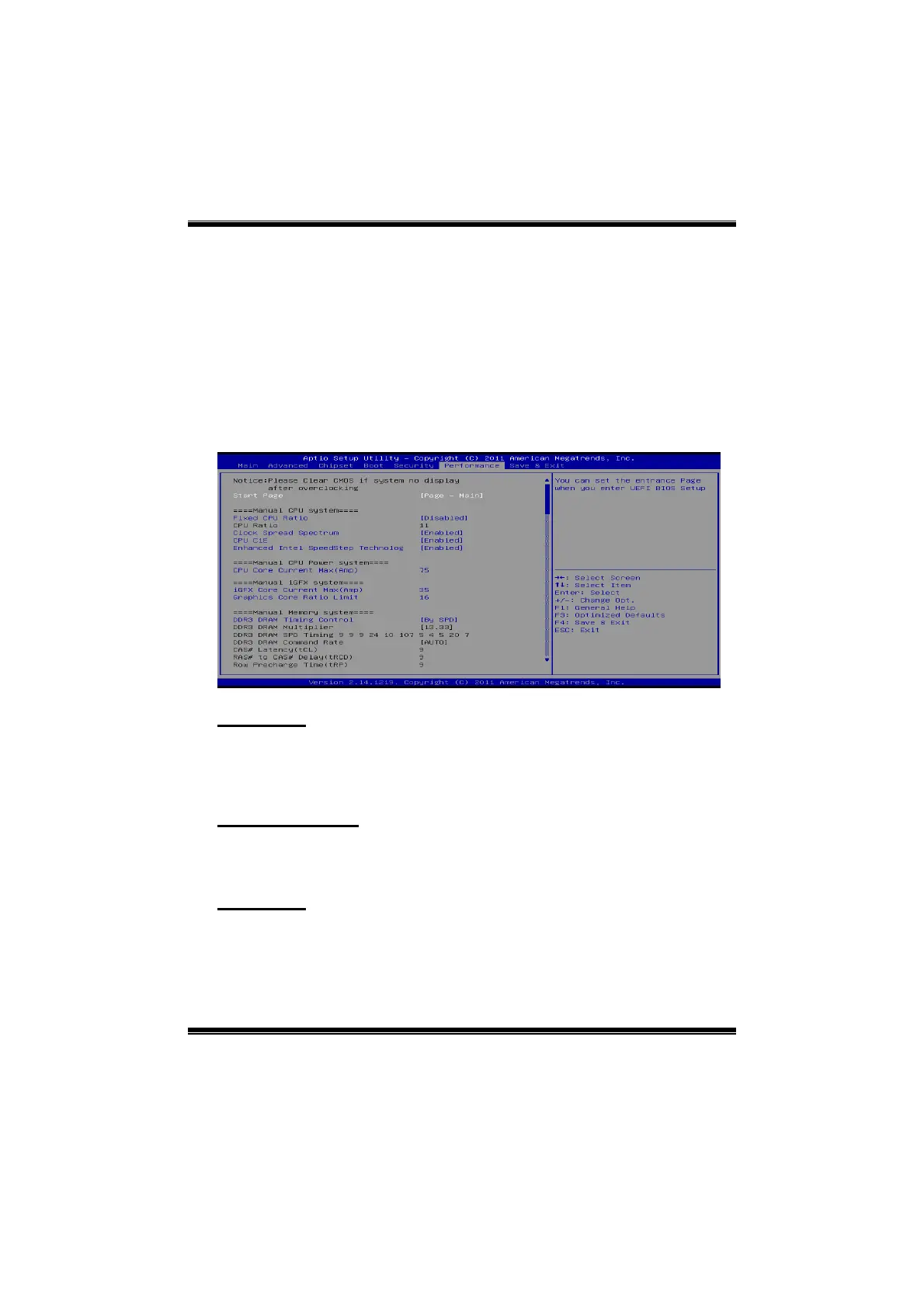
This submenu allows you to change voltage and clock of various devices.
(However, we suggest you use the default setting. Changing the voltage and
clock improperly may damage the device.)
Notice
Beware of that setting inappropriate values in items of this menu may
cause system to malfunction.
The options and default settings might be different by RAM or CPU
models.
Start Page
You can set the entrance page when you enter UEFI BIOS Setup.
Options: Page – Main (Default) / Page – Advanced / Page – Chipset / Page –
Boot / Page – Security / Page –Performance / Page – Save & Exit
Fixed CPU Ratio
This item enables/disables Fixed CPU Ratio all the time.
Options: Disabled (Default) / Enabled
CPU Ratio
This item allows you to set the CPU ratio. This item is adjustable only when
Fixed CPU Ratio is set to Enabled.
Options: 11 (Default)







 To Next Page