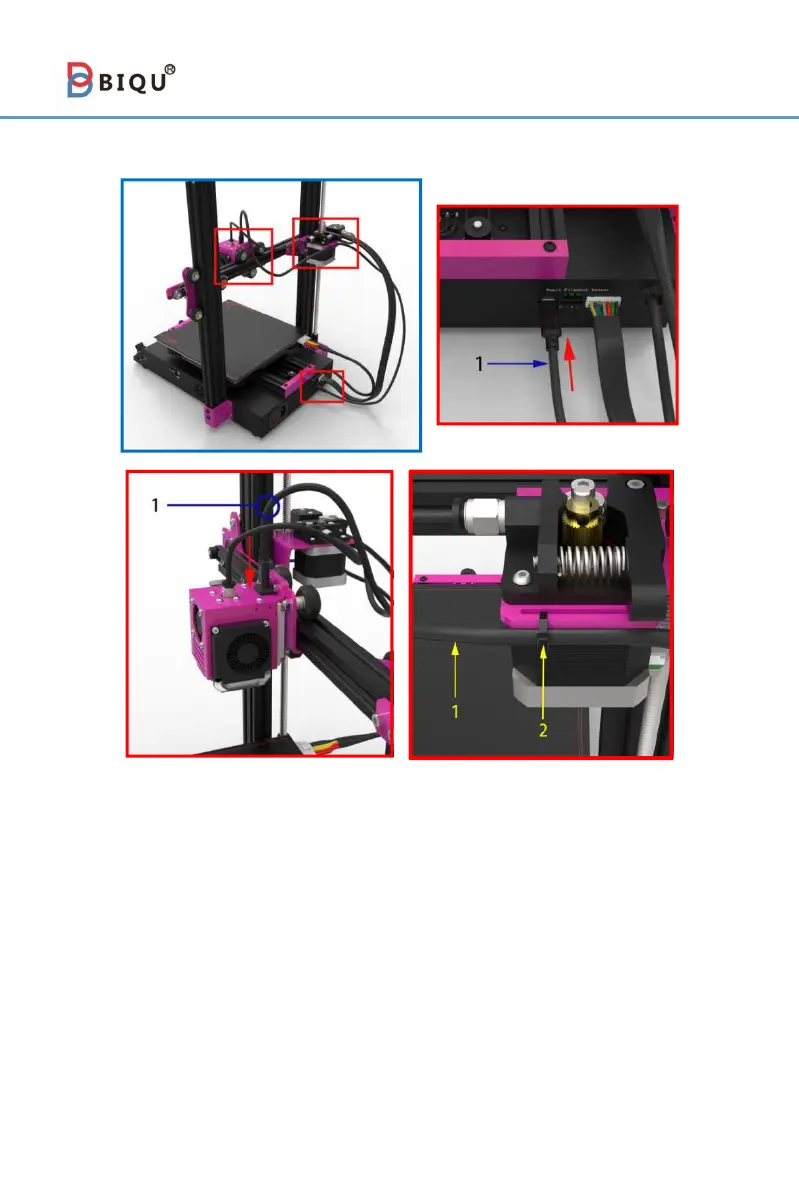
Step 17
1. Type-C data cable(1pcs) 2. Cable tie(1pcs)
As shown above, there are two key slots on the metal sheet part.
Users can use a cable tie to fix the Type-C cable through them. But
before fixing the data cable, users would better leave a certain length
at the Type-C cable's end which closes to the nozzle. It facilitates the
movement of the nozzle.
Awareness:
1.do not unplug the Type-C data cable when the machine is on.
2.The Type-C cable is customized, it can not be replaced by others.



 To Next Page