Maintenance
20
Calibration Environment
In order to assure the best results obtainable, the following environmental
conditions must be provided to the utmost degree practical.
1. The work space must be free from electrical noise and radiated signals.
2. The work space and equipment must be at a uniform and stabilized
ambient temperature between 20°C and 25°C (68°F to 77°F).
3. The relative humidity of the work space must be no greater that 50 percent
and must be non-condensing
Calibration Procedure
Allow all the equipment and the instrument to be calibrated to completely
stabilize with respect to the environment of the work area (specified above).
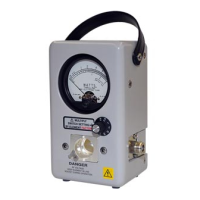
The Series 4410 Wattmeter to be calibrated and the Bird Model 4410-070
calibration element may require up to 24 hours for complete environmental
stabilization if brought from an extreme storage environment. Remove the dust
plug or any element from the line section during this environmental
stabilization period.
With the wattmeter’s range switch in the OFF position, carefully turn the zero
adjust screw on the face of the meter for a zero setting. Using the BATT and OFF
positions on the switch, repeat this process until a repeatable zero setting is
obtained.
The access hole for the calibration potentiometer is sealed with a protective
label. This label, which is signed and dated showing the original calibration date,
must not be disturbed until recalibration becomes necessary and certainly not
within the warranty period. Disturbing this label voids the warranty. If the unit is
to be field calibrated, after the warranty period, access to the calibration
potentiometer is provided by piercing the protective label at the point shown by
a circle with an “X” in it, see figure 10, Calibration Potentiometer for reference.
Follow the steps below to calibrate:
1. Connect the sine wave generator, the calibration element (P/N 4410-070),
as shown in figure 9, Calibration Set-Up.
2. Turn on the ac voltmeter and sine wave generator.
3. Adjust the output to 1.591 ±0.0005 volts RMS at 1000 Hz ± 100 Hz. make
sure that the generator’s “symmetry”, “offset”, and “waveform” controls
are set to provide a symmetrical sine wave with zero DC offset.
Note: Leave the equipment in this condition to stabilize for the
period of time recommended by the manufacturers but not less
than five minutes.
4. Turn the range selector switch to the “100” position and allow the
wattmeter a minimum of five minutes to stabilize.











 To Next Page