3-2-2 Ethernet Model(SLP-TX40xE)
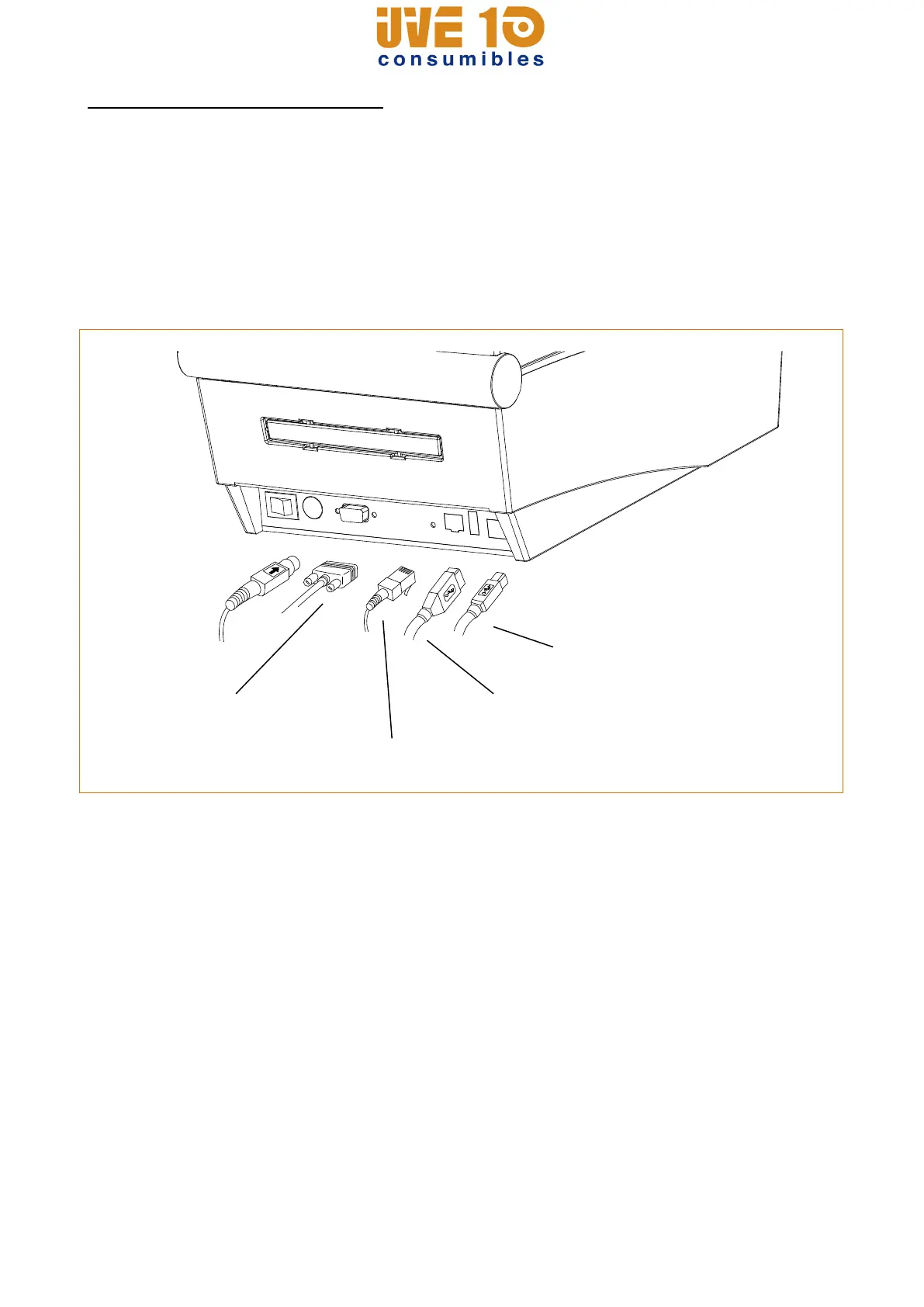
Connect the interface cable as shown below.
This printer supports the following communications interface standards.
- RS-232C(Serial) Cable
- LAN(Ethernet) Cable
- USB A-Type(WLAN Dongle)
- USB B-Type Cable
1) Turn off the power switch.
2) Connect the communication cable to the printer communication port to be used.
- Connect the RS-232C(Serial) Cable to the SERIAL port.
and tighten the screw on both sides.
- Connect the LAN(Ethernet) Cable to the ETHERNET port.
- Connect USB A-Type(WLAN Dongle) to the HOST port.
- Connect USB B-Type Cable to the USB port.
V10 CONSUMIBLES S.L.
Calle Llanos de Jerez 18 Nave 9 Coslada https://v10consumibles.com Tel: 910 269 309

















 To Next Page