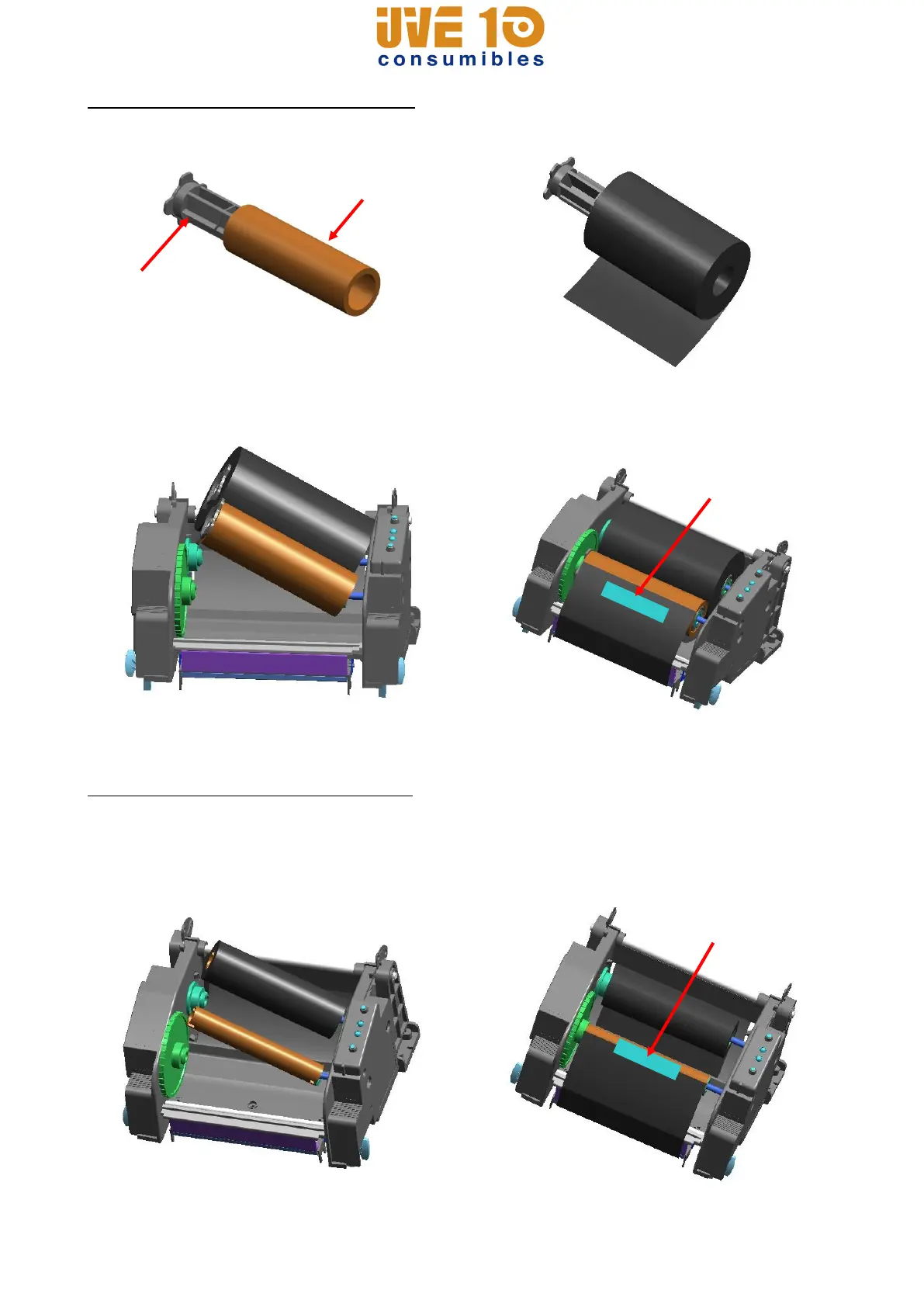
3-4-2 Inserting a One-Inch Core Ribbon
1) Insert the Holder ribbon into the core and ribbon. (keep note of ribbon printing direction)
2) Open the ribbon assembly and insert the
ribbon and core by pushing from left to
right.
3) Apply tape to the coiling portion of the
ribbon.
4) Press the Close area to shut the ribbon assembly.
3-4-3 Inserting a Half-Inch Core Ribbon
1) Open the ribbon assembly and insert the
ribbon and core by pushing from left to
right. (keep note of ribbon printing
direction)
2) Apply tape to the coiling portion of the
ribbon.
V10 CONSUMIBLES S.L.
Calle Llanos de Jerez 18 Nave 9 Coslada https://v10consumibles.com Tel: 910 269 309

















 To Next Page