3. Installation & Usage
3-1 Battery Installation
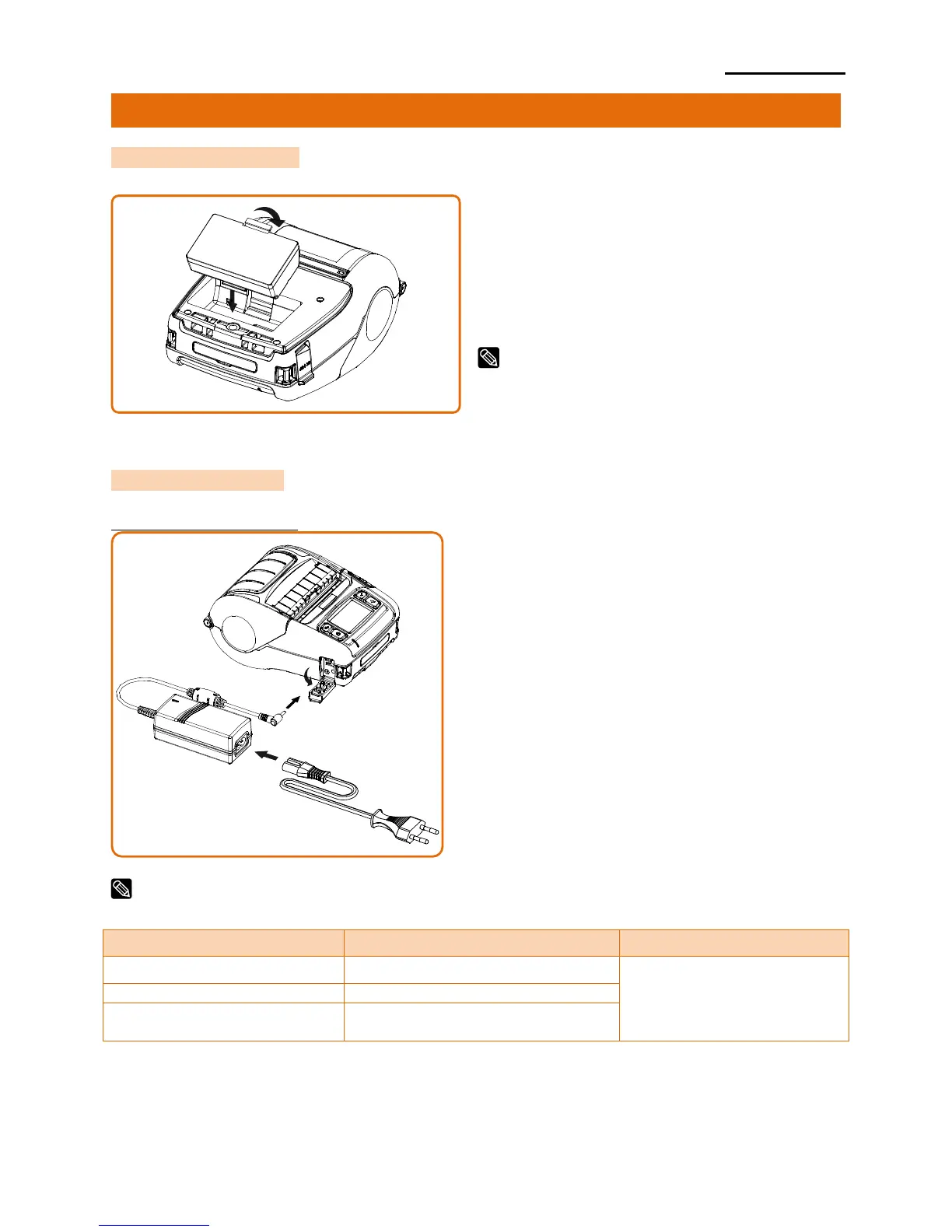
1) Insert the battery in the bottom of the
printer, and ensure that you align the
battery hook properly.
2) Push the battery into the slot until you
hear it snap in place.
Since the battery is partially changed at the time
of purchase, charge the battery prior to product
use. (Use the AC adapter or the optional
Single/Quad battery charger.)
3-2 Battery Charging
3-2-1 Using AC Adapter
1) Turn off the printer power.
2) Connect the power cord ② to the AC
adapter ① and then connect AC power.
3) Open the external interface cap in the
direction of ③.
4) Connect the AC adapter to the power
connector.
NOTE
Battery charging status descriptions are as follows.
Error Replace
or Reinstall Battery













 To Next Page