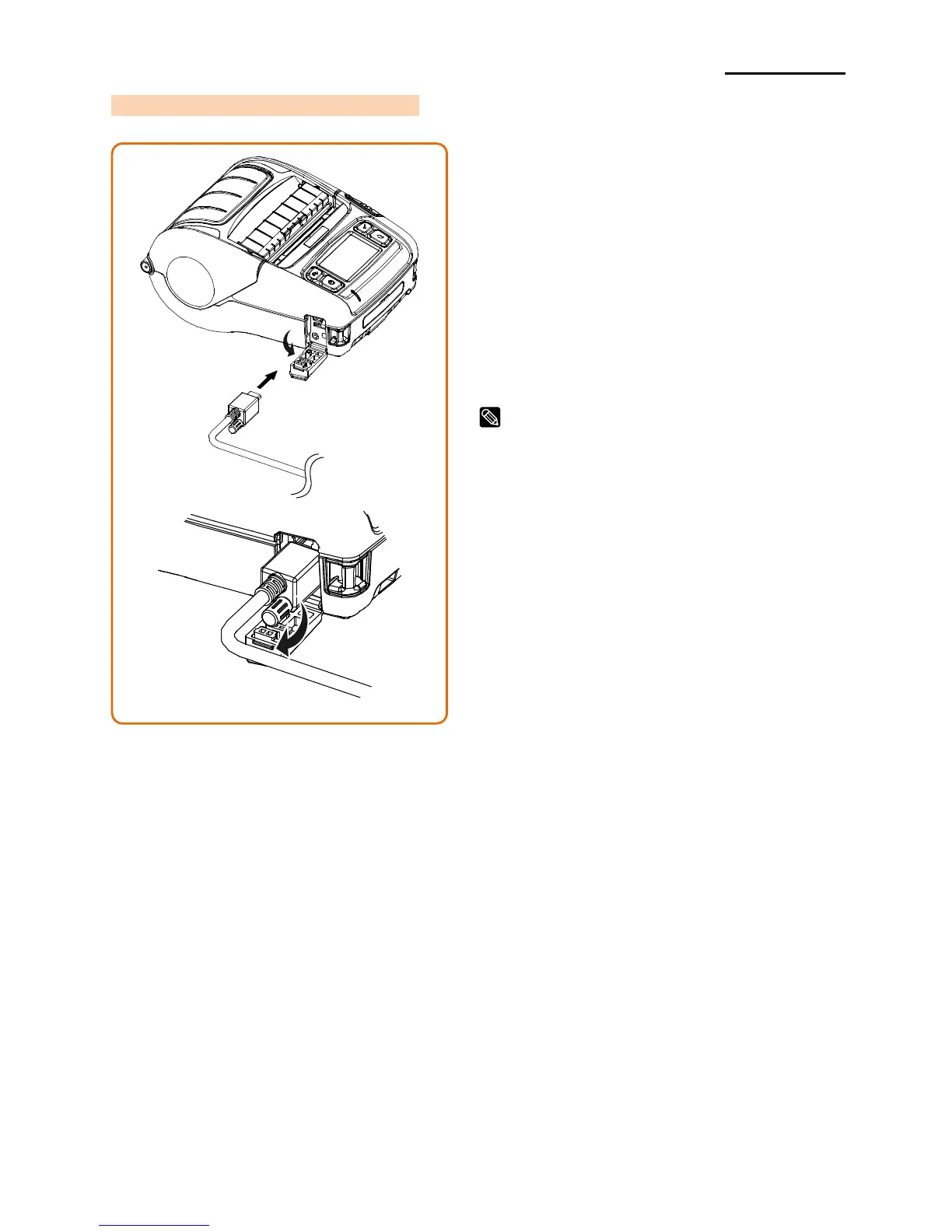
1) Open the Interface Cap ①.
2) Connect the external communication
cable (optional) ② to the cable
connector of the printer.
3) Fix the interface cable by turning the
screw ③ as shown in the figure.
4) Connect the interface cable to the USB
port of the device (PDAs, PCs, etc.).
The fixed interface cable that can be
connected to the printer is Serial/USB cable
provided by BIXOLON(optional).













 To Next Page