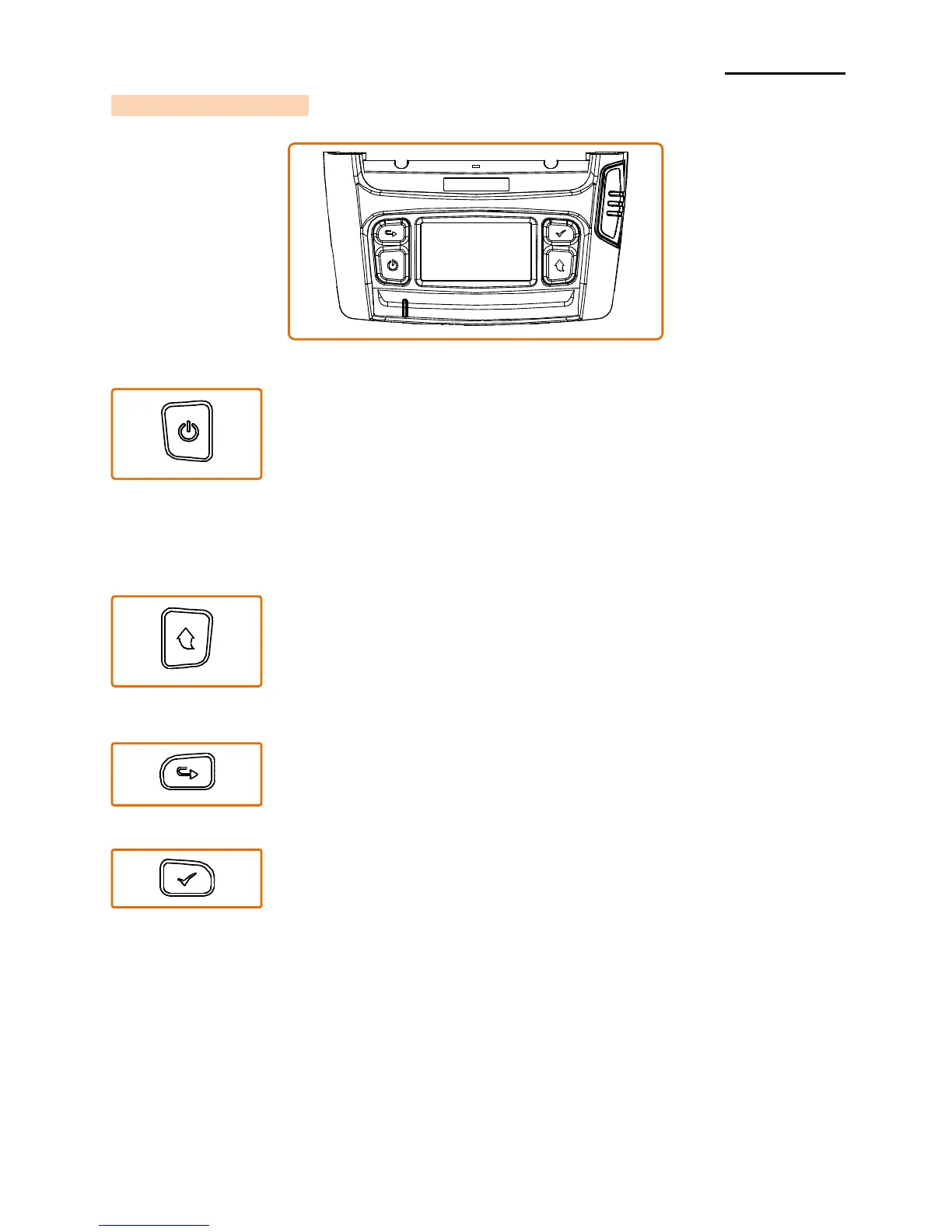
This button is used to turn the printer on, off, to move to main menu
or to operate the action.
1) When the printer is off, press this button for approximately 2
seconds to turn on the power.
2) When the printer is on, press this button for approximately 2
seconds to turn off the power.
3) Pressing this button while the LCD menu is being operated
moves to the main menu or the action selected in the menu is
operated.
This button is used to feed the paper manually or return to the
previous step.
1) Press and hold this button while the printer is booting to print
a self-test page..
2) Press this button in the standby mode to feed the paper.
3) Press this button to return to the previous menu .
This button is used to move the LCD menu.
Press this button to move the LCD menu from the top left to
the bottom right.
This button is used to select the LCD menu.
Press this button to select the LCD menu or save the selected
settings to the printer.













 To Next Page