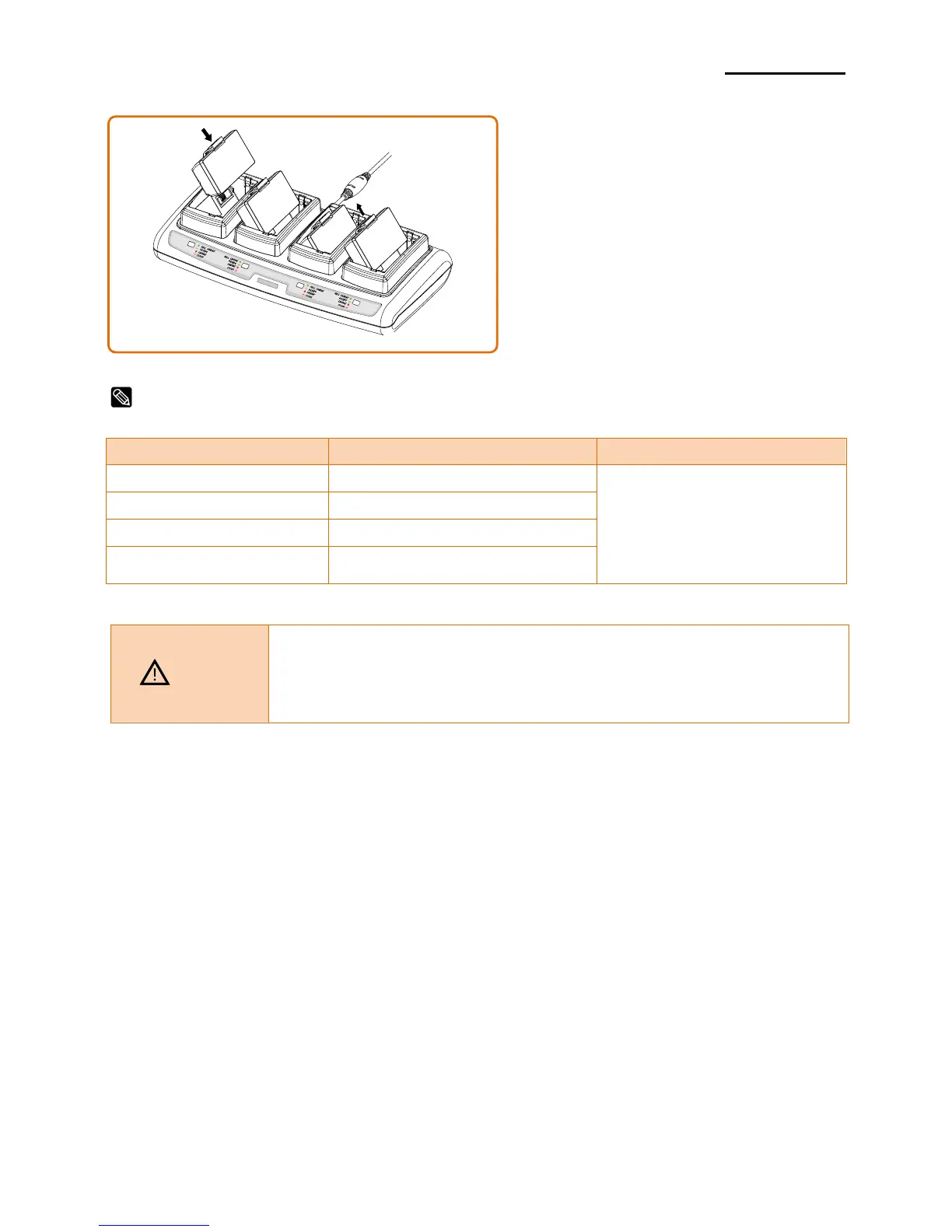
1) Insert the battery into the Quad
charger as shown in the figure on the
left.
2) Gently slide the battery until it reaches
the bottom of the charger.
3) Charging starts as soon as the battery
is completely inserted.
4) After charging, remove the battery
from the Quad charger.
- If the red lamp of the charger blinks, install the battery again.
- If the red lamp continues to blink despite several attempts (4 ~ 5 times)
to install the battery, contact your local dealer.
- The charging time may vary depending on the type of the charger or
ambient temperature.














 To Next Page