Network Connection Manual
Ver.1.00
6. Ethernet / WLAN Test by using Windows Test Page
You can use the Windows printer driver as shown below when there is no test
program. Operating systems that allow you to use the Windows printer driver are
Windows, XP, Server 2003, VISTA, 2008 Server, 7, 8, 10.
You can download the latest version of Windows driver from our home
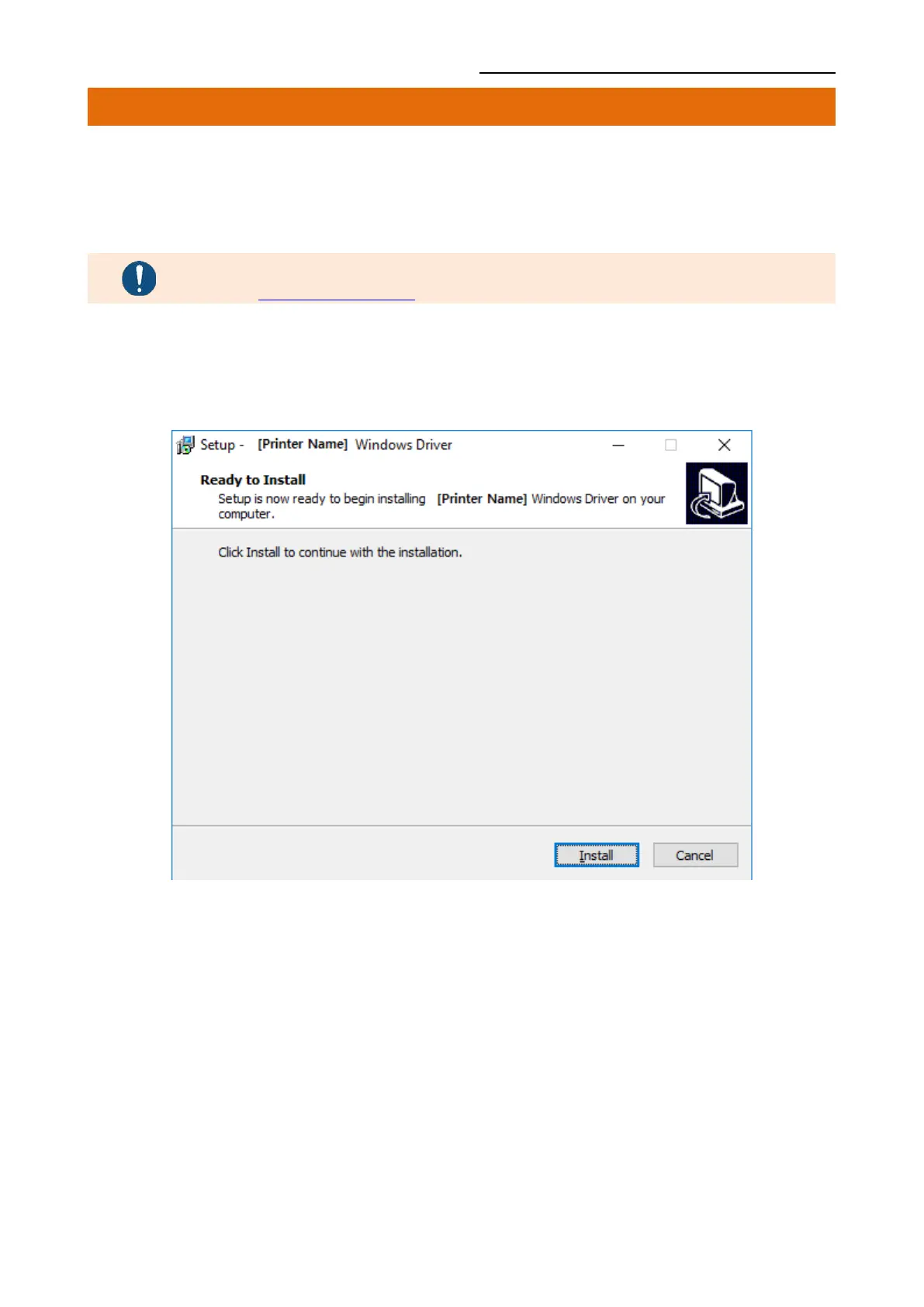
1) Double-click the Windows Driver installation file.
2) Click Install.










 To Next Page