Network Connection Manual
Ver.1.00
11) Open the printer properties window in the Windows OS.
(1) Installing on Windows XP / Server 2003
※ Control Panel – Printers and Faxes.
(2) Installing on Windows VISTA / Server 2008 / 7 / 8 / Server 2012 / 10
※ Control Panel – Hardware and Sound – Device and Printers.
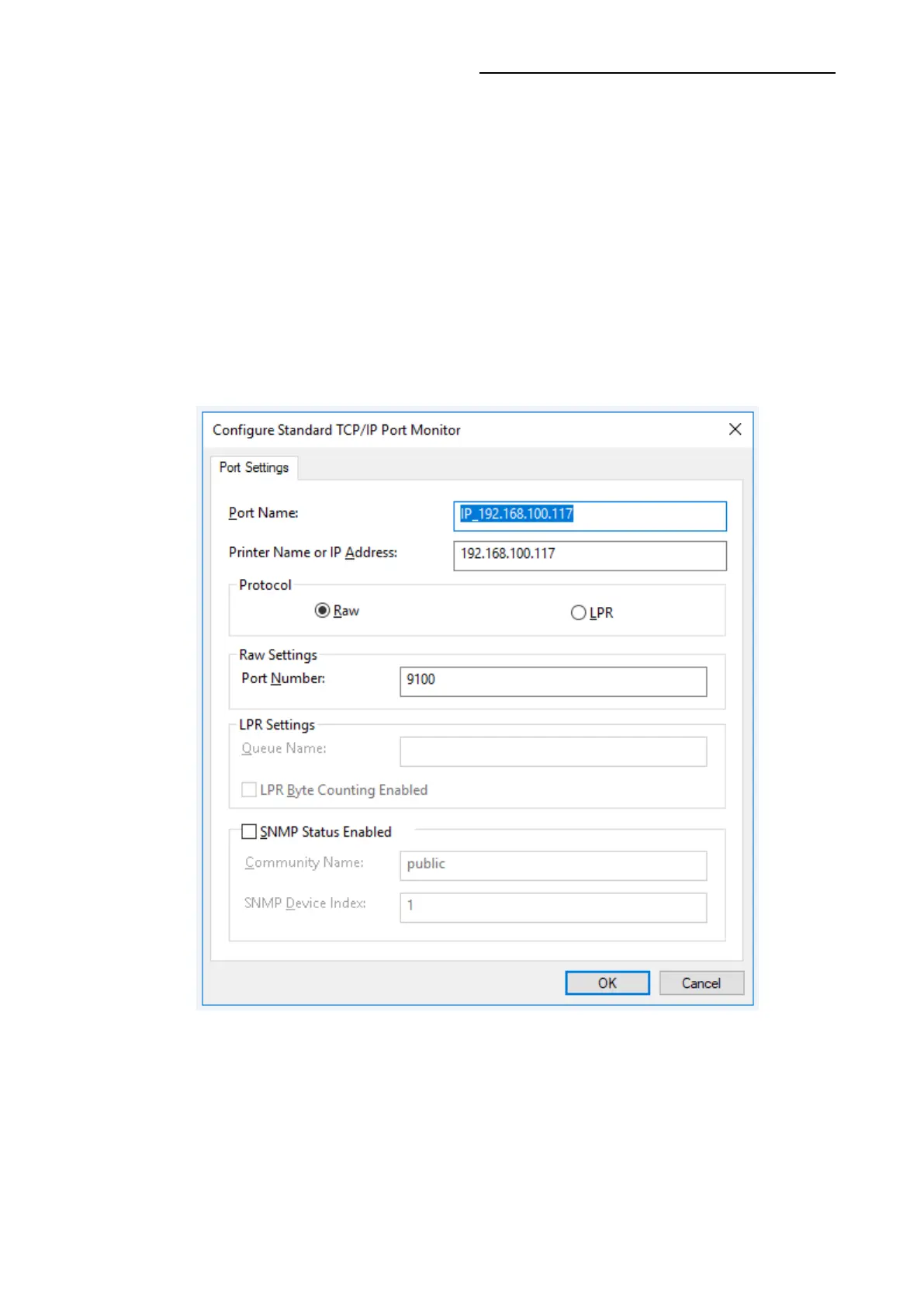
12) In the Ports tab, click Configure Port.
13) Match the communication settings to those of the printer.










 To Next Page