SRP-352plusIII
Rev. 1.01
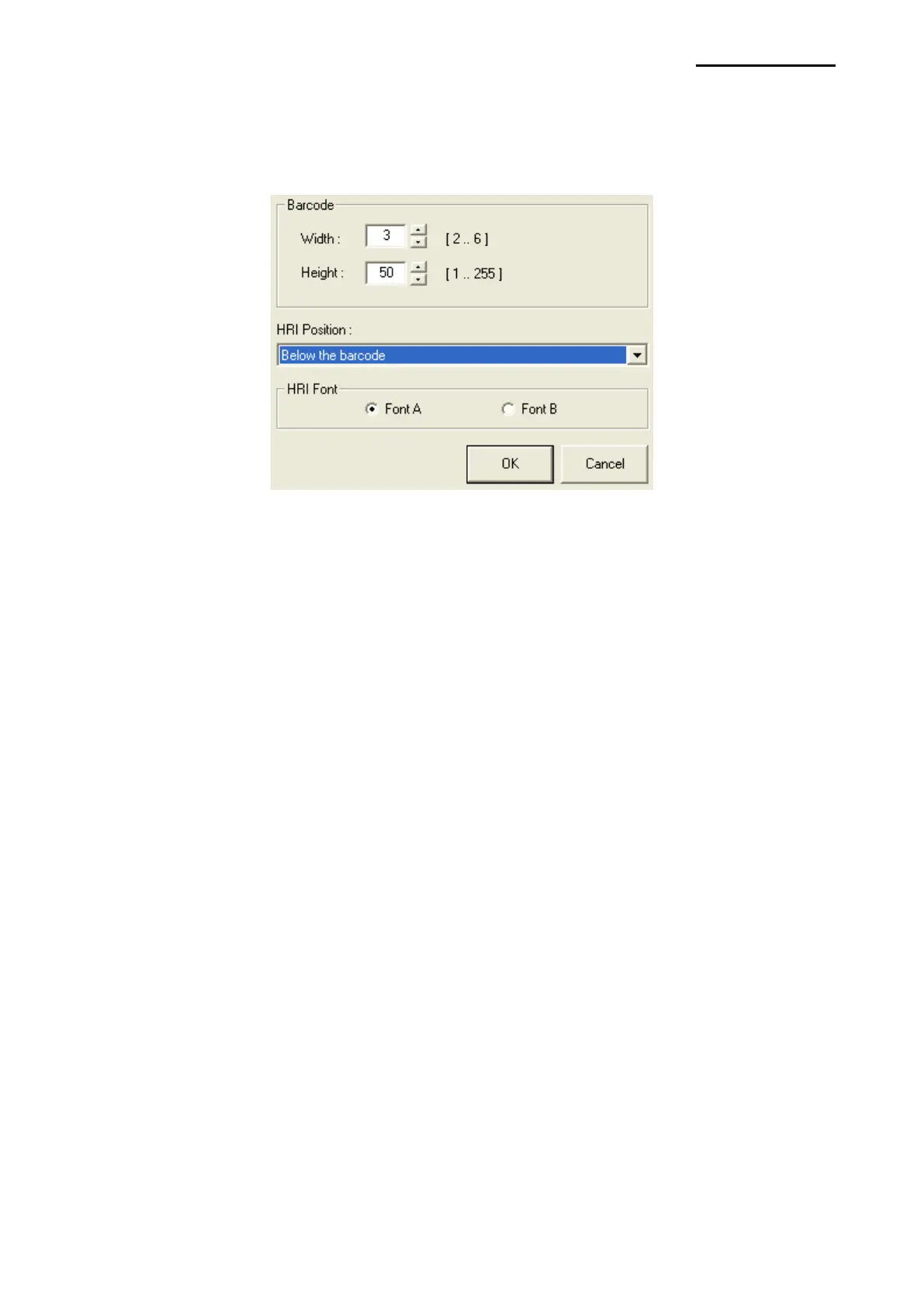
Detailed settings for one-dimensional barcode
Select “Barcode Font Name” and “Barcode Type” of one-dimensional barcode and click
the “Properties” button.
This width, height, and HRI (Human Readable Interpretation), print position, and HRI Font
of the bar code can be programmed from this window.







 To Next Page