SRP-352plusIII
Rev. 1.01
5-4-2 2d Barcodes
Windows driver supports two-dimensional barcode type as shown in the following table.
Set the two-dimensional barcode type supported by the Windows driver in the “Barcode
Font Name” field to print the barcode.
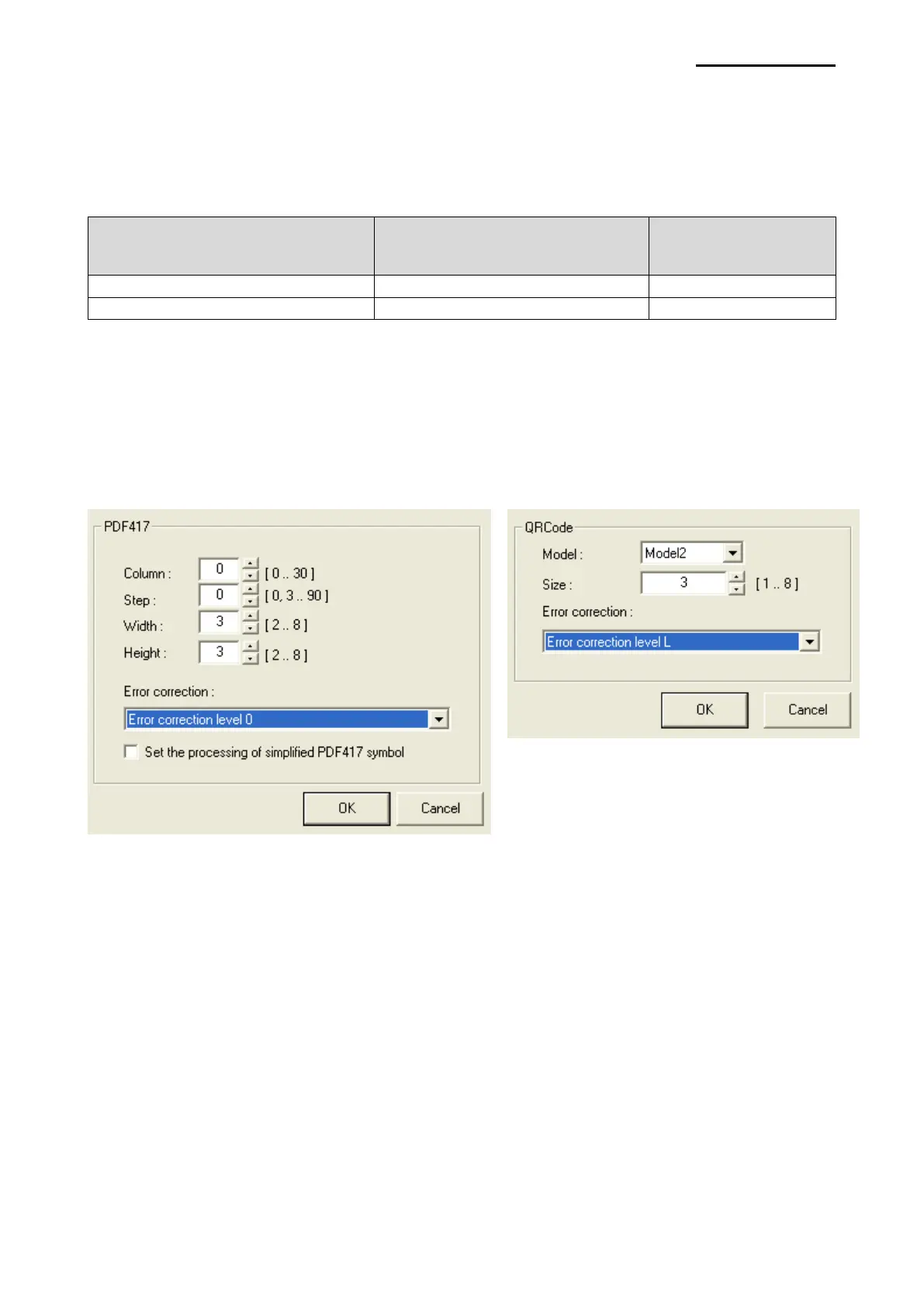
Detailed settings for two-dimensional barcode
Select “Barcode Font Name” and “Barcode Type” of one-dimensional barcode and click
the “Properties” button. Various options such as width, height, size, and error
compensation level can be configured depending on the type of two-dimensional barcode
from this window as shown in the following picture.







 To Next Page