Operation Operating instructions iS10 / iS20
30 38019417000 en
5
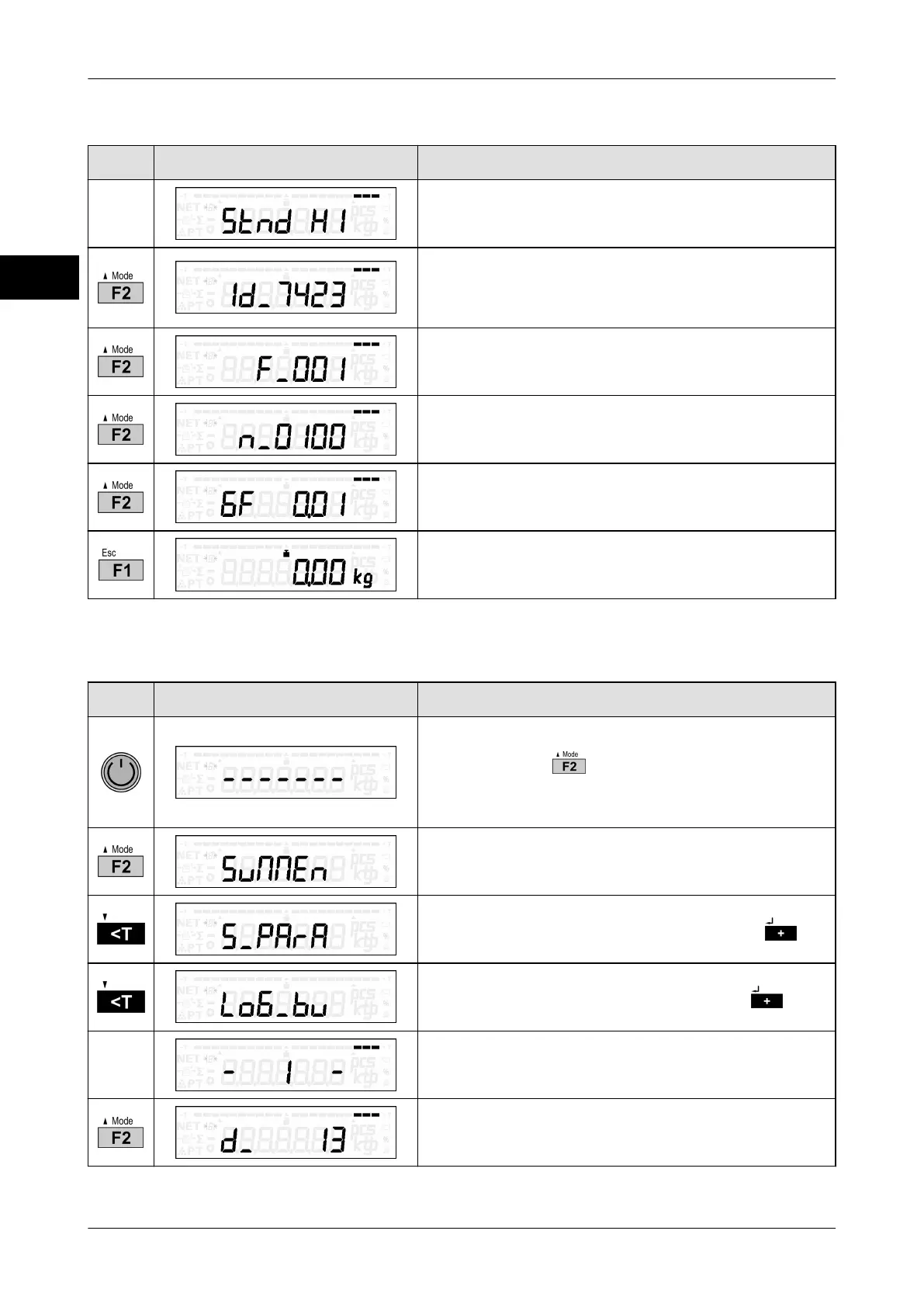
Display verification status of analog weighing systems
Key Display presentation Process description
Slide switch ("H1" = non-approved, "H0" = ap-
proved)
Software ID of fixed software
The fixed software cannot be changed in se-
cured status.
Version number of fixed software
Version number of section of application which is
not subject to legal control
g factor in g/kg
Return to weighing mode
5.8 Call up logbook
Key Display presentation Process description
Restart device.
Press and hold while middle segments are
being displayed.
The menu selection appears.
The total function is displayed.
Confirm service parameter selection with .
Confirm logbook function selection with .
The current logbook entry is displayed.
The department number is displayed.



 To Next Page