EasyManua.ls Logo

Bizerba iS10 - User Manual

Bizerba iS10
109 pages
Print Icon
To Next Page IconTo Next Page
Loading...
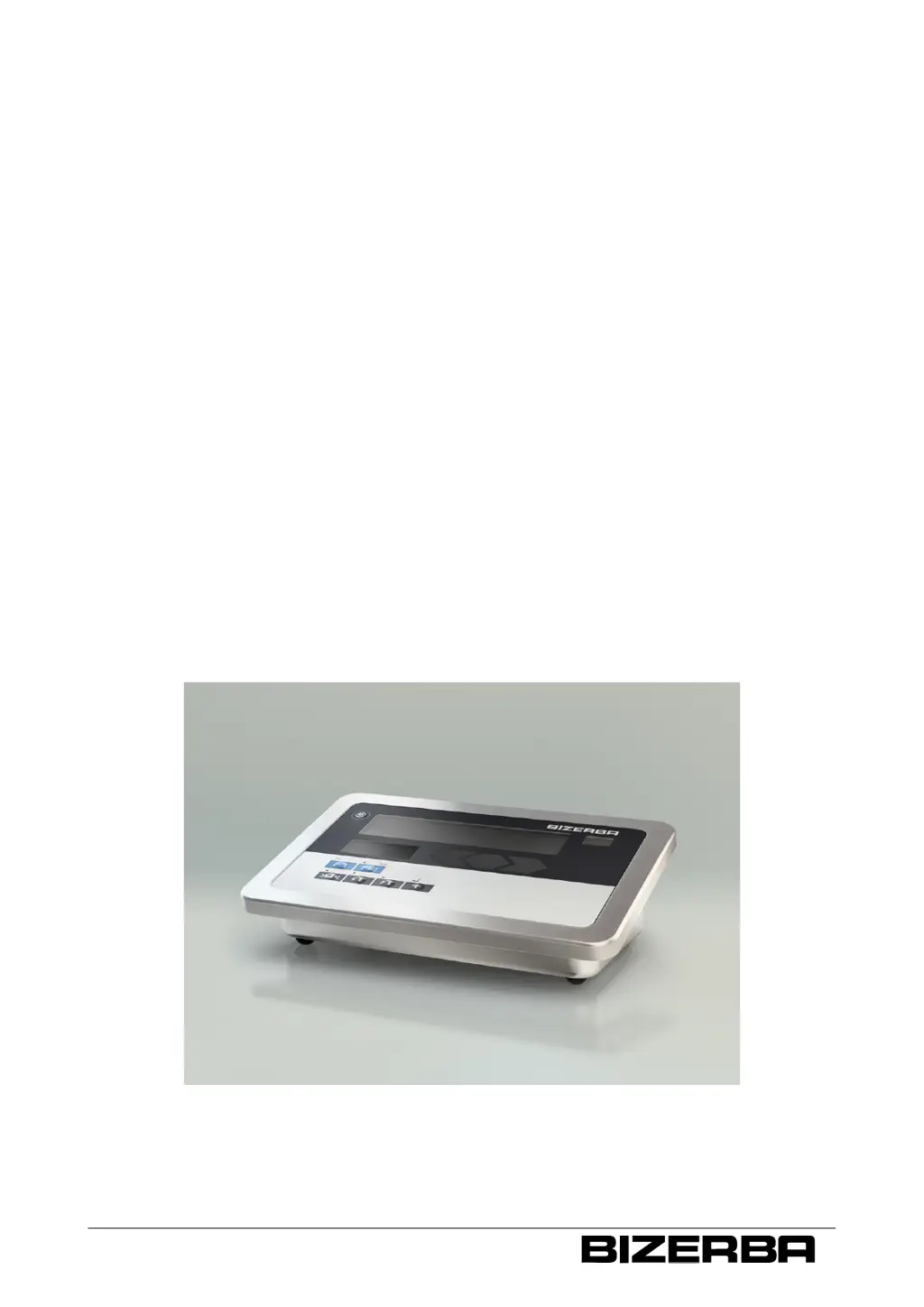
Terminal iS10 / iS20
Operating instructions
as of program version 1.01
38019417000 en

Table of Contents

Questions and Answers

  • E
    ekirkAug 17, 2025
    Why does the weight value display constantly change on my Bizerba iS10 Touch terminals?
    • A
      Allison HowardAug 17, 2025
      If the weight value display on your Bizerba Touch terminal constantly changes, it could be due to several factors. The load platter might be incorrectly positioned, or objects may be touching it. There could be soiling on or beneath the load plate. The scale might not be leveled, or the environment could be erratic due to drafts or vibrations. The product itself could also be unstable. To resolve this, clean the load plate, position it correctly, and remove any objects. Ensure the scale is level. Try switching the device off and on. You might also need to change the location of the scale. Parameter settings might need adjustment by Bizerba customer service.
  • P
    Phillip BrightAug 20, 2025
    What does "Err Cnt" mean on Bizerba iS10 and how to solve it?
    • T
      Tristan MillerAug 20, 2025
      If your Bizerba Touch terminal shows "Err Cnt", it means the minimum weight for reference weight determination has not been reached. Place a higher weight or more pieces on the scale.
  • M
    Melinda ValenzuelaAug 22, 2025
    What does error "Er22693" mean on Bizerba iS10 Touch terminals?
    • E
      Eric EspinozaAug 22, 2025
      If your Bizerba Touch terminal displays "Er22693", it indicates that the calibration data in the device does not match the connected load cell. Connect the load cell used to calibrate the device or calibrate the device with a new load cell.
  • P
    pjonesAug 25, 2025
    What to do if Bizerba Touch terminals scale is in overload range?
    • T
      Tasha ChenAug 26, 2025
      If your Bizerba Touch terminal is in an overload range above the maximum load, it means the weighing range has been exceeded. Remove objects from the load plate, level the scale, and switch the device off and on.
  • M
    Michael CallahanAug 27, 2025
    What does "Err toL" mean on Bizerba Touch terminals?
    • S
      sarahgillAug 27, 2025
      If your Bizerba Touch terminal shows "Err toL", it indicates that tolerance control has not been activated or an invalid parameter is set. Activate tolerance control in step 50. Set the target value, upper and lower tolerance limits.
  • M
    Matthew TorresAug 30, 2025
    What does error "Er20851" mean on Bizerba iS10 Touch terminals?
    • N
      Natalie WarnerAug 30, 2025
      If your Bizerba Touch terminal displays "Er20851", it means the connection to the digital load receptor has been disconnected. Check the cable connection of the load receptor.
  • S
    steven57Sep 1, 2025
    What does error "Er22696" mean on Bizerba iS10 Touch terminals?
    • C
      charleshardySep 1, 2025
      If your Bizerba Touch terminal displays "Er22696", it indicates that the authentication of the digital load cell failed. Try switching the device off and on.
  • G
    George ButlerSep 4, 2025
    What does error "Er22697" mean on Bizerba iS10 Touch terminals?
    • K
      Kathleen PorterSep 4, 2025
      If your Bizerba Touch terminal displays "Er22697", it means that the data in the metrologically approved data storage could not be read. Try switching the device off and on.
  • D
    Dwayne WilliamsSep 6, 2025
    What does error "Er22692" or "Er22699" mean on Bizerba iS10 Touch terminals?
    • J
      John SmithSep 7, 2025
      If your Bizerba Touch terminal displays "Er22692" or "Er22699", it means that the CPU authentication failed. Try switching the device off and on.
  • H
    Hayley ShermanSep 9, 2025
    What does error "Er22694" mean on Bizerba iS10 Touch terminals?
    • Y
      ydavisSep 9, 2025
      If your Bizerba Touch terminal displays "Er22694", it indicates a CPU timeout. Try switching the device off and on.

Summary

About these instructions

1.4.2 Explanation of warnings

Explains the meaning and risk levels of different warning symbols.

About the device

2.5 Intended use

Specifies the device's intended application in industrial environments.

2.8 Verification-related notes

Provides notes regarding scale verification and metrological marks for EC countries.

2.14 Warranty

Outlines warranty conditions and reasons for warranty lapse.

Safety instructions

3.1 Requirements for operating personnel

Specifies that only trained personnel should operate the device.

3.2 Supply circuit disconnect

Details how to safely disconnect the device from the power supply.

3.3 System-related sources of hazards

Identifies potential hazards related to the device's system.

3.3.1 Mains supply

Warns about incorrect supply voltage and fire hazards.

Installation

4.2 Check the electric connection

Details checks required for customer-provided power supply installations.

4.3 Battery (option)

Explains battery operation and handling precautions for lithium-ion packs.

Operation

5.12 Weighing operation

Covers various weighing modes and functions.

PC;EDP and printer interface

Ethernet interface

Service menu

9.2 Scale parameter

Explains how to access and change scale parameters, including weighing ranges.

9.3 Scale calibration menu

Details the step-by-step process for calibrating the scale.

Troubleshooting

11.2 Bring-in service

Explains how to arrange for service or repairs for the device.

11.3 Fault descriptions

Lists common faults, their causes, and elimination steps.

Bizerba iS10 Specifications

General IconGeneral
Storage64 GB SSD
RAM4 GB
Operating SystemWindows 10 IoT Enterprise
ConnectivityEthernet
PortsEthernet
Operating Temperature0°C to 40°C
InterfacesUSB, Ethernet
Touch TechnologyProjected Capacitive Touch (PCT)

Related product manuals