EasyManua.ls Logo

Bizerba iS20 - User Manual

Bizerba iS20
109 pages
Print Icon
To Next Page IconTo Next Page
Loading...
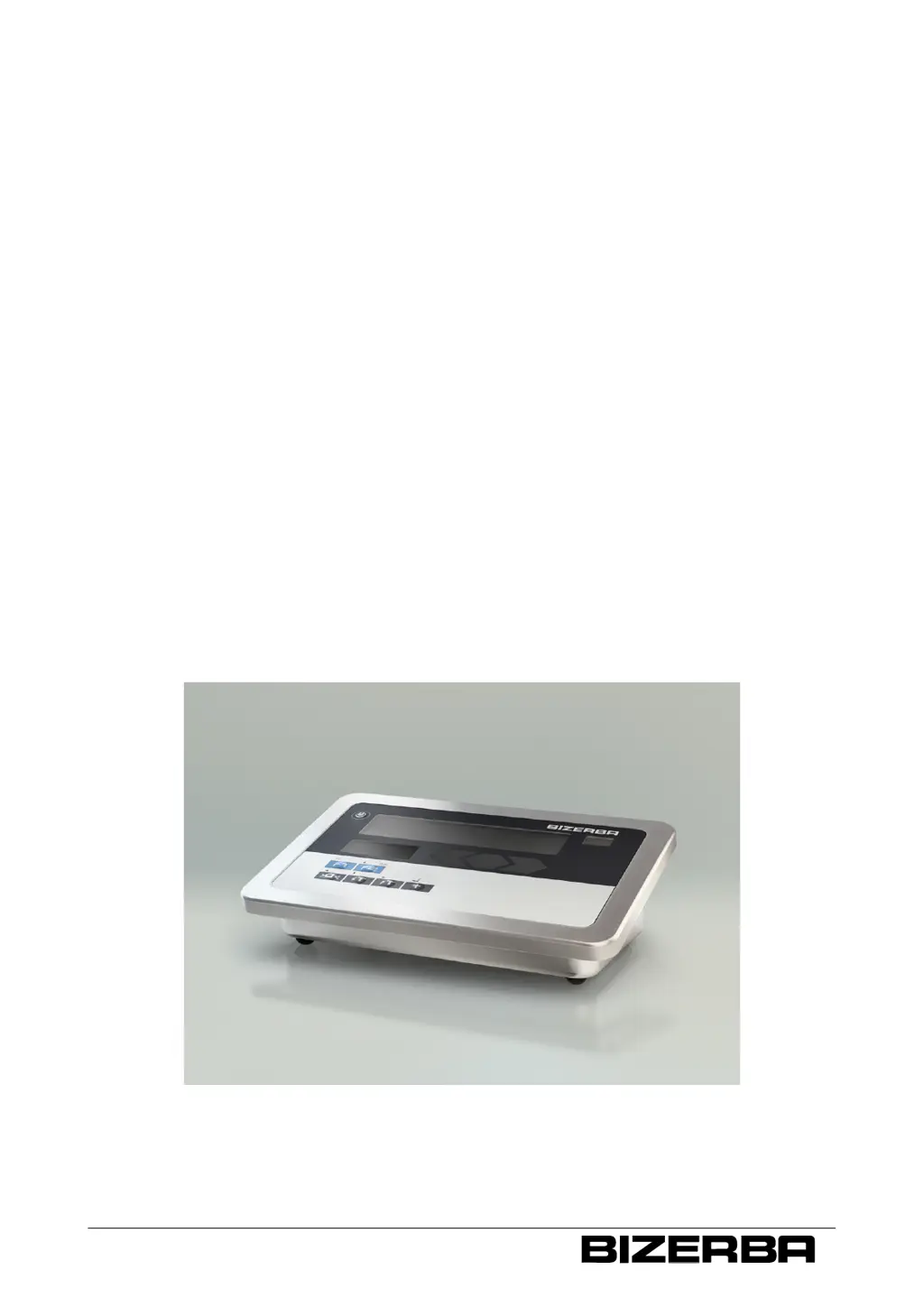
Terminal iS10 / iS20
Operating instructions
as of program version 1.01
38019417000 en

Table of Contents

Questions and Answers

Summary

About The Device

Identification Plates

Explains main identification plate and plate with max, min, e.

Intended Use

Specifies use in industrial/commercial fields, not explosive areas.

Regulations Of Approval For Weighing Data Memory

Lists conditions for long-term storage of weighing results.

Warranty

Details warranty conditions and exclusions.

Safety Instructions

Requirements For Operating Personnel

Specifies trained personnel must operate the device.

Supply Circuit Disconnect

Instructions for disconnecting the power supply.

System-Related Sources Of Hazards

Identifies hazards related to the device's system.

Mains Supply

Discusses hazards related to the mains power supply.

Installation

Check The Electric Connection

Instructions for verifying the electric connection and power supply.

Battery (Option)

Information on installing and operating with an optional battery pack.

Connect Power Cable

Step-by-step guide to connecting the power cable.

Operation

Display And Operating Field

Overview of the device's display and control panel layout.

Switch Device On; Reset

Procedures for powering on and resetting the device.

Switching Device Off

Instructions for safely switching off the device.

Function Assignment Of Key F1

Explains how key F1 can be configured for various functions.

Functions Of Menu Key F2

Details the various menu functions accessible via key F2.

Display Metrological Data

Shows how to display metrological status and load cell info.

Call Up Service Parameters

How to access and navigate service parameter menus.

Call Up Tendency Control

Explains how to use tendency control for weight deviations.

Working With Tendency Control

Detailed steps for setting up and using tendency control.

Enter Target Value And Tolerance Limits

How to input target values and tolerance limits.

Zero Setting Of Scale

Procedure for zero setting the scale.

Counting Operation

Instructions for performing counting operations.

PC;EDP And Printer Interface

PC;EDP Interface

Details the PC/EDP interface for data exchange.

PC;EDP Interface Parameters

Configuration settings for the PC/EDP interface.

IXNET Dialogs

Data Dialog IXNET Interface

Default settings and commands for IXNET data dialog.

Ethernet Interface

Ethernet Interface Parameters

Configuration settings for the Ethernet interface.

Service Menu

General Parameters

Settings for country, language, and zero setting after power on.

Software Update

Procedures for updating the device's software.

Scale Parameter

How to change scale parameters after removing the verification seal.

Weighing Range In Kg, Coarse Interval

Setting the weighing range in kilograms with coarse intervals.

Weighing Range In Kg, Small Interval

Setting the weighing range in kilograms with small intervals.

Scale Calibration Menu

Examples Of Operating Procedures

Weighing, Recording, Totaling

Practical example of weighing with recording and totaling.

Counting, Recording, Totaling

Example of counting, recording, and totaling operations.

Troubleshooting

Periodic Faults

Guidance on handling recurring faults and safety during troubleshooting.

Bring-In Service

Information on Bizerba's bring-in service for device issues.

Fault Descriptions

Lists common faults, their causes, and eliminations.

Maintenance

Appendix

CE Declaration Of Conformity

Official declaration of conformity to EC directives and standards.

Summary

About The Device

Identification Plates

Explains main identification plate and plate with max, min, e.

Intended Use

Specifies use in industrial/commercial fields, not explosive areas.

Regulations Of Approval For Weighing Data Memory

Lists conditions for long-term storage of weighing results.

Warranty

Details warranty conditions and exclusions.

Safety Instructions

Requirements For Operating Personnel

Specifies trained personnel must operate the device.

Supply Circuit Disconnect

Instructions for disconnecting the power supply.

System-Related Sources Of Hazards

Identifies hazards related to the device's system.

Mains Supply

Discusses hazards related to the mains power supply.

Installation

Check The Electric Connection

Instructions for verifying the electric connection and power supply.

Battery (Option)

Information on installing and operating with an optional battery pack.

Connect Power Cable

Step-by-step guide to connecting the power cable.

Operation

Display And Operating Field

Overview of the device's display and control panel layout.

Switch Device On; Reset

Procedures for powering on and resetting the device.

Switching Device Off

Instructions for safely switching off the device.

Function Assignment Of Key F1

Explains how key F1 can be configured for various functions.

Functions Of Menu Key F2

Details the various menu functions accessible via key F2.

Display Metrological Data

Shows how to display metrological status and load cell info.

Call Up Service Parameters

How to access and navigate service parameter menus.

Call Up Tendency Control

Explains how to use tendency control for weight deviations.

Working With Tendency Control

Detailed steps for setting up and using tendency control.

Enter Target Value And Tolerance Limits

How to input target values and tolerance limits.

Zero Setting Of Scale

Procedure for zero setting the scale.

Counting Operation

Instructions for performing counting operations.

PC;EDP And Printer Interface

PC;EDP Interface

Details the PC/EDP interface for data exchange.

PC;EDP Interface Parameters

Configuration settings for the PC/EDP interface.

IXNET Dialogs

Data Dialog IXNET Interface

Default settings and commands for IXNET data dialog.

Ethernet Interface

Ethernet Interface Parameters

Configuration settings for the Ethernet interface.

Service Menu

General Parameters

Settings for country, language, and zero setting after power on.

Software Update

Procedures for updating the device's software.

Scale Parameter

How to change scale parameters after removing the verification seal.

Weighing Range In Kg, Coarse Interval

Setting the weighing range in kilograms with coarse intervals.

Weighing Range In Kg, Small Interval

Setting the weighing range in kilograms with small intervals.

Scale Calibration Menu

Examples Of Operating Procedures

Weighing, Recording, Totaling

Practical example of weighing with recording and totaling.

Counting, Recording, Totaling

Example of counting, recording, and totaling operations.

Troubleshooting

Periodic Faults

Guidance on handling recurring faults and safety during troubleshooting.

Bring-In Service

Information on Bizerba's bring-in service for device issues.

Fault Descriptions

Lists common faults, their causes, and eliminations.

Maintenance

Appendix

CE Declaration Of Conformity

Official declaration of conformity to EC directives and standards.

Bizerba iS20 Specifications

General IconGeneral
Display TypeTFT LCD
Resolution1366 x 768 pixels
Touch TechnologyProjected capacitive
ProcessorIntel Celeron
Storage64 GB SSD
Operating SystemWindows 10 IoT Enterprise
ConnectivityEthernet
Power Supply24 V DC
Operating Temperature0°C to 40°C
Storage Temperature-20°C to 60°C
InterfacesUSB, RS232

Related product manuals