Operation Operating instructions iS10 / iS20
22 38019417000 en
5
5 Operation
5.1 Display and operating field
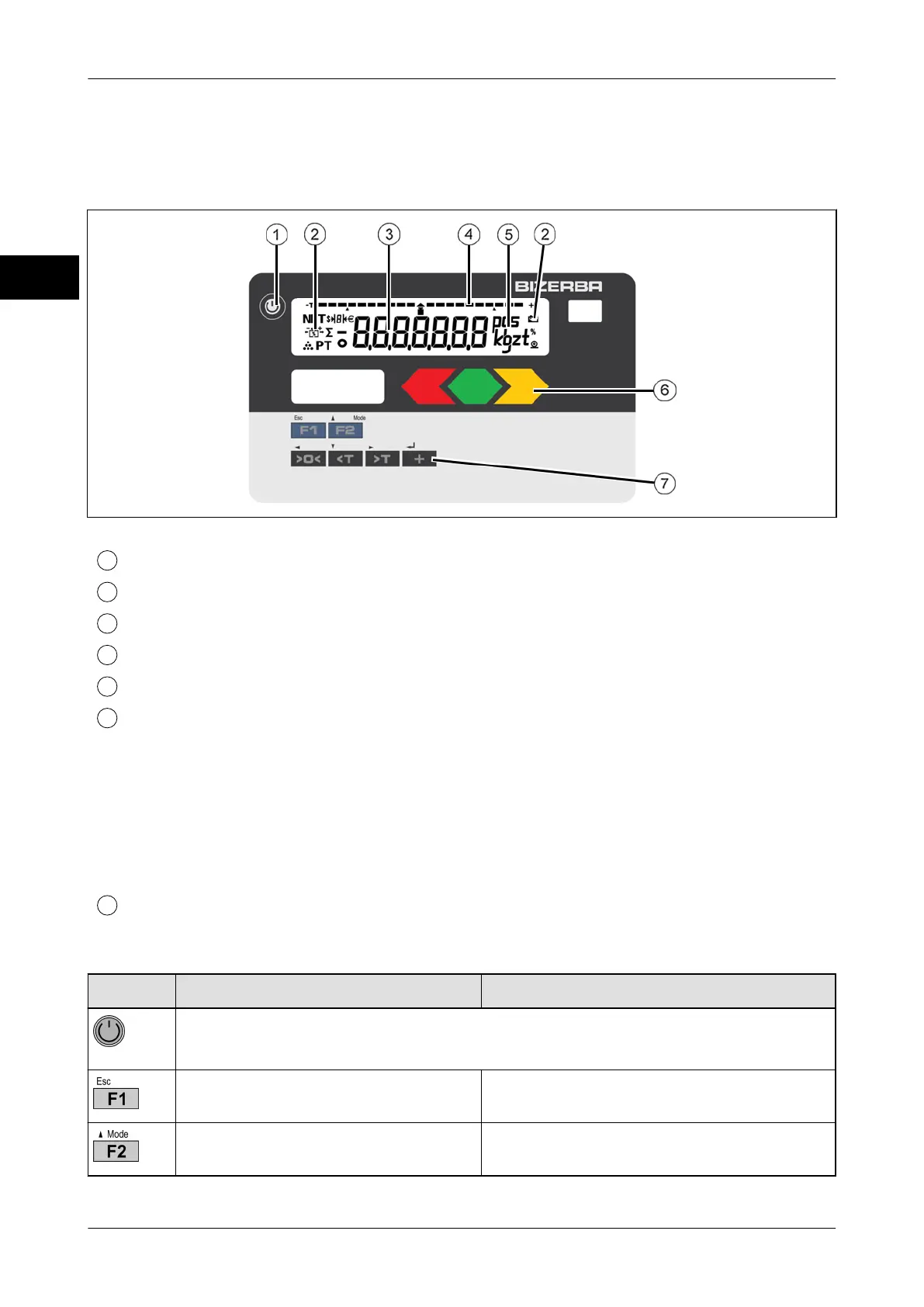
Fig. 11: Display and operating unit
Standby/reset key
Status symbols
Weight, tare and application values
Bar segments
Unit of measured value (g, kg, t, lb, oz, pcs)
LED display (only with iS20)
Tolerance control:
– left LED lights up red: Under weight
– LED in the middle lights up green: Good weight
– right LED lights up yellow: Overweight
Registration:
– all LEDs light up green: Registration process running
Control panel
Key functions
Key Function in weighing operation Menu functions
Briefly press key: Save data and restart.
Press and hold key for more than 3 s: Standby mode.
Configurable function key, see
page 25.
Return to weighing mode. <ESC> key.
After a restart: Select menu, see
page 26.
In Menus, scroll upwards or increase
value.


 To Next Page