18
Operang Instrucons - BPS2000v2 Monitoring Power Distribuon Unit
9. A
Access via Telnet protocol
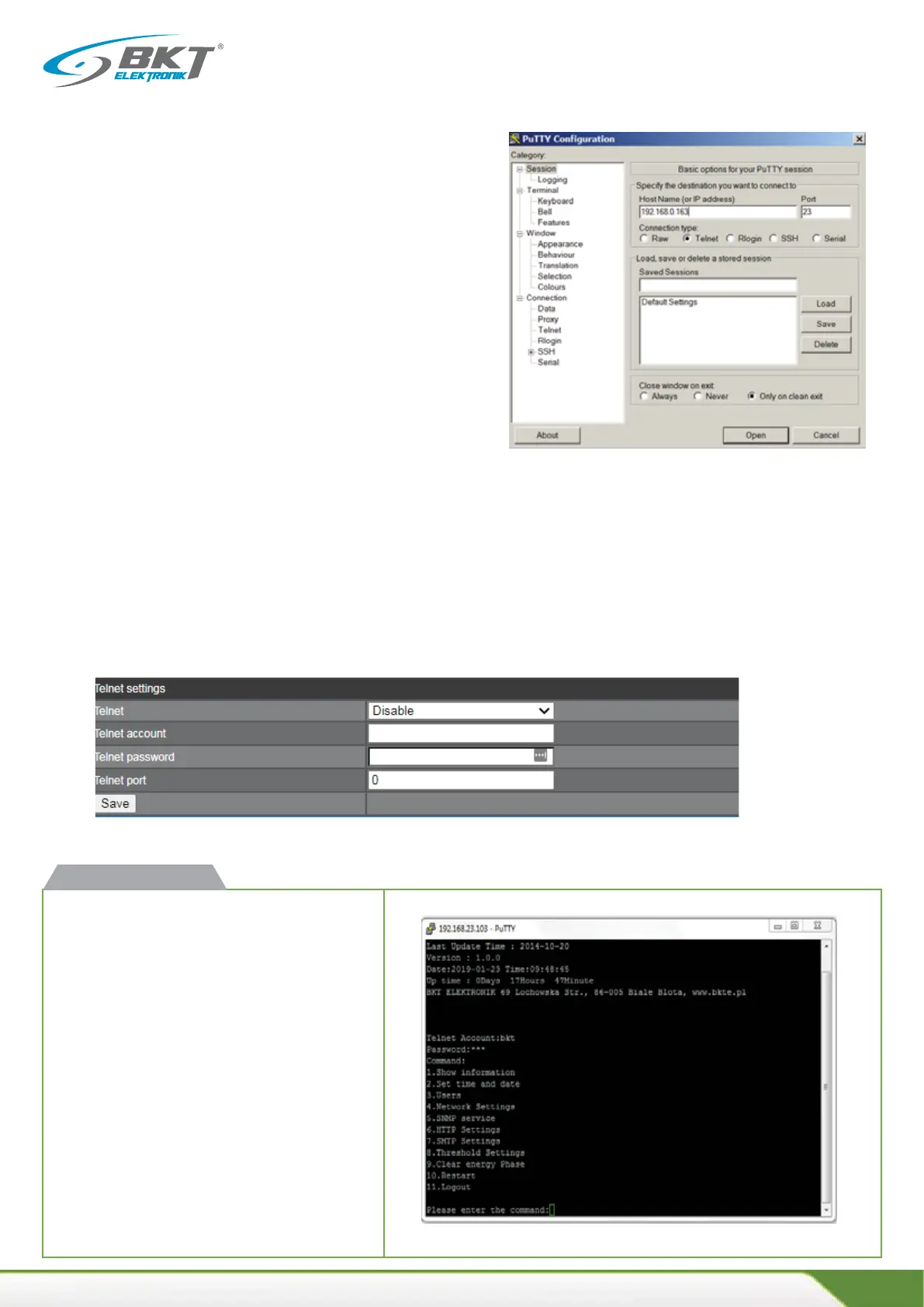
BPS2000 unit supports access via Telnet communicaon
protocol. It is necessary to install an addional applicaon
such as PuTTY.
To gain access, proceed as follows
x Connect the device via the Ethernet to the computer
with an installed applicaon operang a command
prompt (e.g. PuTTY).
x Change Connecon type to Telnet.
x Enter the IP address of the unit.
x Press Open
Telnet configuraon from the web management interface
Telnet: choose Disable or Enable
•Telnet account: enter account name
• Telnet password: enter account password
• Port Telnet: default is port 23
f
When all steps are successfully completed, access to the
Telnet console window will be enabled.
Aer connecng to the PDU, enter the username
(default: admin) and the password (default: admin).
BPS2000v2 cmd interface



 To Next Page