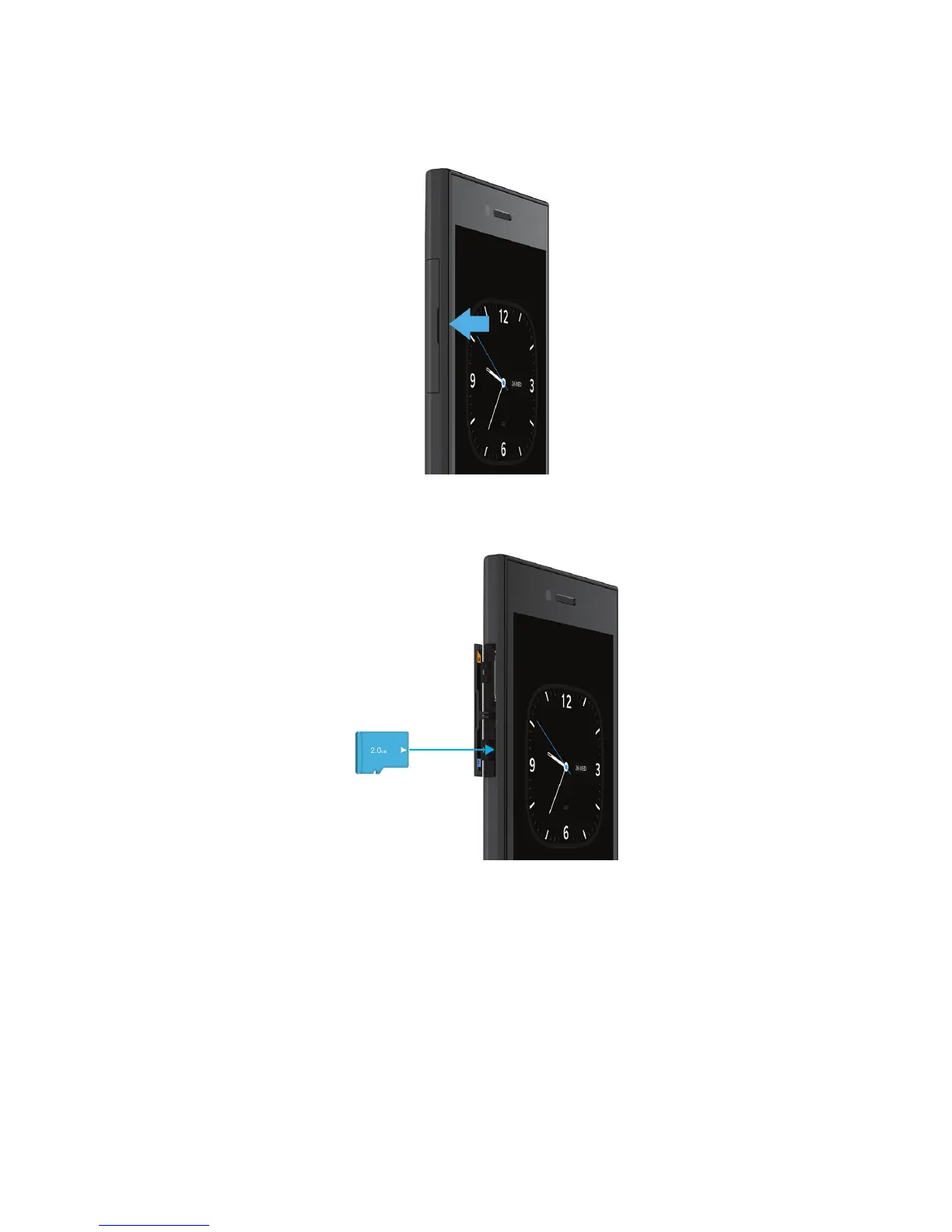
2.
With the metal contacts facing away from you, insert the media card (microSD card) into the bottom slot.
Set up your device using the Setup app
Tip: A network connection is required for some of the features within the Setup app.
You can use the Setup app to do any of the following:
• Learn about new features and view tutorials to learn about gestures and keys
• Add your email, BBM, instant messaging, and social networking accounts
User Guide Setup and basics
24












 To Next Page