Operating Your ATEM Switcher
51
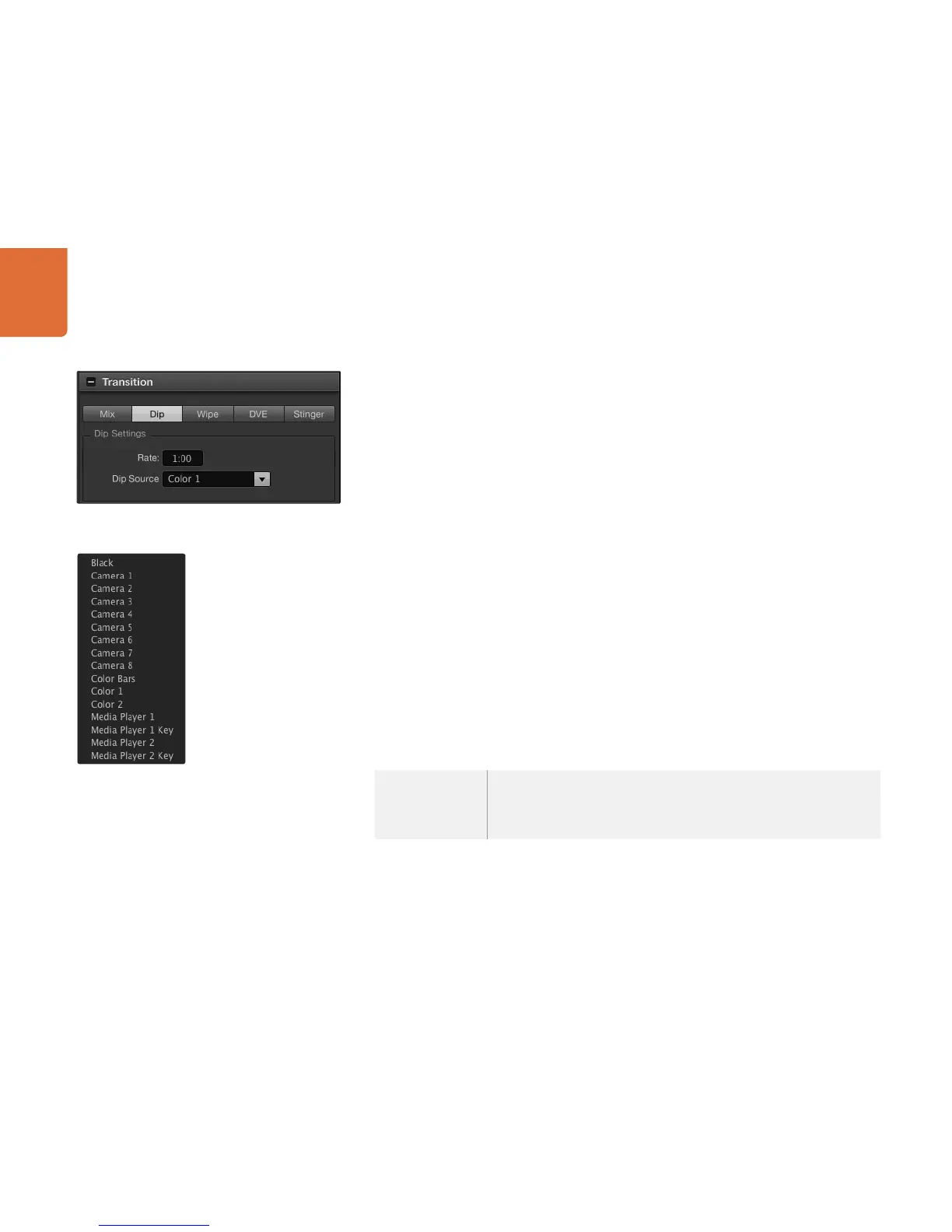
To perform a dip transition on the software control panel
Step 1. On the preview bus, select the video source that you want on the program output.
Step 2. Select the DIP transition style in the transition control block.
Step 3. Expand the transition palette and select dip from the transition types bar.
Step 4. Adjust the dip rate by entering a number in the rate window. The rate display in the transition
control block will update.
Step 5. Select the dip source.
Step 6. Perform the transition as an auto transition or manual transition from the transition control block.
To perform a dip transition on the broadcast panel
Step 1. On the preview bus, select the video source that you want on the program output.
Step 2. Press the SHIFT and DIP/MIX buttons to select the dip transition type. The DIP/MIX button
illuminates green. The system control automatically navigates to the transition menu. To manually
navigate to the transition menu press HOME > TRANS.
Step 3. In the system control use the rotary encoder to adjust the dip rate. The transition rate display
in the transition control block will update dynamically. You can also enter a rate duration
using the number pad followed by the set rate button.
Step 4. Use the select bus to select the dip source.
Step 5. Perform the transition as an auto transition or manual transition from the transition control
block.
Dip transition parameters
Rate
The dip transition rate in seconds and frames.
Dip Source
The dip source is any video signal in the switcher that will be used as the
intermediate picture for the dip transition, usually a color generator or media
player.
Dip Transition Settings
Dip Source Menu



 To Next Page