•Instant cooking
—
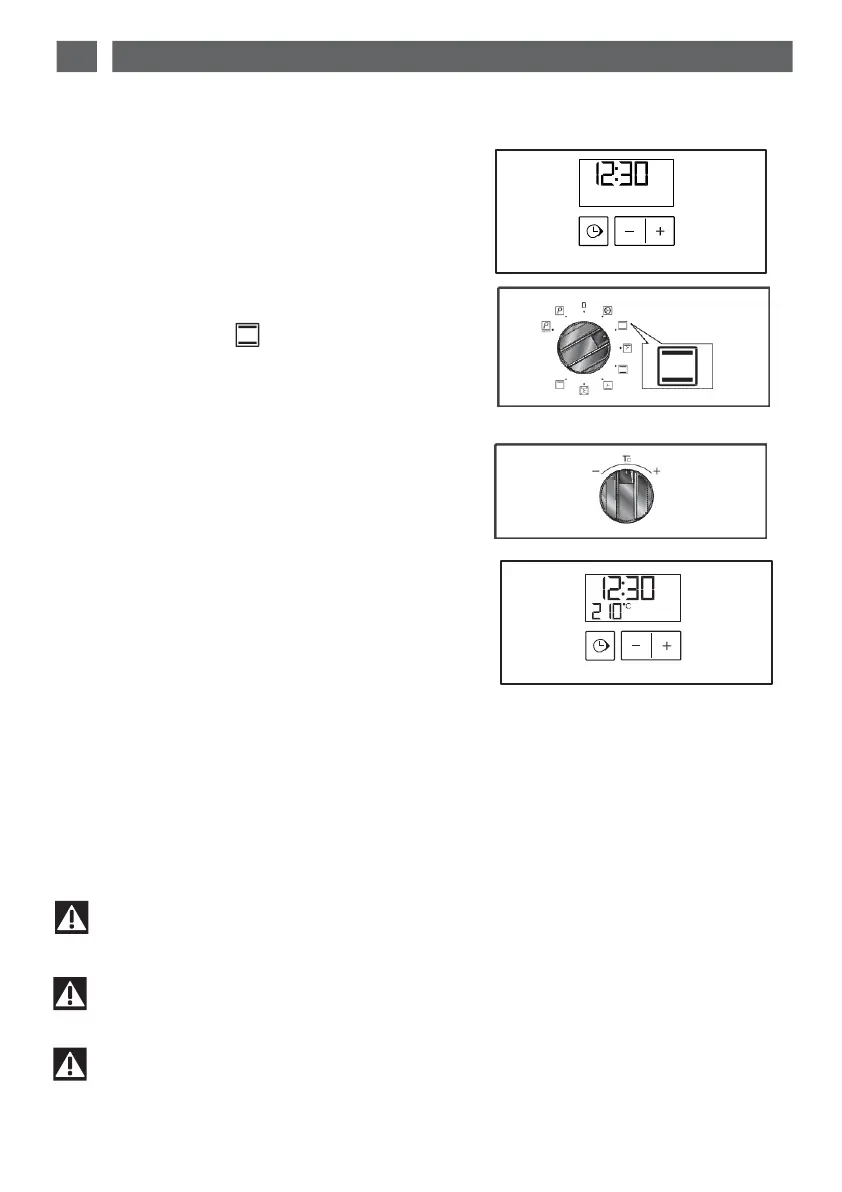
The programmer should display only the
time.
It
should
not be
flashing
(f
ig.
1).
Turn the function selector to the position of
your choice.
Example:
position (fig.2).
Your oven suggests the optimal temperature
for this type of cooking.
It is,
however, possible
to adjust the tempera-
ture by turning the
temperature
selection
knob toward
+
or
-
(fig.3)
Example: temperature setting: 210°C (fig.
4).
Place
your dish in the
oven based
on the rec-
ommendations
provided by the cooking
guide.
Af
t
e
r
these actions,
the
o
v
en
heats
up
and
the
tem-
perature
indicat
or flashes.
A
series
of
beeps
will be
emitted when
the oven
reaches
the
selected
temperature.
The
temperature stops
flashing.
fig.1
fig.2
fig.3
fig.4
Important
After a cooking cycle, the cooling turbine continues to function for a while.
Important
The
door must always be closed for cooking.
Important
Do not hang any cloths or teatowels on the door handle.


 To Next Page