13
4 / USING YOUR APPLIANCE
EN
Warning
Do not hang a towel or cloth on the oven handle.
•Immediate cooking
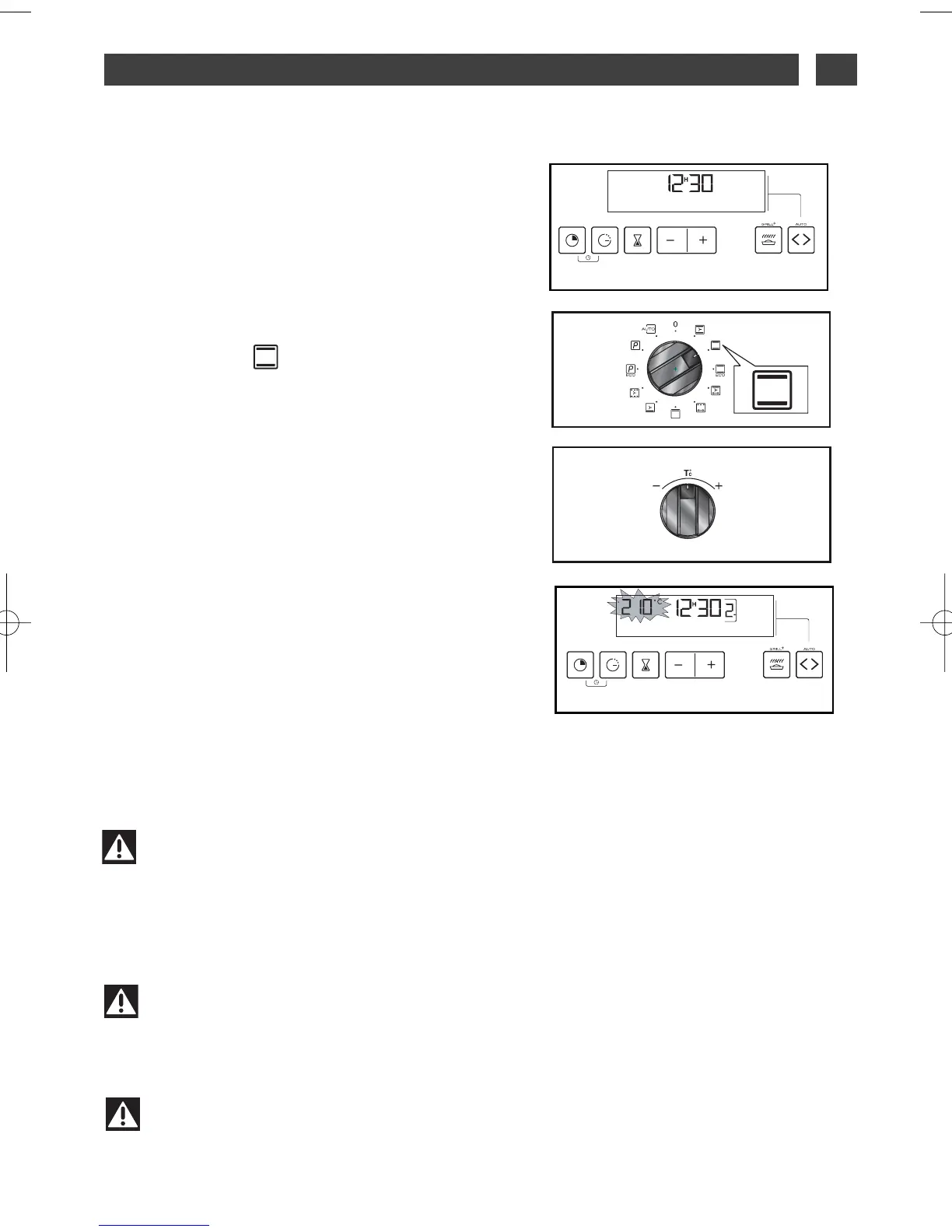
— The analog programmer should display only
the time;
It should not be flashing (fig 1).
Turn the function selector to the position of
your choice.
Example: position (fig.2).
Your oven will offer you the best temperature
for this type of cooking.
You can also adjust the temperature by mov-
ing the temperature selection knob to
++
or
--
(fig.3)
Example: temperature reference 210°C (fig.4).
PPuutt yyoouurr ppllaattee iinn tthhee oovveenn
following the rec-
ommendations provided.
After doing this, the oven heats up, and the
temperature indicator flashes.
A series of beeps will be emitted when the
oven reaches the selected temperature.
The temperature stops flashing.
fig.2
fig.4
Warning
All cooking is done with the door closed.
Warning
After a cooking cycle, the cooling fan continues to operate for a period of time to guar-
antee good oven reliability.
fig.1
fig.3



 To Next Page