Follow the instructions described in the
“immediate self-cleaning” paragraph, then
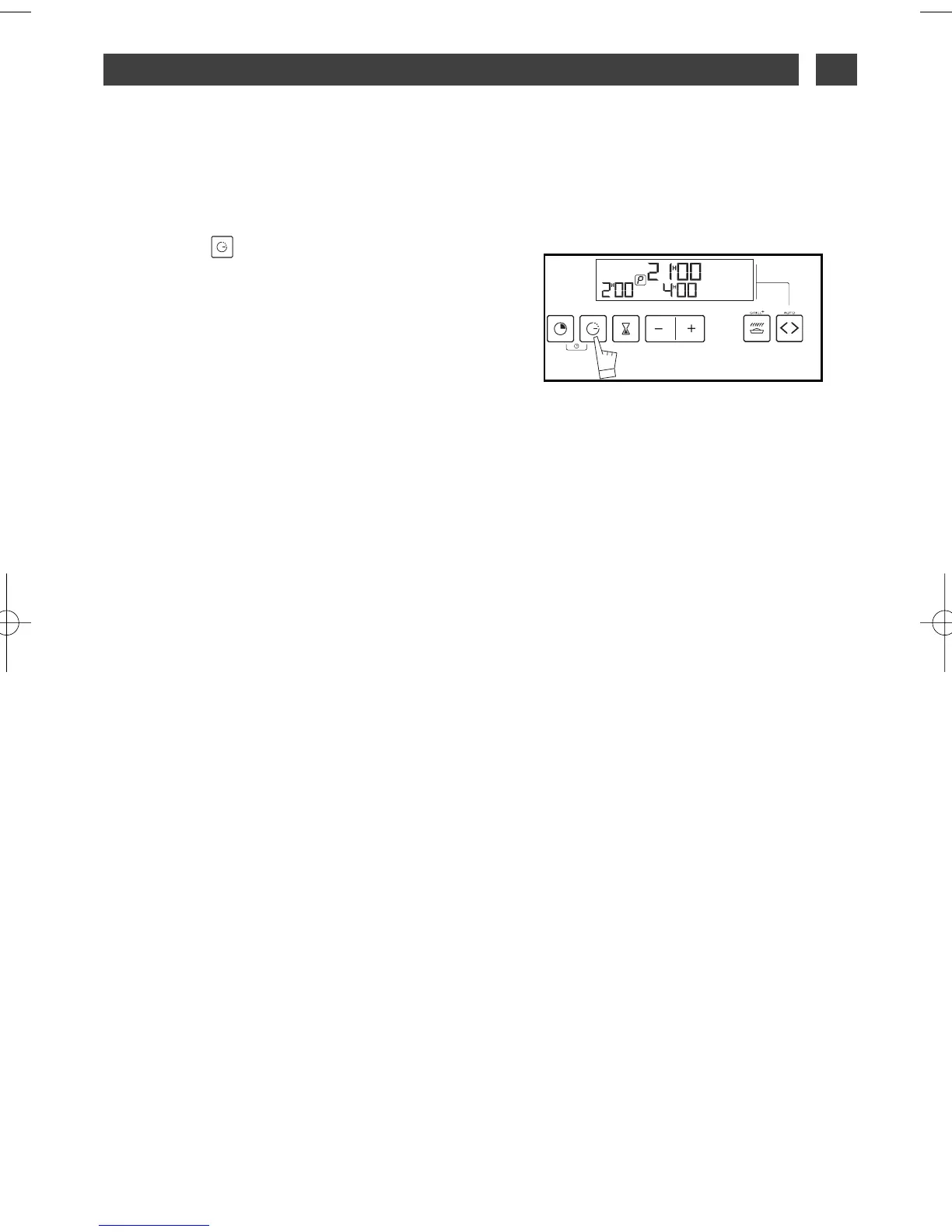
Press button “ ”, the indicator at the end
of the cooking cycle flashes to show that set-
ting can now be carried out.
Press the + or - buttons to set the time
desired.
Example: Self-cleaning ends at 4:00 pm.
After these actions, self-cleaning is delayed to
that it finishes at 4:00.
When the pyrolysis cycle is over, return the
function selector to 0.
6 / CARING FOR AND CLEANING YOUR APPLIANCE
EN
25
DELAYED SELF-CLEANING
••



 To Next Page