18
-- TThhee pprrooggrraammmmee sseelleeccttoorr oonn yyoouurr oovveenn ccaann
bbee uusseedd aass aa sseeppaarraattee ttiimmeerr wwhhiicchh ccaann bbee
uusseedd wwhheenn tthhee oovveenn iiss ooffff..
In this case, the timing displa
y takes priority
over the time of day display.
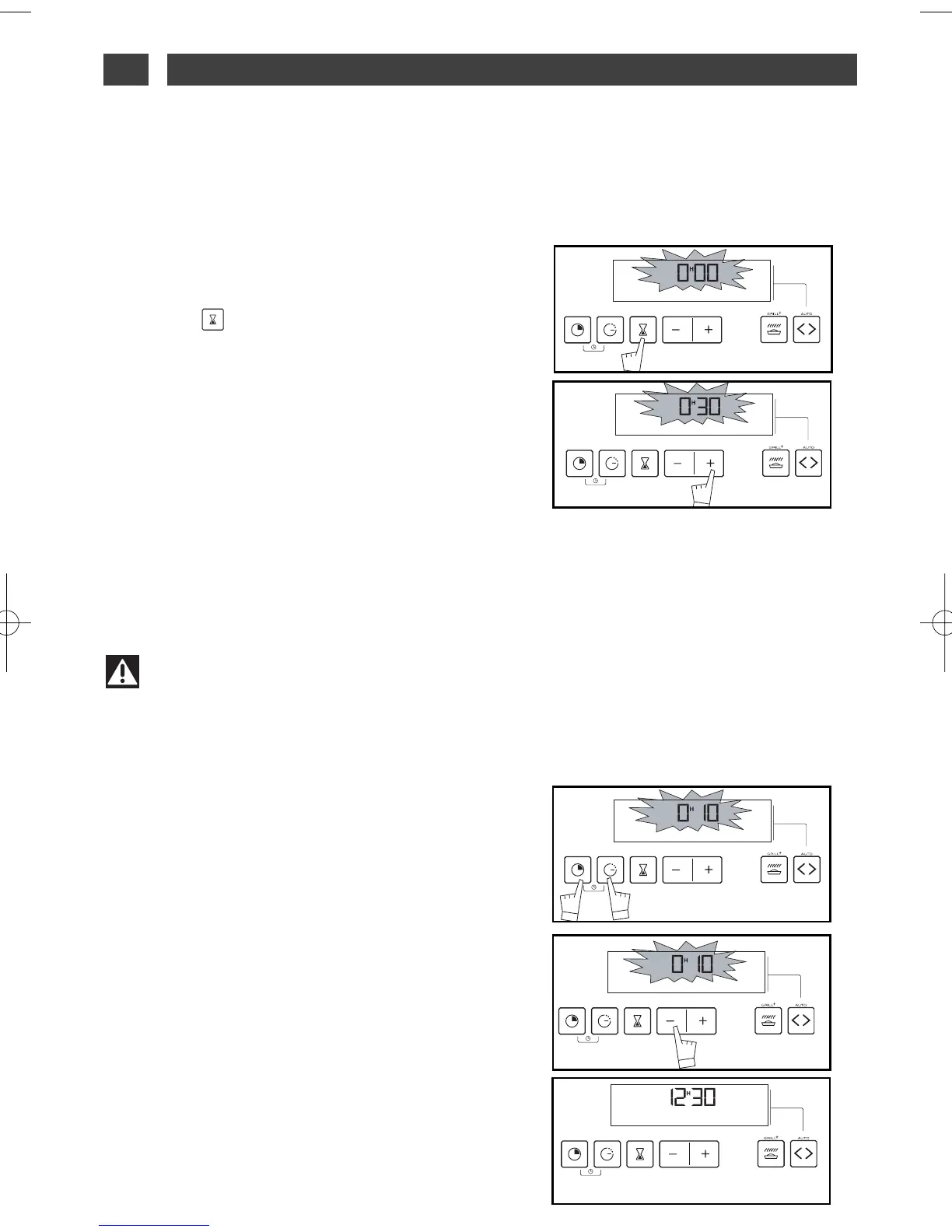
- Press the “ ” button (fig.1) until it reads 0.00.
- Adjust the time chosen by pressing
++
or
--
(fig.2) buttons until you reach the time re-
quired (maximum 60 minutes).
Warning
It is possible to change or cancel the timer programme at any time.
fig.1
fig.2
USE OF THE TIMER FUNCTION
••
ADJUSTING THE BRIGHTNESS
OF THE DISPLAY
••
You can adjust the brightness of your display. To
do this:
- Set and validate the time on your programme
selector at 0:10 (fig.1).
- Press buttons
++
and
--
at the same time for ten
seconds or so until “CO” is displayed in order to
go back to setting mode
(fig.2)
.
- Press buttons
++
or
--
to obtain the brightness
you require.
Once you have set the brightness to the level
you require, wait a few seconds and reset the
programme selector to the time of day.
fig.1
fig.2
The display stops flashing and the timer starts, counting the time in seconds.
Once the time has elapsed, the timer sounds a series of beeps to let you know.
Press any button to stop the beeping.
4 / USING YOUR APPLIANCEEN



 To Next Page