GRILL
+
••
— This function allows you to combine the cho-
sen cooking method with a function that
“browns” your dish at the end of cooking; this
can be accomplished by turning on the grill for
the last five minutes of the programme.
It is only active for the following cooking func-
tions:” ”
This function can be programmed at the start
of cooking by adding 5 minutes to the cooking
time or simply at the end of cooking by press-
ing the “ ”
.
button.
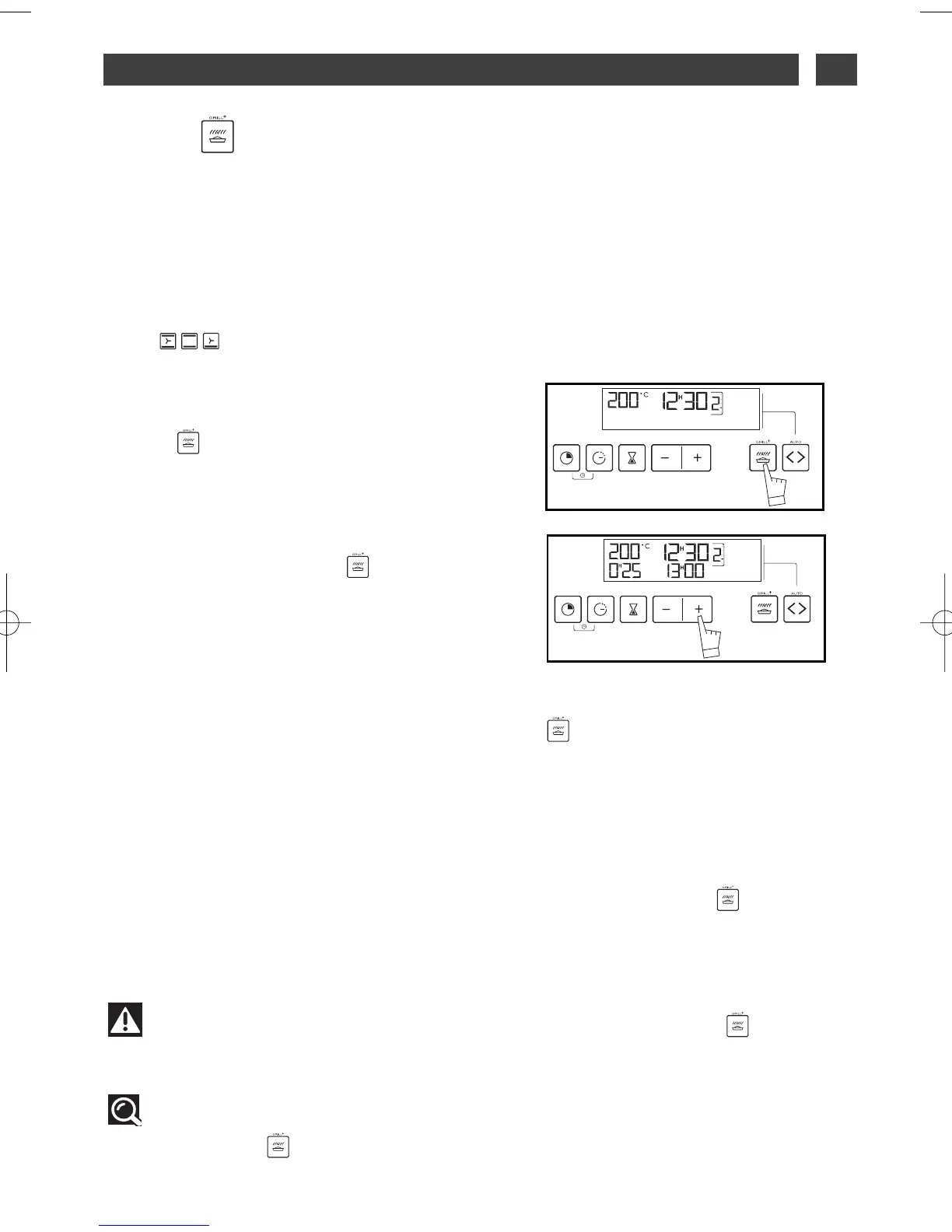
— Set the cooking mode chosen and if neces-
sary adjust the temperature.
— Press the “GRILL
+” button, cooking time
flashes at 0:05 (this cooking time is the mini-
mum required to activate the “ ” function in
the cooking sequence chosen).
— Press the + or - buttons to adjust the total
cooking time. The cooking time is recorded
automatically after a few seconds; the display
stops flashing.
— After these 3 actions, the oven heats up and the icon “ ” lights up, shwoing you that the func-
tion is in operation.
Do not put plates too close to the grill so they don’t brown too fast. Follow 1
st
or 2
nd
steps (start-
ing from the bottom).
Sample dishes:
— Gratins on pasta, cauliflower, endives, shellfish, crumbles, etc.
Programming examples: Onion soup au gratin:
— Select the cooking sequence and temperature: 180°C, the programme: “ ”
and the time: 25 minutes.
The stock will be heated for 20 minutes and browning will carry on for the remaining 5 minutes.
Tip
It is possible to activate or deactivate this option at any point during cooking by
adjusting the “ ” knob.
You can also activate this function with delayed cooking.
Warning
Every time the function selector is rotated, the function is deactivated
“”.
4 / USING YOUR APPLIANCE
EN
17



 To Next Page