“EASY COOK” ADVANTAGES AND PRINCIPLES
EN
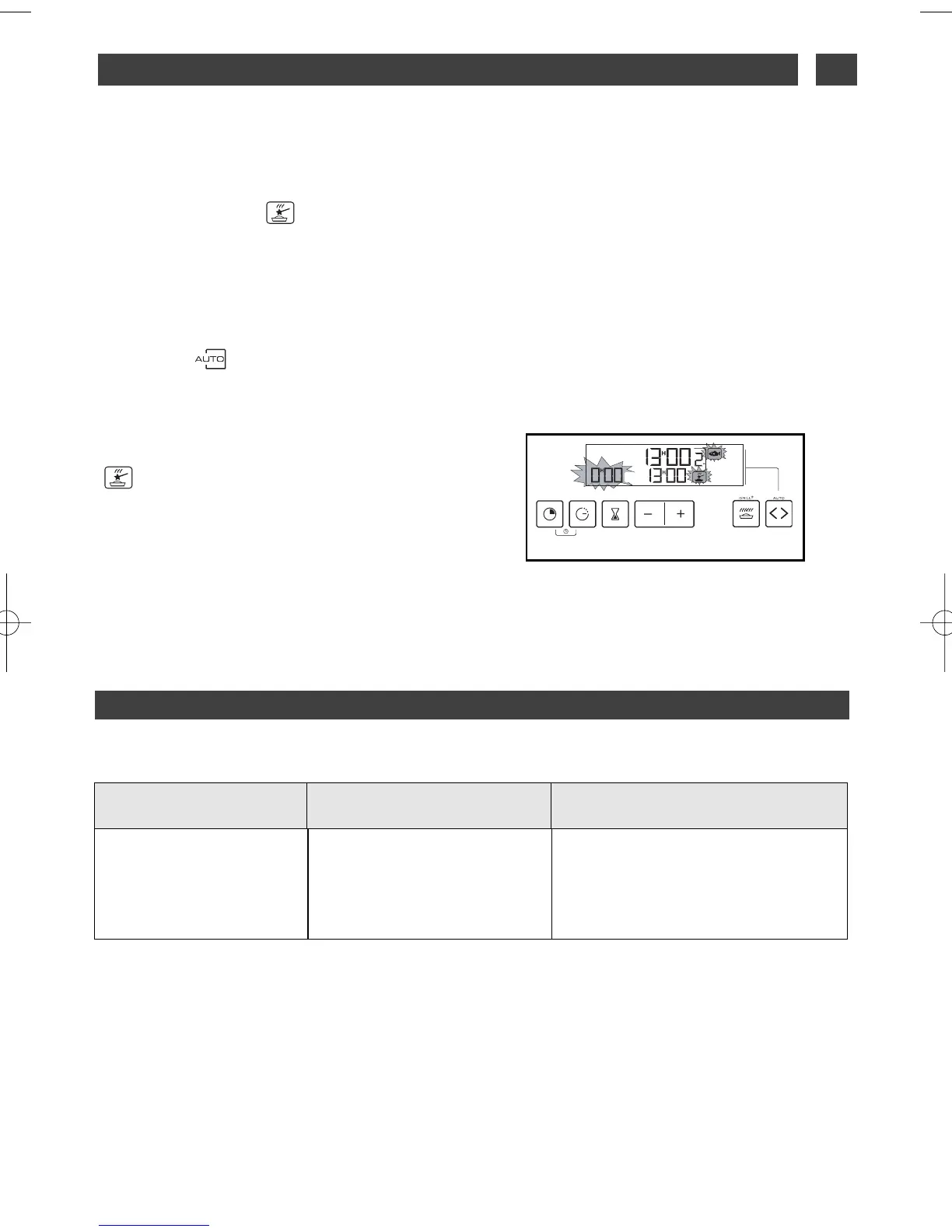
As soon as the icon “ ” stops flashing, you
may open the oven door
If, however, you open the door while the icon is
lit, your oven sounds a warning beep and the
dish icons flash.
Cooking in “ ” mode MUST START WITH
THE OVEN COLD, you should wait until the
oven has completely cooled down before
beginning a second cooking cycle in this mode
(if you do not, the cooking time indicators,
“ ” and the dishes flash on the display,
while a series of beeps will prevent you from
starting
to cook).
9 / IF AN OPERATING FAULT OCCURS
WWHHAATT SSHHOOUULLDD YYOOUU DDOO??TTHHEE CCAAUUSSEESS
PPOOSSSSIIBBLLEE
YYOOUU SSHHOOUULLDD
CCHHEECCKK TTHHAATT……
- You have opened the door
during the seek stage: the pro-
gramme is cancelled.
- The oven is hot
BBeeeeppiinngg ++ tthhee EEAASSYY
CCOOOOKK iiccoonn ffllaasshheess
➡ Allow the oven to cool down be-
fore re-starting cooking.
29
TIPS
••



 To Next Page