98
Applicative notes
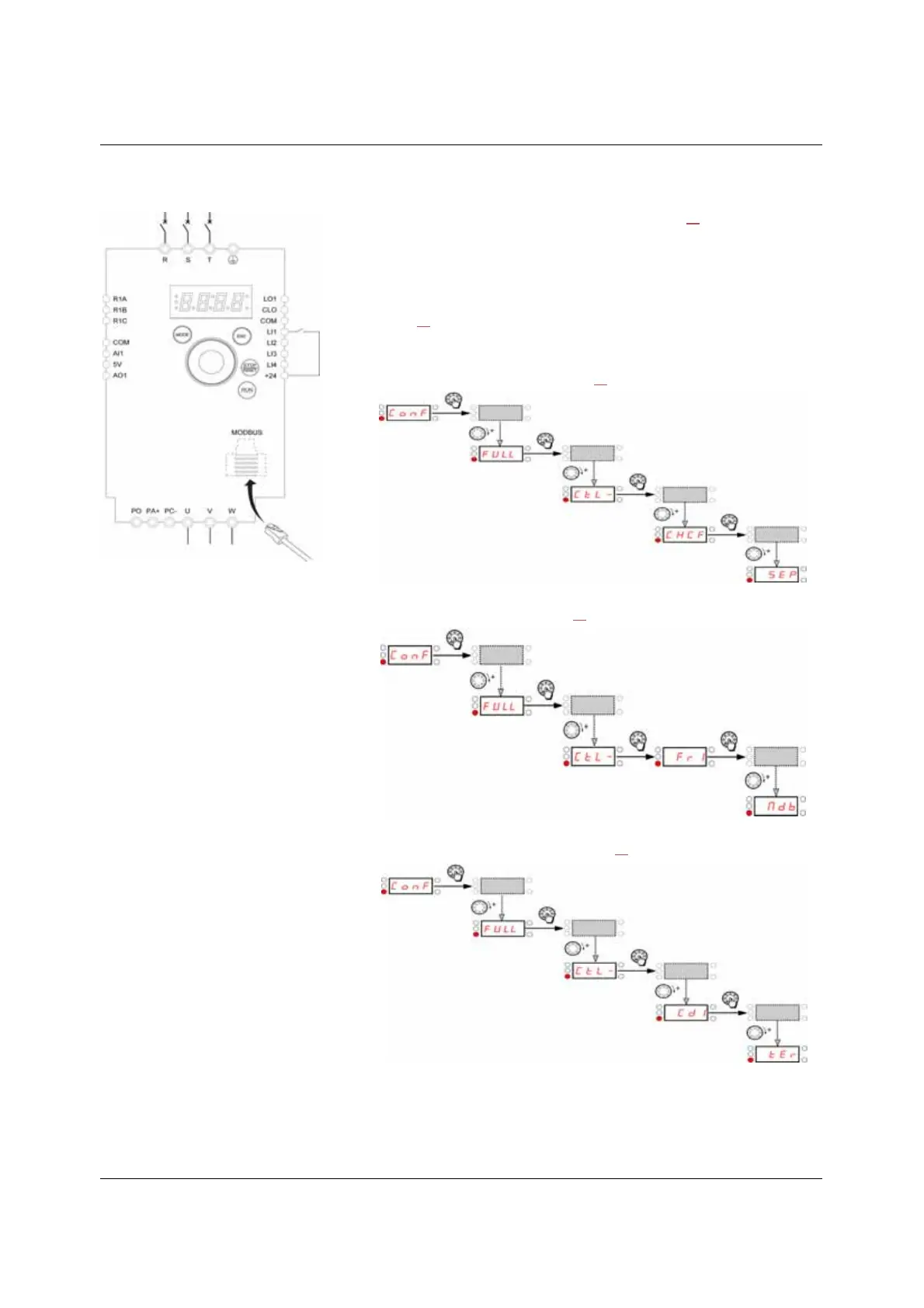
Terminals command channel with Modbus reference channel
Important: Please refer to Function compatibility table page 35.
1. Connect the ground terminal to the grounding screws located below the output
terminals.
2. Connect the power terminals.
3. Connect the logic input LI1 and plug RJ45 cable to the Modbus socket.
4. Turn on the drive without giving a run command.
5. Assign factory settings to the drive, Factory / recall customer parameter set FCS
page 45
set to InI.
6. Set the motor parameters (in COnF mode) only if the factory configuration of the
drive is not suitable.
7. Perform an auto-tuning.
8. Set Channel configuration CHCF page 60
to SEP.
Set Reference channel 1 Fr1 page 60
to Mdb.
Check that Command channel 1 Cd1 page 61
is set to tEr.
9. Start
(a)
(a): Run Forward



 To Next Page