13
ing drink. Conversely, the colder the ingredients, any of them, the thicker
the drink. Fourth, what is an alternative spelling for alcohol? Antifreeze. If
you are adding alcohol to a drink, its effect on drink consistency is greater
than water, so plan accordingly. In terms of the ice/water in #2 above, more
ice is needed relative to the amount of alcohol added to maintain the same
consistency between virgin (non-alcoholic) and alcoholic beverages. Finally,
all ice values above are in ounces by weight. If you do not have a scale and
are instead measuring ice by volume, the melt ratio of ice to water is 2 to 1.
That is, two cups of ice by volume melt to one cup of water by weight and
16 ounces of ice by volume melt to 8 ounces of water by weight. If your drink
calls for 10 ounces of ice by weight, be sure that you are putting 20 ounces
of ice by volume into your blending jar!
The rest of this section will help you with the basics of programming and allows
for the programming of drinks to your requirements. This feature will give you
the opportunity to view, and if necessary, change your data set parameters
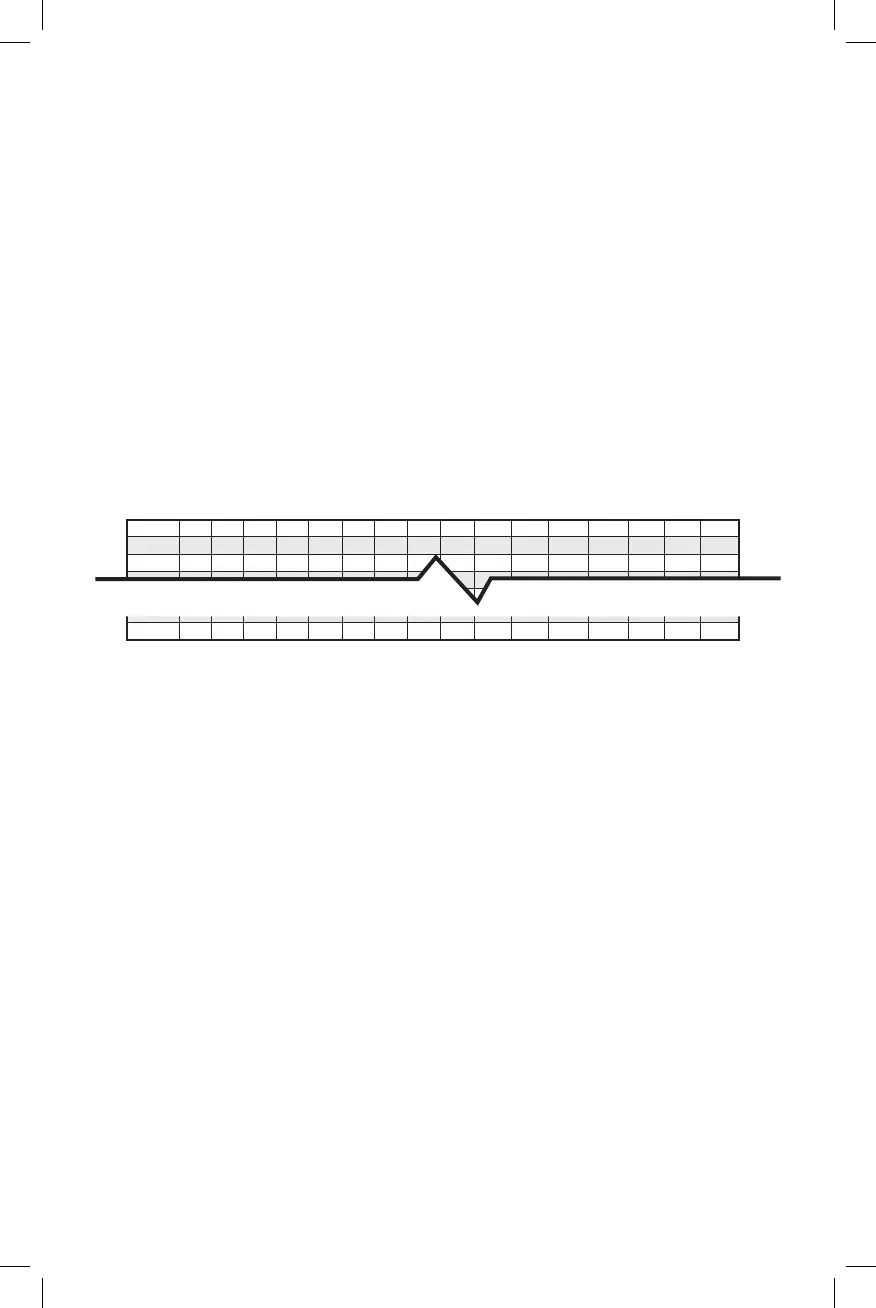
(see Figure 1 for the data set sequence).
Pmp1 Pmp2 Pmp3 Pmp4 Pmp5 Pmp6 Pmp7 Pmp8
Watr Stime Scycl Mtime Mcycl Ltime Lcycl Pause
Drink 1
Drink 2
Drink 64
Figure 1
6.1 Program Mode:
This is the mode that you will utilize to change settings for pumps, water, blend
cycles, blend times, and pause. To enter the mode press 7-8-9-GO in se-
quence. The display will change from “Enter Drink #” to “Drink 1 Pmp 1 00”.
• Navigating in the program is done with the S, M, L and GO buttons on the
control panel.
• The S and M buttons move you up and down in drinks: 1-64 on M and 64-1
on S.
• The L and GO button will move you up and down in the data sets; GO moves
forward (pump 1-8) and L moves backward (pump 8-1).
• You must enter the programming mode before any changes can be made.
• To exit the programming mode at any time, press the STOP button twice.
• It is possible to access a specific drink number in the Drink Settings Menu
(7-8-9-GO) by pressing a 1, then the drink number (1 to 64), and then GO.
6.2 Adjusting Product:
• Product values can be added, removed, or adjusted as you see fit; however,
when you find a drink setting that works for you it is recommended that you
do not change it unless absolutely necessary.
• To adjust product settings, scroll to the drink number (S or M buttons) you
wish to change.
• Now use the GO button to move to the pump number that needs to be
changed.









 To Next Page