17
• 7.1.5 Place a jar in the blend station, press STOP twice to exit the program
mode, then press S to select a small drink. Press1 to activate Drink (pump)
1 then press GO.
• 7.1.6 When the pump has stopped delivering product to the blender jar, you
may measure the product and get an actual dispense rate of the product
from pump number 1. For example, if the volume of product in the jar is 4.4
ounces, 4.4 oz. / 4 seconds = 1.1 oz per second. Calculate the actual pump
time by dividing the required ounces by the actual pump rate. For example
4.0/1.1 = 3.6 seconds. Record this number, it will be entered later. Re-enter
the programming mode (7-8-9-GO) and zero out Drink 1 Pmp 1.
• 7.1.7 Repeat Steps 7.1.1 to 7.1.6 for each pump port. You may use a differ-
ent concentration ratio in each pump and your formula may call for differ-
ent quantities of product than the suggested formula. Keep a record of the
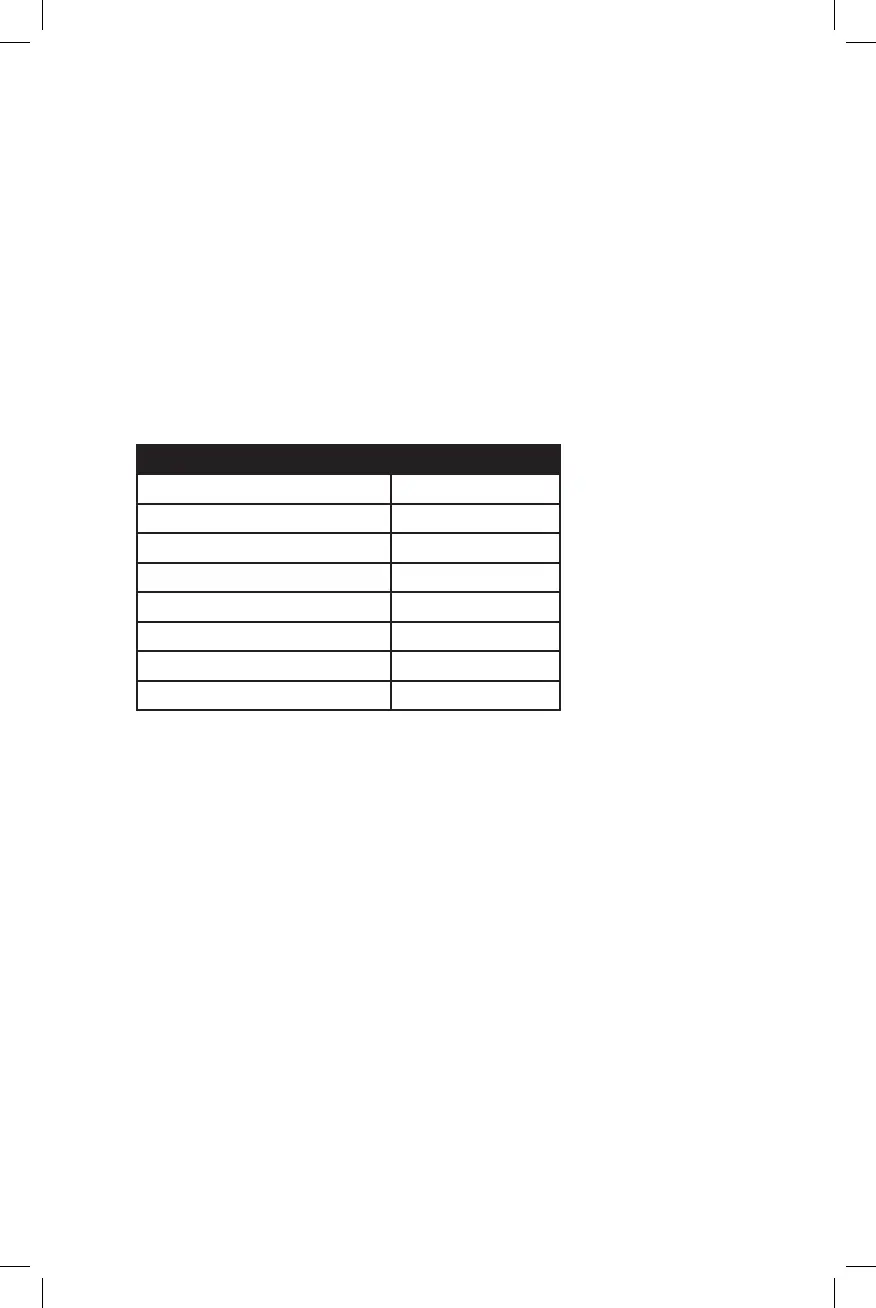
measured pump flow rates in the chart below or one similar.
Pump Number Flow Rate
Pump Port 1 Flavor oz /sec
Pump Port 2 Flavor oz/sec
Pump Port 3 Flavor oz/sec
Pump Port 4 Flavor oz/sec
Pump Port 5 Flavor oz/sec
Pump Port 6 Flavor oz/sec
Pump Port 7 Flavor oz/sec
Pump Port 8 Flavor oz/sec
7.2 Water Flow Rate:
• Calibrate water flow rate in much the same way as you calibrated the pumps.
• Press the GO or L pad until the display reads: “Drink 1 Watr 0”.
• Press 5-0-GO and then STOP twice.
• Press S-1-GO.
• Measure the water in the jar and divide by 5 to get the water flow rate. For
example, with 2.5 oz. of water in the jar, 2.5/5 = 0.5 oz per second. Record
this number. Because the water comes from the same valve for all drinks,
the water flow rate will be the same for every drink.
7.3 Small Drink Default:
• Use this feature to select the mode for the default drink size. There are
three options. The first is for the SMALL to be the default drink size (this
means that SMALL will be automatically selected after a drink has been
made). The second is that the drink size will remain the same after a drink
has been made. The third option is that no drink size will be selected after
a drink is made. This requires that the user select a drink size each time a
drink is made.
• To make a selection for the mode of operation press 3-5-6-GO.
• The screen will show one of the 3 following options: “Revert To Small”, “Re-









 To Next Page