14
• Pump values are recorded in tenths of a second. In other words, 22 on the
display represents 2.2 seconds of dispense time.
• The dispense rate will vary slightly depending on the type of product you are
using. A 4 to 1 concentrate will be thicker and will therefore need more time
to dispense than a 2 to 1 concentrate. (See Section 7.1 for calibration help.)
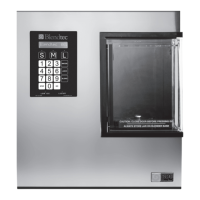
• Enter the value you want by pressing the correct numbers on the control
panel and then the GO button.
• The value will store and then move on to the next pump or data set.
• To zero out a value, scroll to the appropriate pump, enter 0 on the keypad
and press GO.
6.3 Adjusting Water:
• Scroll to the Water data set by pressing either the L or GO buttons.
• Water is also entered in tenths of a second. Water dispense rate should not
vary unless your water pressure coming into the unit is less than 30psi.
• Enter the value required by pressing the numbers on the control pad and
then pressing the GO button.
• To zero out the water value, enter 0 on the keypad and press GO.
6.4 Adjusting Blend Times:
• Scroll to the first Blend Time data set (Small) by pressing either the L or GO
buttons.
• Blend times are in whole seconds. 21 in the blend cycle set represents 21
seconds of blend time. The blender motor will run for the programmed time
and then stop.
• The blender motor will run in the pattern as described by the Cycle in the
next data set.
• To zero out the blend time value, enter 0 on the keypad and press GO.
• To move to the next blend time for Medium or Large press the GO button to
reach them (cycle settings are between each).
6.5 Adjusting Blend Cycles:
• Scroll to the first Blend Cycle data set (Small) by pressing either the L or GO
buttons.
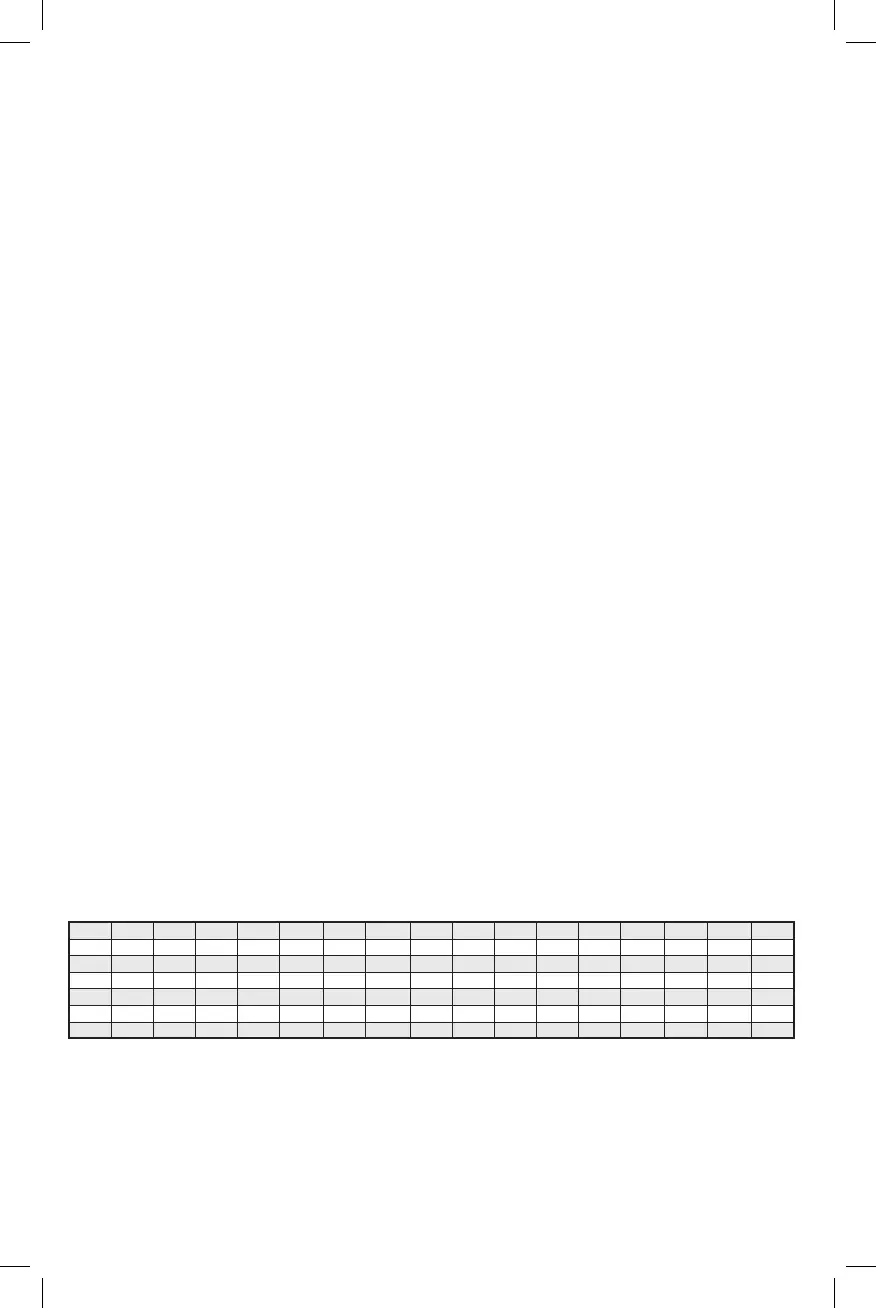
• There are 6 pre-programmed cycles already stored in the unit. See Figure 2
• Select the cycle you want by pressing the appropriate number (1-6) and
press GO.
SpeedA TimeA SpeedB TimeB SpeedC TimeC SpeedD TimeD SpeedE TimeE SpeedF TimeF SpeedG TimeG SpeedH TimeH
Cycle 1 5 15
Cycle 2 6 15
Cycle 3 7 15
Cycle 4 3 1 4 1 1 2 3 1 4 2 5 2 6 2 7 3
Cycle 5 3 1 5 1 1 2 3 2 5 2 3 3 6 6 8 6
Cycle 6 3 2 1 3 3 3 5 3 6 4 7 15 8 6
Figure 2 Standard Blend Cycle Profiles
• Regardless of the time listed above (Figure 2), the blender motor will run for
the amount of time that you have programmed into the Cycle Time data set.
If greater than the default time, the cycle will start over at the beginning of
its programmed time. In other words, looking at Cycle 5 above, you can see
that it is set for a total time of 24 seconds. If your cycle time is greater than









 To Next Page