3-2. CONTROLLER TROUBLESHOOTING
3-2.1. Zapi Handset
A Zapi Handset is available that is designed
specifically for use with the Zapi controller. It serves
multiple functions of reading diagnostic data, testing
vehicle operation, setting options, adjustments and
parameter changes of the controller. The Zapi
Handset is avail-able through your Blue Giant
dealer. If you require dealer location information,
contact Blue Giant.
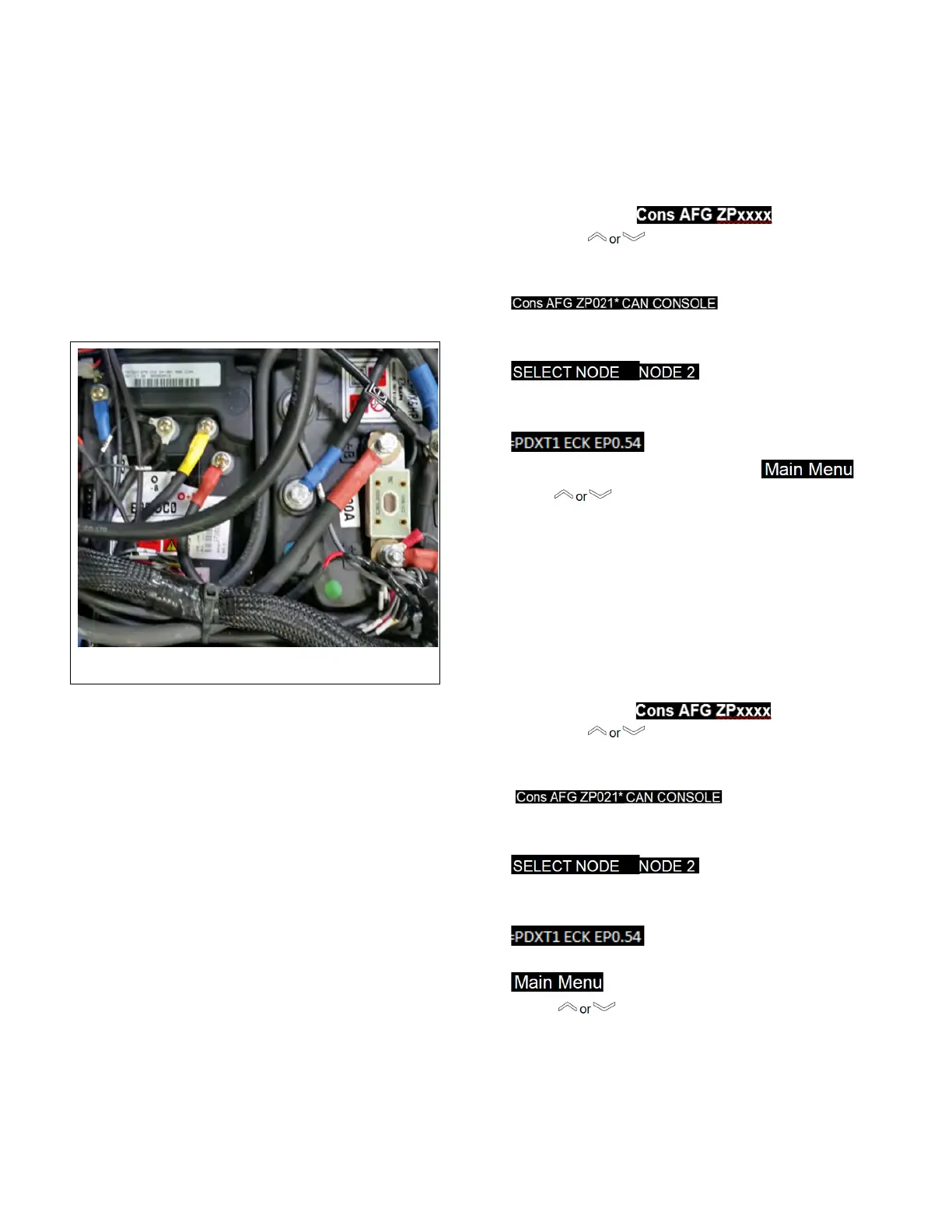
Figure 3-1 Zapi Controller
3-2.2. Fault Detection.
3-2.2.1. General
The microprocessor in the controller records the last
five Alarms that have occurred. Items remembered rel-
ative to each Alarm are:
• The alarm code
• The times that each alarm occurs consecutively
• The Hour Meter value when the latest event of every
alarm occurred
This function permits a deeper diagnosis of problems
as the recent history can be revisited.
3-2.2.2. Logbook Access
Locate the 4 Pin Can Connection on the harness
next to the Zapi controllers.
1. Push & press the Power On Button for 3s the
display will showow
2. Press the button until CAN CONSOLE
shows on the display.
3. The display will show:
Press OK to go into the CANCOSOLE Menu.
4. The display will show:
Press OK to go into the Traction controller.
5. The display will show:
Press OK to go into the Main Menu.
press button to go the Alarms menu then
press OK.
6. To clear the Alarm faults press the F1 button, it
will ask if you are sure press OK, then the ECS
Button.
3-2.3. Testing Vehicle Operation.
Locate the 4 Pin Can Connection on the harness
next to the Zapi controllers
1. Push & press the Power On Button for 3s the
2. Press the button until CAN CONSOLE
shows on the display.
3. The display will show:
Press OK to go into the CANCOSOLE Menu.
4. The display will show:
Press OK to go into the Traction controller.
5. The display will show:
Press OK to go into the Main Menu.
press to TESTER,
press OK and you can test and see the status of
the electrical system.
6. Press the ESC button to get out of that menu
dis
play will showow


 To Next Page