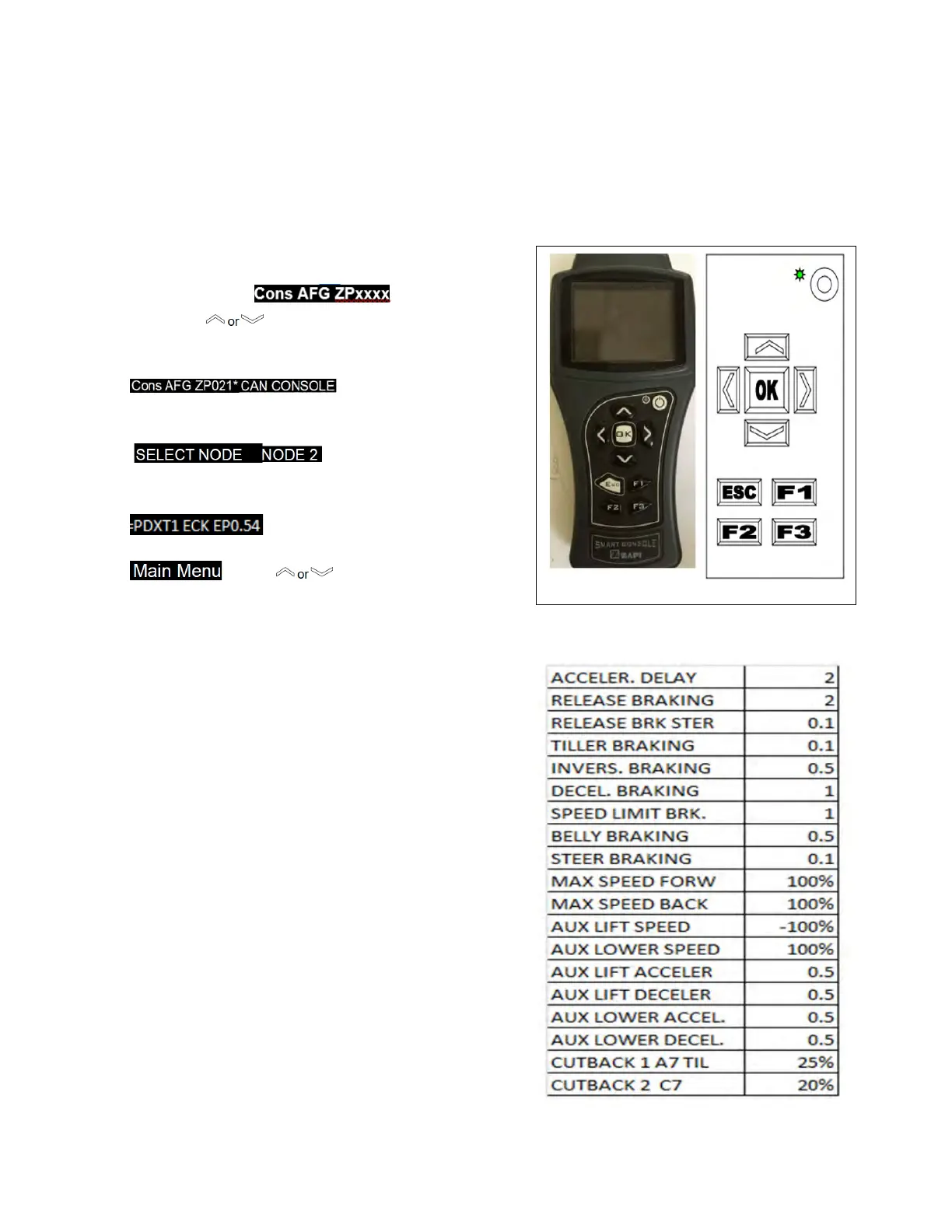
3-2.4. Factory Settings
Parameter setting are not to be changed from
factory settings without explicit written
permission from Blue Giant. To verify the
parameter settings proceed as follows and refer to
Table 3-2: Locate the 4 Pin Can Connection on the
harness next to the Zapi controllers
1. Push & press the Power On Button for 3s the
display will show:
2. Press the button until CAN CONSOLE
shows on the display.
3. The display will show:
Press OK to go into the CANCOSOLE Menu.
4. The display will show:
Press OK to go into the Traction controller.
5. The display will show:
Press OK to go into the Main Menu.
press to PARAMETER
CHANGE,
press OK and you can adjust Parameters in the
electrical system.
6. Press the ESC button to get out of that menu, it
will ask you Do you want to save changes press
OK to apply the changes.
7.
Figure 3-2 Zapi Handset


 To Next Page